# SDK (PHP)
> Symcon documentation · English · generated on 2026-09-26
> Index: https://www.symcon.de/en/llms.txt
Source: https://www.symcon.de/en/service/documentation/developer-area/sdk-tools/sdk-php/
_Requires Symcon >= 4.0_
### Description
As of version 4.0, modules can be created using PHP.
### Requirements
PHP knowledge
IP-Symcon 4.0 or above
### Video-Tutorials
For many topics related to the SDK, [video tutorials](../../getting-started.md) (German) are available on our YouTube channel.
### Integration in IP-Symcon
The data structure can be seen [here](sdk-php.md) .
The first step would be creating the [library](sdk-php.md) , as well as setting up all necessary files.
These can also be found in the structure overview.
Then the [Modules](sdk-php/module.md) can be developed.
> **Note:** In order to reload a module in the local development, a short restart of the service is necessary. For an update via the repository this step is not necessary.
After development has been completed, it is recommended that the library and its module(s) are combined into a repository.
This could, for example, look like this: [Computation Module](https://github.com/symcon/Rechenmodule)
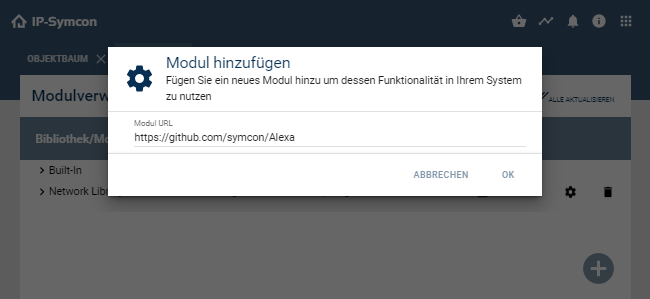
The modules can then be added directly to the [Module Control](../../modules/module-control.md) via the repository URL. It is also possible to submit this module for the [Module store](sdk-php.md).
## Actions
Source: https://www.symcon.de/en/service/documentation/developer-area/sdk-tools/sdk-php/actions/
_Requires Symcon >= 6.0_
### Description
It is possible to define your own actions as part of the [Library](sdk-php.md). After installing the library, these can be used as described under [Actions](../../concepts/automations.md) .
If actions are saved or configured, this results in three values: The action target, the ActionID and the action parameters. The action target represents the target object, for example the underlying object in the case of an Event. The ActionID uniquely identifies the selected action. The parameters are a set of values which individually belong to the action. This allows a user to further parameterize an action and, for example, specify the value to which a variable should be switched.
### Structure
For each action that should be part of the library, a JSON file must be created in the "actions" subfolder of the library. This JSON file must contain a JSON object that follows the following structure.
| Parameter | Data type | Description |
| ----------------------- | -------------- | --------------------------------------------------------------------------------------------------------------------------------------------------------------------------------------------------------------------------------------------------------------------------------------------------------------------------------------------------------------------------------------------------------------------------------------------------------------------------------------------------------------------------------------------------------------------------------------------------------------------------------------------------------------------------------------------------------------------------------------------------------------------------------------------------------- |
| id | string | Unique GUID for the identification of the action. [GUID Generator](../sdk-tools.md) |
| caption | string | Visible name of the action |
| form | array / string | This field can contain an array of configuration elements as in the "elements" or "actions" areas of the [Configuration Forms](sdk-php/configuration-forms.md). Alternatively, the form can be generated dynamically by a PHP script. In this case, this field contains the corresponding code, which the configuration form returns as an object. The PHP code can be split into multiple strings in an array of strings. If an action that has already been defined is to be processed, for example in an Event, the defined parameters are available as system variables, see [SelectAction](sdk-php/configuration-forms.md). The settings of the form represent the parameters of the action, with each named configuration element making its value available under its "name". |
| action | array / string | PHP code that defines the execution of the action. If the action is carried out, the PHP code from this field is carried out. In doing so the parameters are available as system variables. |
| priority (optional) | int | Priority of the action, in a selection actions are sorted according to priority |
| category (optional) | string | (__default:__ "other") The short form of the category of the action. Possible categories are listed under [category](https://www.symcon.de/./#category) . |
| restrictions (optional) | array | (__default:__ []) A list of restrictions which limit the conditions under which this action is offered. The possible restrictions are described in the tables [restrictions](https://www.symcon.de/./#restrictions) . |
| locale (optional) | object | (__default:__ []) Here, as in the [Localization of a Module](sdk-php.md), the action can be localized. This localizes both the form and the caption. |
| format (optional) | string | (__default:__ content of caption) This string represents a short formatting of the action with its parameters, which can be displayed in different places. The formatting is noted in [ICU syntax](https://formatjs.io/docs/core-concepts/icu-syntax/) . There the parameters (name according to the parameter) and the target (name "TARGET") can be used as variables. Some additional [Symcon-specific types](https://www.symcon.de/./#Formatting) are available for formatting. The content of format is translated by the locale. |
| description (optional) | string | (__default:__ "") This text is displayed as a description for the action in the action selection. The content of description is translated by the locale. |
| readable (optional) | array / string | (__default:__ content of action, whereby all status variables of parameters are replaced by the set values) PHP code, which returns the action as readable code. This is used, for example, for "insert commands" in the script editor. In doing so the parameters are available as system variables. |
| deprecated (optional) | array / string | (__default:__ Not deprecated) If this parameter is set, this action is considered as deprecated and the action is not shown in any selections. Whenever a dialog to edit the action is opened, the PHP code in this parameter is executed with the currently set parameters. This action is immediately transformed to the action definition which is returned from the code. |
#### category
| Short form | Name | Description |
| ---------- | ----------------------- | --------------------------------------------------------------- |
| target | Target specific | Actions that belong to a specific target, usually a module |
| math | Mathematical operations | Mathematical operations to modify objects |
| set | Set value | Actions that set the value of a variable |
| switch | Switch value | Actions that switch the value of a variable |
| expert | Expert | Actions that require a deeper understanding of IP-Symcon or PHP |
| other | Other actions | Actions that don't fit into any other category |
#### restrictions
##### Restrictions for all object types
| Parameter | Data type | Description |
| ------------------- | --------- | ------------------------------------------------------------------------------------------------------------------------------------------------------------------------------------------------------------------- |
| objectType | array | The action is only offered for targets of the specified types (0 = category, 1 = instance, 2 = variable, 3 = script, 4 = event, 5 = media, 6 = link) |
| includeEnvironments | array | A list of environments in which the action is offered, see [Environments](https://www.symcon.de/./#Environments) |
| excludeEnvironments | array | A list of environments in which the action is not offered. If it matches "includeEnvironments", the action is not displayed. See [Environments](https://www.symcon.de/./#Environments) |
| writable | bool | If this restriction is set to true, the action is only offered if the target object is not write-protected. If the target is a variable, it must not have a [Variable Action](../../concepts.md). |
##### Restrictions for Target Objects of the Type Instance
| Parameter | Data type | Description |
| ------------------------ | --------- | ----------------------------------------------------------------------------------------------------------------------------------------------------------------------------------------------------------- |
| hasActionStatusVariables | bool | If this restriction is set to true, the action is only offered if the instance has at least one switchable status variable |
| hasInstanceFunctions | bool | If this restriction is set to true, the action is only offered if the instance has at least one public function that was not inherited from the IPSModule |
| moduleID | array | The action is only offered if the ModuleID of the target instance is included in this list |
| moduleType | array | The action is only offered if the module type of the target instance is included in this list (0: Core, 1: I/O, 2: Splitter, 3: Device, 4: Configurator, 5: Discovery, 6: Visualization) (since Symcon 9.0) |
| hasIdent | array | The action is only offered if the target instance has a child for each entry of the list, that has the corresponding ident (since Symcon 6.1) |
| hasNoIdent | array | The action is only offered if the target instance has NO child that has an ident corresponding to an entry of the list (since Symcon 8.0) |
##### Restrictions for Target Objects of the Variable Type
| Parameter | Data type | Description |
| ------------------- | --------- | ----------------------------------------------------------------------------------------------------------------------------------------------------------------- |
| requestAction | bool | If this restriction is set to true, the action is only offered if the variable has a variable action |
| variableType | array | The action is only offered if the variable type of the target variable is contained in this list (0 = Boolean, 1 = Integer, 2 = Float, 3 = String) |
| profilesInclude | array | The action is only offered if the name of the profile the target variable is currently using is included in this list |
| profilesExclude | array | The action is only offered if the name of the profile the target variable is currently using is NOT in this list |
| profileIsEnum | bool | If this restriction is set to true, the action is only offered if the profile of the variable represents an enumeration (step size = 0, at least one association) |
| profileIsPercentage | bool | If this restriction is set to true, the action is only offered if the profile of the variable represents a percentage value (suffix = "%", max value > min value) |
| presentation | array | The action is only offered if the Id of the used presentation is included in this list |
##### Restrictions for Target Objects of the Type Automation
| Parameter | Data type | Description |
| ---------- | --------- | ------------------------------------------------------------------------------------------------------------------------------------------------------------------- |
| scriptType | array | The action is only offered if the automation type of the automation is included in this list (0 = PHP script, 1 = Flow script, 2 = IPSWorkflow) (since version 6.1) |
##### Restrictions for Target Objects of the Type Event
| Parameter | Data type | Description |
| --------- | --------- | ------------------------------------------------------------------------------------------------------------------------------------------------ |
| eventType | array | The action is only offered if the event type of the event is included in this list (0 = Triggered, 1 = Cyclic, 2 = Schedule) (since version 6.3) |
##### Environments
| Environment | Description |
| ------------------ | ------------------------------------------------------------------------------------------------------------------------------ |
| Default | The default environment in which most actions are defined, many choices are limited to these actions or offer them in addition |
| TestCommands | Action selection in the "Test commands" dialog of an instance, "Default" actions are not offered here |
| EventTrigger | Action selection in a triggered event |
| EventCyclic | Action selection in a cyclical event |
| EventSchedule | Action selection in a weekly plan |
| FlowScript | Action selection in the schedule |
| ScriptEditor | Action selection in the "Add command" dialog of a script editor |
| Other environments | You can define your own environments, for example to offer special actions as part of an instance configuration |
#### System Variables
Both in a possible PHP script for the form and in the script for the execution, the target of the action and the set parameters can be accessed via system variables. The following system variables are available in these scripts:
| System variable | Description |
| --------------------------------------------------------------- | ------------------------------------------------------------------------------------------------------------------------------------------------------------------------------------------------------------------------------------------------------------------------------------------------- |
| $_IPS['TARGET'] | ObjectID of the target of the action |
| $_IPS [(name of the parameter)] (e.g. $ _IPS ['VALUE']) | The set or selected value of the parameter. These fields are not available in a script for the form if the action is initially selected and therefore no parameters have yet been selected. Therefore, the PHP function isset should be used to check whether the system variables are available. |
| Further [system variables](../../concepts/automations.md) | Additional system variables are available based on the execution of the action. If the parameter names overlap, the parameter values are used and the regular system variables cannot be accessed. |
#### Formatting
All types of the [ICU format](https://formatjs.io/docs/core-concepts/icu-syntax/) can be used in the format field. In addition, Symcon-specific types were introduced. As usual with ICU, these consist of three parts: The parameter designation, the type designation and optional additional parameters.
##### profile
The value is presented based on the profile of the target variable. If the target does not have a profile, the value is displayed directly.
Examples: {VALUE, profile}
##### valueFormatted
The formatted value of the variable with the ObjectID of the value is displayed.
Examples: {VARIABLE, valueFormatted}
##### object
The name of the object with the ObjectID of the value is displayed.
| Parameter | Description |
| ---------------- | ------------------------------------------------------------------------------------------------------------------------------------------------------------------------------------------------------------------------------------------------------------------------------------ |
| ident (optional) | If "ident" is specified as the parameter followed by a parameter name, the name of the child with the ident that corresponds to the parameter is displayed instead. If the value is behind ident in single quotation marks ('), the value in between them is directly used as Ident. |
Examples: {VARIABLE, object}, {TARGET, object, ident IDENT}
##### action
The formatting of the action, which is coded as a JSON string in the value, is shown.
| Parameter | Description |
| ------------------- | -------------------------------------------------------------------------------------------------------------------------------------------------------------------------------------------------------------------------------------------------------------------------------------------------------------------------------------------------------------------------------------------------------------------------------------------------------------------------------- |
| targetID (optional) | If "targetID" is specified as the parameter followed by a parameter name, the TargetID of the formatted action is set to the value of the corresponding parameter. If "ident" is also given immediately afterwards, followed by a parameter name, the target ID is instead displayed on the child's object ID with the ident that corresponds to the parameter. If the value is behind ident in single quotation marks ('), the value in between them is directly used as Ident. |
Beispiele: {ACTION, action}, {ACTION, action, targetID VARIABLE}, {ACTION, action, targetID TARGET ident IDENT}
##### scheduleAction
The names of weekly plan actions of weekly plans are displayed under the specified parent object with the ID of the value.
| Parameter | Description |
| --------- | --------------------------------------------------------------------------------------------------------------------------------------------------------------------------------------------- |
| parent | If "parent" is specified as the parameter followed by a parameter name, the object is used as the parent object with the value as its ID |
| action | If "action" is specified as the parameter, followed by an ActionID in single quotation marks ('), only the names of weekly plan actions that carry out the corresponding action are displayed |
Examples: {SCHEDULE_ACTION, scheduleAction, parent PARENT}, {SCHEDULE_ACTION, scheduleAction, parent PARENT action '{7938A5A2-0981-5FE0-BE6C-8AA610D654EB}'}
##### selectPresentation
Different formattings depending on the presentation used by a variable.
| Parameter | Description |
| -------------------- | ------------------------------------------------------------------------------------------------------------------------------------------------------------- |
| ID of a presentation | If the ID of a presentation is used as a parameter followed by a formatting, the formatting is used if the variable uses the presentation. |
| other | If "other" is used as a parameter followed by a formatting, the formatting is used if the ID of the used presentation was not otherwise found as a parameter. |
Examples: {TARGET, selectPresentation, {6B9CAEEC-5958-C223-30F7-BD36569FC57A}{Slider} {05CC3CC2-A0B2-5837-A4A7-A07EA0B9DDFB}{Color} other{Other presentation}}
### Examples
__switchValueString.json__
```php
{
"id": "{A4D52B67-BE4B-4AD0-964F-B9BA2556AAB0}",
"caption": "Switch to Value",
"form": [
{
"type": "ValidationTextBox",
"name": "VALUE",
"caption": "Value"
}
],
"action": "RequestAction($_IPS['TARGET'], $_IPS['VALUE']);",
"restrictions": {
"objectType": [ 2 ],
"variableType": [ 3 ],
"profileIsEnum": false,
"requestAction": true
},
"priority": 10,
"locale": {
"de": {
"Switch to Value": "Schalte auf Wert",
"Value": "Wert",
"Set to {VALUE, profile}": "Setze auf {VALUE, profile}"
}
},
"format": "Set to {VALUE, profile}"
}
```
__setValueIntegerPreviousReminder.json__
```php
{
"id": "{92971E6F-4AC1-BEF8-B325-9E044D27B3EB}",
"caption": "Set to Value",
"form": [
"$form = [",
" {",
" 'type' => 'SelectColor',",
" 'name' => 'VALUE',",
" 'allowTransparent' => false,",
" 'caption' => 'Value',",
" 'writable' => true",
" }",
"];",
"if (isset($_IPS['VALUE'])) {",
" $form[] = {",
" 'type' => 'Label'",
" 'caption' => 'Previously selected value: ' . $_IPS['VALUE']",
" };",
"}",
"return $form;"
],
"action": "SetValue($_IPS['TARGET'], $_IPS['VALUE']);",
"restrictions": {
"objectType": [ 2 ],
"variableType": [ 1 ],
"profilesExclude": [ "~HexColor" ]
},
"priority": 5,
"locale": {
"de": {
"Set to Value": "Setze auf Wert",
"Value": "Wert",
"Set to {VALUE, profile}": "Setze auf {VALUE, profile}"
}
},
"format": "Set to {VALUE, profile}"
}
```
__switchStatusVariable.json__
```php
{
"id": "{E616C2B2-A827-1712-4AE0-841C57B3DD74}",
"caption": "Switch Status Variable",
"form": [
"$options = [];",
"$firstVariable = false;",
"foreach (IPS_GetChildrenIDs($_IPS['TARGET']) as $childID) {",
" $object = IPS_GetObject($childID);",
" if (($object['ObjectType'] === 2) && ($object['ObjectIdent'] !== '')) {",
" if (!HasAction($childID)) {",
" continue;",
" }",
" if (!$firstVariable) {",
" $firstVariable = $object;",
" }",
" $options[] = [",
" 'caption' => $object['ObjectName'],",
" 'value' => $object['ObjectIdent']",
" ];",
" }",
"}",
"return [",
" [",
" 'type' => 'Select',",
" 'name' => 'IDENT',",
" 'caption' => 'Status Variable',",
" 'options' => $options,",
" 'value' => $firstVariable['ObjectIdent'],",
" 'onChange' => 'IPS_UpdateFormField(\"ACTION\", \"targetID\", IPS_GetObjectIDByIdent($IDENT, ' . $_IPS['TARGET'] . '), $id);'",
" ],",
" [",
" 'type' => 'SelectAction',",
" 'name' => 'ACTION',",
" 'caption' => 'Action',",
" 'targetID' => isset($_IPS['IDENT']) ? IPS_GetObjectIDByIdent($_IPS['IDENT'], $_IPS['TARGET']) : $firstVariable['ObjectID']",
" ]",
"];"
],
"action": [
"$targetVariableID = IPS_GetObjectIDByIdent($_IPS['IDENT'], $_IPS['TARGET']);",
"$action = json_decode($_IPS['ACTION'], true);",
"echo IPS_RunActionWait($action['actionID'], $targetVariableID, $action['parameters']);"
],
"restrictions": {
"objectType": [ 1 ],
"hasActionStatusVariables": true
},
"locale": {
"de": {
"Switch Status Variable": "Schalte Statusvariable",
"Status Variable": "Statusvariable",
"{TARGET, object, ident IDENT}: Switch Variable": "{TARGET, object, ident IDENT}: Schalte Variable"
}
},
"format": "{TARGET, object, ident IDENT}: {ACTION, action, targetID TARGET ident IDENT}",
"readable": [
"$targetVariableID = IPS_GetObjectIDByIdent($_IPS['IDENT'], $_IPS['TARGET']);",
"$action = json_decode($_IPS['ACTION'], true);",
"$action['parameters']['TARGET'] = $targetVariableID;",
"$action['parameters']['ENVIRONMENT'] = $_IPS['ENVIRONMENT'];",
"$action['parameters']['PARENT'] = $_IPS['PARENT'];",
"echo IPS_GetActionReadableCode($action['actionID'], $action['parameters']) . \"\\n\";"
]
}
```
__multiplySetVariable.json (deprecated action)__
```php
{
"id": "{085176EC-BEE5-3732-15E5-8C82875CABD4}",
"caption": "Multiply with Value of other Variable",
"form": [
"$variable = IPS_GetVariable($_IPS['TARGET']);",
"$types = [];",
"if ($variable['VariableType'] === 2) {",
" $types = [1, 2];",
"}",
"else {",
" $types = [ $variable['VariableType'] ];",
"}",
"return [",
" [",
" 'type' => 'SelectVariable',",
" 'name' => 'VARIABLE',",
" 'caption' => 'Variable',",
" 'validVariableTypes' => $types",
" ]",
"];"
],
"action": "SetValue($_IPS['TARGET'], GetValue($_IPS['TARGET']) * GetValue($_IPS['VARIABLE']));",
"restrictions": {
"objectType": [ 2 ],
"variableType": [ 1, 2 ],
"profileIsEnum": false,
"writable": true
},
"locale": {
"de": {
"Multiply with Value of other Variable": "Multipliziere mit Wert einer anderen Variablen",
"Variable": "Variable",
"Multiply by value of {VARIABLE, object}": "Multipliziere mit Wert von {VARIABLE, object}",
"Set the target variable to its current value multiplied with the value of another variable": "Setze die Zielvariable auf ihren aktuellen Wert multipliziert mit dem Wert einer anderen Variablen"
}
},
"format": "Multiply by value of {VARIABLE, object}",
"category": "math",
"description": "Set the target variable to its current value multiplied with the value of another variable",
"deprecated": [
"return [",
" 'actionID' => '{A3153696-013A-41B1-A001-5E8085D95465}',",
" 'parameters' => [",
" 'DYNAMIC' => true,",
" 'FACTOR' => 0,",
" 'VARIABLE' => $_IPS['VARIABLE']",
" ]",
"];"
]
}
```
## Libraries
Source: https://www.symcon.de/en/service/documentation/developer-area/sdk-tools/sdk-php/libraries/
_Requires Symcon >= 4.0_
### Description
The library is the basis for every module development. Several modules can also be combined to form a library. The required directory structure can be viewed under [Structure](sdk-php.md) .
This can be made available via a repository (we recommend Github or Bitbucket).
### Integration in IP-Symcon
The library.json file must be available, which is located in the main directory.
Based on the directory structure, IP-Symcon can read in the entire library via the "Module Control".
| Parameter | Data type | Description |
| ------------------------- | --------- | ----------------------------------------------------------------------------------------------------------------------------------------------------------------------------------------------------- |
| id | string | Each module has its own GUID for unique identification (see info box below). [GUID generator](../sdk-tools.md) |
| author | string | Under what name was the library developed? |
| compatibility (since 4.3) | array | Checks whether the required version is installed. The kernel version and/or date can be checked. (For further description see table) |
| name | string | The name of the entire library. (A-Z, a-z, 0-9, spaces, underscores are allowed characters. However, spaces and underscores may not be at the beginning or the end. An empty name is also not valid.) |
| url | string | URL to the homepage (Must begin with http:// or https://. May alternatively be left empty) |
| version | string | Version number. This is represented as any desired string. We remmomend the form "number.number". E.g: "4.2" |
| build | integer | build number |
| date | integer | Unix timestamp |
> **Note:** The GUID is a UUID and has the format 8-4-4-4-12. The numbers indicate the number of digits. The digits consist of characters between 0-9 and A-F. There must always be hyphens and curly brackets. Only capital letters may be used. (Example: {12345678-90AB-CDEF-1234-567890ABCDEF})
#### Compatibility
| Parameter | Data type | Description |
| ------------------ | --------- | --------------------------------------- |
| version (optional) | string | Minimum version as a string. E.g: "4.2" |
| date (optional) | integer | Date as UnixTimestamp. E.g: 1491343200 |
### Examples
__library.json__
```php
{
"id": "{F96B257F-85E7-47CF-8340-8FE850AACD10}",
"author": "Symcon GmbH",
- name: "Misc Modules",
"url": "https://www.symcon.de",
"compatibility": {
"version": "4.2",
"date": 1491343200
},
"version": "1.0",
"build": 0,
"date": 0
}
```
## Presentations
Source: https://www.symcon.de/en/service/documentation/developer-area/sdk-tools/sdk-php/presentations/
_Requires Symcon >= 8.0_
### Description
A visual overview of all presentations can be found in the [Object Presentation](../../components/object-presentation.md).
The presentation of a variable can be set using the functions [RegisterVariable](sdk-php/module.md) and [MaintainVariable](sdk-php/module.md). The presentation of a variable is determined by an array with the following "Key"->"Value" pairs.
| Key | Description |
| ------------------------- | ---------------------------------------------------------------------------------------------------------------------------------------------------------------- |
| PRESENTATION | The ID of the presentation to be used, formatted as GUID (constants of the [Presentations](sdk-php.md)) |
| TEMPLATE | (optional) The ID of the template to be used, formatted as a GUID (constants of existing [Templates](sdk-php.md)) |
| *Presentation Parameters* | (optional) Instead of a template, any number of parameters for a presentation can be set. The parameters are set at the same level as the PRESENTATION parameter |
> **Note:** If a parameter is set directly, the values of the template are ignored
Example:
The presentation of a variable is set to a slider with its own suffix when it is created.
```php
$this->RegisterVariableFloat('Value', 'Value', [
'PRESENTATION' => VARIABLE_PRESENTATION_SLIDER,
'SUFFIX' => ' %'
]);
```
#### Presentations
| presentation |
| -------------------------------------------------------- |
| [Enumeration](sdk-php.md) |
| [Date/Time](sdk-php.md) |
| [Duration](sdk-php.md) |
| [Color](sdk-php.md) |
| [Shutter](sdk-php.md) |
| [Switch](sdk-php.md) |
| [Slider](sdk-php.md) |
| [Web Content](sdk-php.md) |
| [Value Presentation](sdk-php.md) |
| [Value Input](sdk-php.md) |
## Enumeration
Source: https://www.symcon.de/en/service/documentation/developer-area/sdk-tools/sdk-php/presentations/enumeration/
_Requires Symcon >= 8.0_
### Parameter
Information on the visual properties and meanings of the parameters can be found in the [Object Presentation](../../components/object-presentation.md).
| Name | Type | Parameter | Description |
| ------------ | ------- | -------------------------- | -------------------------------------------------------------------------------------------------------- |
| PRESENTATION | String | The ID of the presentation | VARIABLE_PRESENTATION_ENUMERATION
{52D9E126-D7D2-2CBB-5E62-4CF7BA7C5D82} |
| ICON | String | Default Icon | [Icons](../../components/icons.md) |
| OPTIONS | String | Options | JSON-encoded list of objects, the exact parameters are described under [Options](https://www.symcon.de/./#Optionen) |
| LAYOUT | Integer | Layout | 0: Column, 1: Row, 2: Grid |
| DISPLAY | Integer | Display... | 0: Caption, 1: Icon, 2: Caption and Icon |
### Optionen
| Name | Type | Parameter | Description |
| ---------- | ---------------------------- | -------------- | ------------------------------------------- |
| Value | Boolean/String/Integer/Float | Value | Depends on the type of the variable |
| Caption | String | Caption | |
| IconActive | Boolean | Overwrite Icon | |
| IconValue | String | Icon | [Icons](../../components/icons.md) |
| Color | Integer | Color | |
### Beispiele
```php
// When registering a variable for PHP modules
// Only icons are displayed. One option is highlighted in color.
$this->RegisterVariableInteger('Modus', 'Modus', [
'PRESENTATION' => VARIABLE_PRESENTATION_ENUMERATION,
'DISPLAY' => 1 /* Icon */,
'OPTIONS' => json_encode([
['Value' => 1, 'Caption' => 'Automatic', 'IconActive' => true, 'IconValue' => 'circle-a'],
['Value' => 2, 'Caption' => 'Eco', 'IconActive' => true, 'IconValue' => 'circle-e', 'Color' => 40448],
['Value' => 3, 'Caption' => 'Manual', 'IconActive' => true, 'IconValue' => 'circle-m'],
])
]);
// For existing variables via script
// Only icons are displayed. One option is highlighted in color.
IPS_SetVariableCustomPresentation(12345, [
'PRESENTATION' => VARIABLE_PRESENTATION_ENUMERATION,
'DISPLAY' => 1 /* Icon */,
'OPTIONS' => json_encode([
['Value' => 1, 'Caption' => 'Automatic', 'IconActive' => true, 'IconValue' => 'circle-a'],
['Value' => 2, 'Caption' => 'Eco', 'IconActive' => true, 'IconValue' => 'circle-e', 'Color' => 40448],
['Value' => 3, 'Caption' => 'Manual', 'IconActive' => true, 'IconValue' => 'circle-m'],
])
]);
```
## Date/Time
Source: https://www.symcon.de/en/service/documentation/developer-area/sdk-tools/sdk-php/presentations/date-time/
_Requires Symcon >= 8.0_
### Parameter
Information about the visual properties and meanings of the parameters can be found in the [Object Presentation](../../components/object-presentation.md).
| Name | Type | Parameter | Description |
| --------------- | ------- | ------------------------ | -------------------------------------------------------------------------- |
| PRESENTATION | String | GUID of the Presentation | VARIABLE_PRESENTATION_DATE_TIME{497C4845-27FA-6E4F-AE37-5D951D3BDBF9} |
| DATE | Integer | Date Display | 0: None, 1: Year, Month, and Day, 2: Month and Day, 3: Year and Day |
| MONTH_TEXT | Boolean | Format Month as | false: Number, true: Text |
| DAY_OF_THE_WEEK | Boolean | Show Day of the Week | |
| TIME | Integer | Time Display | 0: None, 1: Hours and Minutes, 2: Hours, Minutes, and Seconds |
### Templates
```php
// Registers a variable with a date template.
$this->RegisterVariableFloat('Date', 'Date', [
'PRESENTATION' => VARIABLE_PRESENTATION_DATE_TIME,
'TEMPLATE' => VARIABLE_TEMPLATE_DATE,
]);
```
| Name | Constant | GUID |
| ------------- | --------------------------- | -------------------------------------- |
| Date | VARIABLE_TEMPLATE_DATE | {B4C70F3E-6613-DA1A-7279-5DEE8DEB1B24} |
| Time | VARIABLE_TEMPLATE_TIME | {362DA268-56A2-E771-5E53-17E38B5D82E6} |
| Date/Time | VARIABLE_TEMPLATE_DATE_TIME | {BB0E9933-0403-BD3A-D1C9-255646934B00} |
### Examples
```php
// When registering a variable for PHP modules
// Only icons are displayed. One option is highlighted in color.
$this->RegisterVariableInteger('Alarm', 'Alarm Time', [
'PRESENTATION' => VARIABLE_PRESENTATION_DATE_TIME,
'DATE' => 0 /* None */,
'TIME' => 2 /* Hours, Minutes, and Seconds */,
]);
// Shows only the time: 05:09:37
$this->RegisterVariableInteger('Alarm', 'Alarm Time', [
'PRESENTATION' => VARIABLE_PRESENTATION_DATE_TIME,
'DATE' => 0 /* None */,
'TIME' => 2 /* Hours, Minutes, and Seconds */,
]);
// For existing variables via script
// Displays a date as follows: Sun, May 3, 2026 05:09
IPS_SetVariableCustomPresentation(12345, [
'PRESENTATION' => VARIABLE_PRESENTATION_DATE_TIME,
'DATE' => 1 /* Year, Month, and Day */,
'DAY_OF_THE_WEEK' => true,
'TIME' => 1 /* Hours and Minutes */,
]);
// Shows only the time: 05:09:37
IPS_SetVariableCustomPresentation(12345, [
'PRESENTATION' => VARIABLE_PRESENTATION_DATE_TIME,
'DATE' => 0 /* None */,
'TIME' => 2 /* Hours, Minutes, and Seconds */,
]);
```
## Duration
Source: https://www.symcon.de/en/service/documentation/developer-area/sdk-tools/sdk-php/presentations/duration/
_Requires Symcon >= 8.0_
### Parameters
Information about the visual properties and meanings of the parameters can be found in the [Object Presentation](../../components/object-presentation.md).
| Name | Type | Parameter | Description |
| -------------- | ------- | ----------------- | ---------------------------------------------------------------------------------------------- |
| PRESENTATION | String | Presentation GUID | VARIABLE_PRESENTATION_DURATION{08A6AF76-394E-D354-48D5-BFC690488E4E} |
| COUNTDOWN_TYPE | Integer | Display Type | 0: Value in Variable, 1: Duration until Value in Variable, 2: Duration since Value in Variable |
| FORMAT | Integer | Format | 0: Seconds only, 1: Minutes and Seconds, 2: Hours, Minutes, and Seconds, 3: Hours and Minutes |
| MILLISECONDS | Boolean | Show Milliseconds | |
### Examples
```php
// When registering a variable for PHP modules
// Formats the value of the variable as follows: 03:54
$this->RegisterVariableInteger('Countdown', 'Countdown', [
'PRESENTATION' => VARIABLE_PRESENTATION_DURATION,
'COUNTDOWN_TYPE' => 0 /* Value in Variable*/,
'FORMAT' => 1 /* Minutes and Seconds */,
]);
// Formats the duration until the timestamp in the variable as follows: 03:10:08
$this->RegisterVariableInteger('Countdown', 'Countdown', [
'PRESENTATION' => VARIABLE_PRESENTATION_DURATION,
'COUNTDOWN_TYPE' => 1 /* Duration until Value in Variable*/,
'FORMAT' => 2 /* Minutes and Seconds */,
]);
// For existing variables via script
// Formats the value of the variable as follows: 03:54
IPS_SetVariableCustomPresentation(12345, [
'PRESENTATION' => VARIABLE_PRESENTATION_DURATION,
'COUNTDOWN_TYPE' => 0 /* Value in Variable*/,
'FORMAT' => 1 /* Minutes and Seconds */,
]);
// Formats the duration until the timestamp in the variable as follows: 03:10:08
IPS_SetVariableCustomPresentation(12345, [
'PRESENTATION' => VARIABLE_PRESENTATION_DURATION,
'COUNTDOWN_TYPE' => 1 /* Duration until Value in Variable*/,
'FORMAT' => 2 /* Minutes and Seconds */,
]);
```
## Color
Source: https://www.symcon.de/en/service/documentation/developer-area/sdk-tools/sdk-php/presentations/color/
### Parameter
Information about the visual properties and meanings of the parameters can be found in the [Object Presentation](../../components/object-presentation.md).
| Name | Type | Parameter | Description |
| ------------------ | ------- | -------------------------- | ----------------------------------------------------------------------------------------------------------------------------------- |
| PRESENTATION | String | The ID of the presentation | VARIABLE_PRESENTATION_COLOR
{05CC3CC2-A0B2-5837-A4A7-A07EA0B9DDFB} |
| ENCODING | Integer | Encoding | 0: RGB, 1: CMYK, 2: HSV, 3: HSL |
| PRESET_VALUES | String | Default Values | JSON-encoded list of objects, the exact parameters are described under [Colors](https://www.symcon.de/./#Farben) Not available for encoding xy |
| COLOR_SPACE | Integer | Color Space | 0: Custom, 1: sRGB, 2: AdobeRGB, 3: DCI-P3, 4: Rec2020 |
| CUSTOM_COLOR_SPACE | String | Custom color space | JSON-encoded list of objects, the exact parameters are described under [Custom Color Space](https://www.symcon.de/./#Custom_Color_Space) |
| COLOR_CURVE | Integer | Color Curve | 0: None, 1: Custom, 2: Daylight, 3: Daylight (Spring), 4: Daylight (Summer), 5. Daylight (winter) |
| CUSTOM_COLOR_CURVE | String | Custom Color Curve | JSON-encoded list of objects, the exact parameters are described under [Custom Color Curve](https://www.symcon.de/./#Custom_Color_Curve) |
### Colors
| Parameter | Type | Description |
| --------- | ------- | ---------------- |
| Color | Integer | Color as Integer |
### Custom Color Space
A color space is described by 4 objects with the following parameters. The 1st entry is for red, the 2nd for green, the 3rd for blue and the 4th for the white point.
| Parameter | Type | Description |
| --------- | ----- | ------------------------------------------------------------------------ |
| x | Float | X position of the color on the CIE standard color chart in the range 0-1 |
| y | Float | Y position of the color on the CIE standard color chart in the range 0-1 |
Example:
```php
// sRGB
[
{"x":0. 64, "y":0.33},
{"x":0.3, "y":0.6},
{"x":0.15, "y":0.06},
{"x":0.3127, "y":0.329}
]
```
### Custom Color Curve
A color curve consists of any number of colors that represent the color temperature over the course of a day.
| Parameter | Type | Description |
| --------- | ----- | ------------------------------------------------------------------------ |
| x | Float | X position of the color on the CIE standard color chart in the range 0-1 |
| y | Float | Y position of the color on the CIE standard color chart in the range 0-1 |
Example:
```php
// Daylight (Winter)
[
{"x": 0. 477, "y" 0.4137},
{"x": 0.4599, "y" 0.4106},
{"x": 0.433, "y" 0.4027},
{"x": 0.4103, "y" 0.3932},
{"x": 0.3918, "y" 0.3835},
{"x": 0.3761, "y" 0. 374},
{"x": 0.3631, "y" 0.3652},
{"x": 0.352, "y" 0.357},
{"x": 0.3439, "y" 0.3507},
{"x": 0.3367, "y" 0.3447},
{"x": 0.3348, "y" 0.343},
]
```
### Templates
```php
// Registers a variable with shades of green as its default values.
$this->RegisterVariableString('Color', 'Color', [
'PRESENTATION' => VARIABLE_PRESENTATION_COLOR,
'TEMPLATE' => VARIABLE_TEMPLATE_COLOR_FOREST,
]);
```
| Name | Konstante | GUID |
| ---------- | ------------------------------- | -------------------------------------- |
| Rainbow | VARIABLE_TEMPLATE_COLOR_RAINBOW | {0C711895-2F8E-DBFE-1700-84173491D229} |
| Forest | VARIABLE_TEMPLATE_COLOR_FOREST | {A7467E68-5C39-5BD9-C0C8-BCE6004FEEAA} |
### Beispiele
```php
// When registering a variable for PHP modules
// Allows color selection in RGB format, with red, green, and blue as the default values.
$this->RegisterVariableString('ColorRGB', 'Color', [
'PRESENTATION' => VARIABLE_PRESENTATION_COLOR,
'ENCODING' => 0 /* RGB */,
'PRESET_VALUES' => json_encode([['Color' => 16711680], ['Color' => 65280], ['Color' => 255]]),
]);
// Allows color selection in the xy format within a custom color space
$this->RegisterVariableString('ColorXY', 'Color', [
'PRESENTATION' => VARIABLE_PRESENTATION_COLOR,
'ENCODING' => 4 /* xy*/,
'COLOR_SPACE' => 0 /* Custom */,
'SELECTION' => 1 /* CIE Diagram */,
'CUSTOM_COLOR_SPACE' => json_encode([
['x' => 0.692, 'y' => 0.308], // Red
['x' => 0.170, 'y' => 0.700], // Green
['x' => 0.153, 'y' => 0.048], // Blue
['x' => 0.3127,'y' => 0.329] // White point
])
]);
// For existing variables via script
// Allows color selection in RGB format, with red, green, and blue as the default values.
IPS_SetVariableCustomPresentation(12345, [
'PRESENTATION' => VARIABLE_PRESENTATION_COLOR,
'ENCODING' => 0 /* RGB */,
'PRESET_VALUES' => json_encode([['Color' => 16711680], ['Color' => 65280], ['Color' => 255]]),
]);
// Erlaubt die Farbauswahl im Format xy in einem eigenen Farbraum
IPS_SetVariableCustomPresentation(12345, [
'PRESENTATION' => VARIABLE_PRESENTATION_COLOR,
'ENCODING' => 4 /* xy*/,
'COLOR_SPACE' => 0 /* Benutzerdefiniert */,
'SELECTION' => 1 /* CIE Diagramm */,
'CUSTOM_COLOR_SPACE' => json_encode([
['x' => 0.692, 'y' => 0.308], // Red
['x' => 0.170, 'y' => 0.700], // Green
['x' => 0.153, 'y' => 0.048], // Blue
['x' => 0.3127,'y' => 0.329] // White point
])
]);
```
## Shutter
Source: https://www.symcon.de/en/service/documentation/developer-area/sdk-tools/sdk-php/presentations/shutter/
_Requires Symcon >= 8.0_
### Parameter
Information about the visual properties and meanings of the parameters can be found in the [Object Presentation](../../components/object-presentation.md).
| Name | Type | Parameter | Description |
| -------------------- | ------------- | -------------------------- | ----------------------------------------------------------------------- |
| PRESENTATION | String | The ID of the presentation | VARIABLE_PRESENTATION_SHUTTER
{6075FC22-69AF-B110-3749-C24138883082} |
| USAGE_TYPE | Integer | Usage Type | 0: Open, 1: Rotation |
| OPEN_OUTSIDE_VALUE | Integer/Float | Open At / Outside At | |
| CLOSE_INSIDE_VALUE | Integer/Float | Closed At / Inside At | |
| MAX_ROTATION_INSIDE | Integer/Float | Maximum Rotation Inside | |
| MAX_ROTATION_OUTSIDE | Integer/Float | Maximum Rotation Outside | |
| SUN_POSITION | Integer | Sun Position | 0: Left, 1: Right, 2: (None) |
### Templates
```php
// Registers a variable that displays slats rotated to the right.
$this->RegisterVariableFloat('Lamelle', 'Lamelle', [
'PRESENTATION' => VARIABLE_PRESENTATION_SHUTTER,
'TEMPLATE' => VARIABLE_TEMPLATE_SHUTTER_LAMELLA_RIGHT,
]);
```
| Name | Constant | GUID |
| ------------- | ------------------------------------------ | -------------------------------------- |
| Slat right | VARIABLE_TEMPLATE_SHUTTER_LAMELLA_RIGHT | {3BE75DE9-7D84-C082-2E77-9ED3AEE04D63} |
| Slat left | VARIABLE_TEMPLATE_SHUTTER_LAMELLA_LEFT | {22A0DF9C-C200-154A-641B-3A3CB096DB6D} |
### Examples
```php
// When registering a variable for PHP modules
// A variable that represents the opening of the shutter. With a variable value of 150, the presentation is closed - at 0 open.
$this->RegisterVariableInteger('Shutter', 'Shutter', [
'PRESENTATION' => VARIABLE_PRESENTATION_SHUTTER,
'CLOSE_INSIDE_VALUE' => 150,
'USAGE_TYPE' => 0 /* Open */,
'SUN_POSITION' => 2 /* None */,
'OPEN_OUTSIDE_VALUE' => 0,
]);
// A variable that represents the rotation of slats. With a variable value of 100, the presentation is rotated outwards - at 0 inside.
$this->RegisterVariableInteger('Shutter', 'Shutter', [
'PRESENTATION' => VARIABLE_PRESENTATION_SHUTTER,
'CLOSE_INSIDE_VALUE' => 100,
'OPEN_OUTSIDE_VALUE' => 0,
'USAGE_TYPE' => 1 /* Rotation */,
'SUN_POSITION' => 1 /* Right */,
'MAX_ROTATION_INSIDE' => -30,
'MAX_ROTATION_OUTSIDE' => 30,
]);
// For existing variables via script
// A variable that represents the opening of the shutter. With a variable value of 150, the presentation is closed - at 0 open.
IPS_SetVariableCustomPresentation(12345, [
'PRESENTATION' => VARIABLE_PRESENTATION_SHUTTER,
'CLOSE_INSIDE_VALUE' => 150,
'USAGE_TYPE' => 0 /* Open */,
'SUN_POSITION' => 2 /* None */,
'OPEN_OUTSIDE_VALUE' => 0,
]);
// A variable that represents the rotation of slats. With a variable value of 100, the presentation is rotated outwards - at 0 inside.
IPS_SetVariableCustomPresentation(12345, [
'PRESENTATION' => VARIABLE_PRESENTATION_SHUTTER,
'CLOSE_INSIDE_VALUE' => 100,
'OPEN_OUTSIDE_VALUE' => 0,
'USAGE_TYPE' => 1 /* Rotation */,
'SUN_POSITION' => 1 /* Right */,
'MAX_ROTATION_INSIDE' => -30,
'MAX_ROTATION_OUTSIDE' => 30,
]);
```
## Legacy Profile
Source: https://www.symcon.de/en/service/documentation/developer-area/sdk-tools/sdk-php/presentations/legacy-profile/
_Requires Symcon >= 8.0_
### Parameter
Information on the visual properties and meanings of the parameters can be found in the [Object Presentation](../../components/object-presentation.md).
| Name | Type | Parameter | Description |
| ------------ | ------ | -------------------------- | ---------------------------------------------------------------------- |
| PRESENTATION | String | The ID of the presentation | VARIABLE_PRESENTATION_LEGACY
{4153A8D4-5C33-C65F-C1F3-7B61AAF99B1C} |
| PROFILE | String | Profile | [Variable Profiles](../../concepts.md) |
### Examples
```php
// When registering a variable for PHP modules
$this->RegisterVariableFloat('Temperature', 'Temperature', [
'PRESENTATION' => VARIABLE_PRESENTATION_LEGACY,
'PROFILE' => '~Temperature',
]);
// For existing variables via script
IPS_SetVariableCustomPresentation(12345, [
'PRESENTATION' => VARIABLE_PRESENTATION_LEGACY,
'PROFILE' => '~Temperature',
]);
```
## Switch
Source: https://www.symcon.de/en/service/documentation/developer-area/sdk-tools/sdk-php/presentations/switch/
_Requires Symcon >= 8.0_
### Parameters
Information about the visual properties and meanings of the parameters can be found in the [Object Presentation](../../components/object-presentation.md).
| Name | Type | Parameter | Description |
| -------------- | ------- | ------------------------------------------------- | ---------------------------------------------------------------------- |
| PRESENTATION | String | The ID of the presentation | VARIABLE_PRESENTATION_SWITCH
{60AE6B26-B3E2-BDB1-A3A1-BE232940664B} |
| USE_ICON_FALSE | Boolean | Individual icons based on value | |
| ICON_TRUE | String | Icon for true, also false if USE_ICON_FALSE false | [Icons](../../components/icons.md) |
| ICON_FALSE | String | Icon for false if USE_ICON_FALSE true | [Icons](../../components/icons.md) |
| GLOW_COLOR | Integer | Color of glow while active | |
| GLOW_INTENSITY | Integer | Intensity of glow while active | |
| USAGE_TYPE | Integer | Variable Usage | 0: On/Off, 1: Mute Switch, 2: None of these |
### Examples
```php
// When registering a variable for PHP modules
// A switch that glows green.
$this->RegisterVariableInteger('Status', 'Status', [
'PRESENTATION' => VARIABLE_PRESENTATION_SWITCH,
'GLOW_COLOR' => 3210585,
'GLOW_INTENSITY' => 20,
'USAGE_TYPE' => 0 /* On/Off */
]);
// A switch with custom icons to mute
$this->RegisterVariableInteger('Mute', 'Mute', [
'PRESENTATION' => VARIABLE_PRESENTATION_SWITCH,
'USE_ICON_FALSE' => true,
'ICON_FALSE' => 'volume',
'USAGE_TYPE' => 1 /* Mute */,
'ICON_TRUE' => 'volume-xmark',
]);
// For existing variables via script
// A switch that glows green.
IPS_SetVariableCustomPresentation(12345, [
'PRESENTATION' => VARIABLE_PRESENTATION_SWITCH,
'GLOW_COLOR' => 3210585,
'GLOW_INTENSITY' => 20,
'USAGE_TYPE' => 0 /* On/Off */
]);
// A switch with custom icons to mute
IPS_SetVariableCustomPresentation(12345, [
'PRESENTATION' => VARIABLE_PRESENTATION_SWITCH,
'USE_ICON_FALSE' => true,
'ICON_FALSE' => 'volume',
'USAGE_TYPE' => 1 /* Mute */,
'ICON_TRUE' => 'volume-xmark',
]);
```
## Slider
Source: https://www.symcon.de/en/service/documentation/developer-area/sdk-tools/sdk-php/presentations/slider/
_Requires Symcon >= 8.0_
### Parameter
Information about the visual properties and meanings of the parameters can be found in the [Object Presentation](../../components/object-presentation.md).
| Name | Type | Parameter | Description |
| ------------------- | ------------- | --------------------------------------------- | ------------------------------------------------------------------------------------------------------------------------------------------------------------- |
| PRESENTATION | String | The ID of the presentation | VARIABLE_PRESENTATION_SLIDER
{6B9CAEEC-5958-C223-30F7-BD36569FC57A} |
| MIN | Integer/Float | Minimum Value | |
| MAX | Integer/Float | Maximum Value | |
| STEP_SIZE | Integer/Float | Step Size | |
| GRADIENT_TYPE | Integer | Gradient | 0: Default, 1: Temperature, 2: Tuneable White, 3: Custom |
| CUSTOM_GRADIENT | String | Custom Gradient | JSON-encoded list of objects with the parameters 'Value' and 'Color', where Color is encoded analogously to [SelectColor](sdk-php/configuration-forms.md) |
| USAGE_TYPE | Integer | Variable Usage | 0: Temperature, 1: Tuneable White, 2: Intensity, 3: Volume, 4: Progress, 5: None of these |
| PREFIX | String | Prefix | |
| SUFFIX | String | Suffix | |
| PERCENTAGE | Boolean | Display Type | false: Absolute, true: Percentage |
| THOUSANDS_SEPARATOR | String | Thousands Separator | Client: Default from Client, otherwise directly the value |
| DIGITS | Integer | Digits | |
| DECIMAL_SEPARATOR | String | Decimal Separator | Client: Default from Client, otherwise directly the value |
| ICON | String | Icon | |
| INTERVALS_ACTIVE | Boolean | Use updated parameters for specific intervals | |
| INTERVALS | String | Intervals | JSON-encoded list of objects, the exact parameters are described under [Intervals](https://www.symcon.de/./#Intervals) |
#### Intervals
| Name | Type | Parameter | Description |
| ---------------- | ------------- | ----------------- | -------------------------------------- |
| IntervalMinValue | Integer/Float | Interval Start | |
| IntervalMaxValue | Integer/Float | Interval End | |
| ConstantActive | Boolean | Display | false: Formatted Value, true: Constant |
| ConstantValue | String | Constant | |
| ConversionFactor | Integer/Float | Conversion Factor | |
| PrefixActive | Boolean | Overwrite Prefix | |
| PrefixValue | String | Prefix | |
| SuffixActive | Boolean | Overwrite Suffix | |
| SuffixValue | String | Suffix | |
| DigitsActive | Boolean | Overwrite Digits | |
| DigitsValue | Integer | Digits | |
| IconActive | Boolean | Overwrite Icon | |
| IconValue | String | Icon | |
### Templates
```php
// Registers a variable with a room temperature template.
$this->RegisterVariableFloat('TargetValue', 'Temperature', [
'PRESENTATION' => VARIABLE_PRESENTATION_SLIDER,
'TEMPLATE' => VARIABLE_TEMPLATE_SLIDER_ROOM_TEMPERATURE,
]);
```
| Name | Konstante | GUID |
| ----------------- | -------------------------------------------- | -------------------------------------- |
| Room Temperature | VARIABLE_TEMPLATE_SLIDER_ROOM_TEMPERATURE | {868B087E-A38D-2155-EBE0-157AFBBF9E8C} |
| Color Temperature | VARIABLE_TEMPLATE_SLIDER_COLOR_TEMPERATURE | {66062309-21A9-26C0-213F-775C52E1473B} |
| Energy | VARIABLE_TEMPLATE_SLIDER_ENERGY | {BC799412-0C66-551F-CAEC-7566F5D52BD9} |
| Power | VARIABLE_TEMPLATE_VALUE_PRESENTATION_BATTERY | {8EC19DF0-89FB-A77E-ED7D-047A949CF292} |
### Examples
```php
// When registering a variable for PHP modules
// A slider with a range of 0–2000 W. Values of 1000 W or higher are displayed in kW.
$this->RegisterVariableInteger('Power', 'Power', [
'PRESENTATION' => VARIABLE_PRESENTATION_SLIDER,
'ICON' => 'bolt',
'SUFFIX' => ' W',
'MIN' => 0,
'MAX' => 2000,
'INTERVALS_ACTIVE' => true,
'INTERVALS' => json_encode([
[
'IntervalMinValue' => 1000,
'IntervalMaxValue' => 999999,
'ConversionFactor' => 1000,
'SuffixActive' => true,
'SuffixValue' => ' kW',
'DigitsActive' => true,
'DigitsValue' => 2,
'ConstantActive' => false,
'PrefixActive' => false,
]
])
]);
// For existing variables via script
// A slider with a range of 0–2000 W. Values of 1000 W or higher are displayed in kW.
IPS_SetVariableCustomPresentation(12345, [
'PRESENTATION' => VARIABLE_PRESENTATION_SLIDER,
'ICON' => 'bolt',
'SUFFIX' => ' W',
'MIN' => 0,
'MAX' => 2000,
'INTERVALS_ACTIVE' => true,
'INTERVALS' => json_encode([
[
'IntervalMinValue' => 1000,
'IntervalMaxValue' => 999999,
'ConversionFactor' => 1000,
'SuffixActive' => true,
'SuffixValue' => ' kW',
'DigitsActive' => true,
'DigitsValue' => 2,
'ConstantActive' => false,
'PrefixActive' => false,
]
])
]);
```
## Web Content
Source: https://www.symcon.de/en/service/documentation/developer-area/sdk-tools/sdk-php/presentations/web-content/
_Requires Symcon >= 8.0_
### Parameter
Information about the visual properties and meanings of the parameters can be found in the [Object Presentation](../../components/object-presentation.md).
| Name | Type | Parameter | Description |
| ------------ | ------- | -------------------------- | --------------------------------------------------------------------------- |
| PRESENTATION | String | The ID of the presentation | VARIABLE_PRESENTATION_WEB_CONTENT
{9DE1D610-5106-97FB-714D-1AADEDF8377A} |
| HTML_TYPE | Integer | Display Type | 0: HTML Inhalt, 1: Webseite |
| PADDING | Boolean | Remove Padding | |
### Examples
```php
// When registering a variable for PHP modules
// The variable value is treated as a link. The website is displayed without padding in the tiles.
$this->RegisterVariableString('Website', 'Website', [
'PRESENTATION' => VARIABLE_PRESENTATION_WEB_CONTENT,
'HTML_TYPE' => 1 /* Website*/,
'PADDING' => true,
]);
// For existing variables via script
// The variable value is treated as a link. The website is displayed without padding in the tiles.
IPS_SetVariableCustomPresentation(12345, [
'PRESENTATION' => VARIABLE_PRESENTATION_WEB_CONTENT,
'HTML_TYPE' => 1,
'PADDING' => true,
]);
```
## Value Presentation
Source: https://www.symcon.de/en/service/documentation/developer-area/sdk-tools/sdk-php/presentations/value-presentation/
_Requires Symcon >= 8.0_
### Parameter
Information about the visual properties and meanings of the parameters can be found in the [Object Presentation](../../components/object-presentation.md).
| Name | Type | Parameter | Description |
| ------------ | ------- | -------------------------- | ---------------------------------------------------------------------------------- |
| PRESENTATION | String | The ID of the presentation | VARIABLE_PRESENTATION_VALUE_PRESENTATION
{3319437D-7CDE-699D-750A-3C6A3841FA75} |
| ICON | String | Default Icon | [Icons](../../components/icons.md) |
| COLOR | Integer | Default Color | |
| PREFIX | String | Prefix | |
| SUFFIX | String | Suffix | |
#### Float and Integer
| Name | Type | Parameter | Description |
| ------------------- | ------------- | --------------------------------------------- | ------------------------------------------------------------------------------------------------------------ |
| USAGE_TYPE | Integer | Variable Usage | 0: None of these, 1: Temperature |
| PERCENTAGE | Boolean | Display Type | true: Percentage, false: Absolute |
| MIN | Integer/Float | Minimum Value | |
| MAX | Integer/Float | Maximum Value | |
| THOUSANDS_SEPARATOR | String | Thousands Separator | Client: Default from Client, otherwise directly the value |
| DIGITS | Integer | Digits | |
| DECIMAL_SEPARATOR | String | Decimal Separator | Client: Default from Client, otherwise directly the value |
| INTERVALS_ACTIVE | Boolean | Use updated parameters for specific intervals | |
| INTERVALS | String | Intervals | JSON-encoded list of objects, the exact parameters are described under [Intervals](https://www.symcon.de/./#Intervalle) |
#### Intervals
| Name | Type | Parameter | Description |
| ---------------- | ------------- | ----------------- | -------------------------------------- |
| IntervalMinValue | Integer/Float | Interval Start | |
| IntervalMaxValue | Integer/Float | Interval End | |
| ConstantActive | Boolean | Display | false: Formatted Value, true: Constant |
| ConstantValue | String | Constant | |
| ConversionFactor | Integer/Float | Conversion Factor | |
| PrefixActive | Boolean | Overwrite Prefix | |
| PrefixValue | String | Prefix | |
| SuffixActive | Boolean | Overwrite Suffix | |
| SuffixValue | String | Suffix | |
| DigitsActive | Boolean | Overwrite Digits | |
| DigitsValue | Integer | Digits | |
| IconActive | Boolean | Overwrite Icon | |
| IconValue | String | Icon | |
| ColorActive | Boolean | Overwrite Color | |
| Color | Integer | Color | |
#### Boolean and String
| Name | Type | Parameter | Description |
| --------- | ------- | --------- | ------------------------------------------------------------------------------------------------------------------ |
| MULTILINE | Boolean | Multiline | |
| OPTIONS | String | Options | JSON-encoded list of objects, the exact parameters are described under [Options](https://www.symcon.de/./#Optionen) described |
### Options
| Name | Type | Parameter | Description |
| ----------- | -------------- | --------------- | ------------------------------------------- |
| Value | Boolean/String | Value | Depends on the type of the variable |
| Caption | String | Caption | |
| IconActive | Boolean | Overwrite Icon | |
| IconValue | String | Icon | [Icons](../../components/icons.md) |
| ColorActive | Boolean | Overwrite Color | |
| ColorValue | Integer | Color | |
### Templates
```php
// Registers a variable with a temperature template.
$this->RegisterVariableFloat('Temperature', 'Room temperature', [
'PRESENTATION' => VARIABLE_PRESENTATION_VALUE_PRESENTATION,
'TEMPLATE' => VARIABLE_TEMPLATE_VALUE_PRESENTATION_ROOM_TEMPERATURE,
]);
```
| Name | Konstante | GUID |
| ---------------- | ----------------------------------------------------- | -------------------------------------- |
| Room Temperature | VARIABLE_TEMPLATE_VALUE_PRESENTATION_ROOM_TEMPERATURE | {90AF8F8F-183F-BBFD-E078-35FAB6DCFE4F} |
| Power | VARIABLE_TEMPLATE_VALUE_PRESENTATION_POWER | {2FED3D39-073D-6037-901B-2586A1AB5569} |
| Energy | VARIABLE_TEMPLATE_VALUE_PRESENTATION_ENERGY | {C899FCFA-063E-897E-9DA4-28ADD278EED5} |
| Battery | VARIABLE_TEMPLATE_VALUE_PRESENTATION_BATTERY | {7BD38CF5-07F2-5B5B-8F7F-15398B823BFC} |
| Battery (Color) | VARIABLE_TEMPLATE_VALUE_PRESENTATION_BATTERY_COLOR | {C90EF36A-165E-D0B0-032C-F468F483D42B} |
### Examples
```php
// When registering a variable for PHP modules
// An alert variable with an icon and background color
$this->RegisterVariableBoolean('Alarm', 'Alarm', [
'PRESENTATION' => VARIABLE_PRESENTATION_VALUE_PRESENTATION,
'OPTIONS' => json_encode([
['Value' => false, 'Caption' => 'OK', 'IconActive' => true, 'IconValue' => 'siren'],
['Value' => true, 'Caption' => 'Alarm', 'IconActive' => true, 'IconValue' => 'siren-on', 'ColorValue' => 16711680, 'ColorActive' => true],
])
]);
// Power in watts, with values above 1000 displayed in kilowatts
$this->RegisterVariableInteger('Power', 'Power', [
'PRESENTATION' => VARIABLE_PRESENTATION_VALUE_PRESENTATION,
'ICON' => 'bolt',
'SUFFIX' => ' W',
'INTERVALS_ACTIVE' => true,
'INTERVALS' => json_encode([
[
'IntervalMinValue' => 1000,
'IntervalMaxValue' => 999999,
'ConversionFactor' => 1000,
'SuffixActive' => true,
'SuffixValue' => ' kW',
'DigitsActive' => true,
'DigitsValue' => 2,
'ConstantActive' => false,
'PrefixActive' => false,
]
])
]);
// For existing variables via script
// Only icons are displayed. One option is highlighted in color.
IPS_SetVariableCustomPresentation(12345, [
'PRESENTATION' => VARIABLE_PRESENTATION_VALUE_PRESENTATION,
'OPTIONS' => json_encode([
['Value' => false, 'Caption' => 'OK', 'IconActive' => true, 'IconValue' => 'siren'],
['Value' => true, 'Caption' => 'Alarm', 'IconActive' => true, 'IconValue' => 'siren-on', 'ColorValue' => 16711680, 'ColorActive' => true],
])
]);
// Power in watts, with values above 1000 displayed in kilowatts
IPS_SetVariableCustomPresentation(12345, [
'PRESENTATION' => VARIABLE_PRESENTATION_VALUE_PRESENTATION,
'ICON' => 'bolt',
'SUFFIX' => ' W',
'INTERVALS_ACTIVE' => true,
'INTERVALS' => json_encode([
[
'IntervalMinValue' => 1000,
'IntervalMaxValue' => 999999,
'ConversionFactor' => 1000,
'SuffixActive' => true,
'SuffixValue' => ' kW',
'DigitsActive' => true,
'DigitsValue' => 2,
'ConstantActive' => false,
'PrefixActive' => false,
]
])
]);
```
## Value Input
Source: https://www.symcon.de/en/service/documentation/developer-area/sdk-tools/sdk-php/presentations/value-input/
_Requires Symcon >= 8.0_
### Parameter
Information about the visual properties and meanings of the parameters can be found in the [Object Presentation](../../components/object-presentation.md).
| Name | Type | Parameter | Description |
| ------------ | ------- | -------------------------- | --------------------------------------------------------------------------- |
| PRESENTATION | String | The ID of the presentation | VARIABLE_PRESENTATION_VALUE_INPUT
{6F477326-1683-A2FD-D2E7-477F366ECB62} |
| PREFIX | String | Prefix | |
| SUFFIX | String | Suffix | |
| MULTILINE | Boolean | Multiline Input | |
### Examples
```php
// When registering a variable for PHP modules
// Allows numbers to be entered freely.
$this->RegisterVariableFloat('Strompreis', 'Kosten pro kWh', [
'PRESENTATION' => VARIABLE_PRESENTATION_VALUE_INPUT,
'SUFFIX' => ' €',
]);
// Allows free text to be entered over multiple lines.
$this->RegisterVariableString('Einkaufsliste', 'Einkaufsliste', [
'PRESENTATION' => VARIABLE_PRESENTATION_VALUE_INPUT,
'MULLTILINE' => true,
]);
// For existing variables via script
// Allows numbers to be entered freely.
IPS_SetVariableCustomPresentation(12345, [
'PRESENTATION' => VARIABLE_PRESENTATION_VALUE_INPUT,
'SUFFIX' => ' €',
]);
// Allows free text to be entered over multiple lines.
IPS_SetVariableCustomPresentation(12345, [
'PRESENTATION' => VARIABLE_PRESENTATION_VALUE_INPUT,
'MULLTILINE' => true,
]);
```
## Data flow
Source: https://www.symcon.de/en/service/documentation/developer-area/sdk-tools/sdk-php/dataflow/
### Description
The data flow should explain how data is sent between "Device <-> Splitter <-> I / O" in IP-Symcon and what has to be set up for it.
> **Note:** For a simple creation of a module including the data flow, the use of the [module generator](../sdk-tools.md) is recommended.
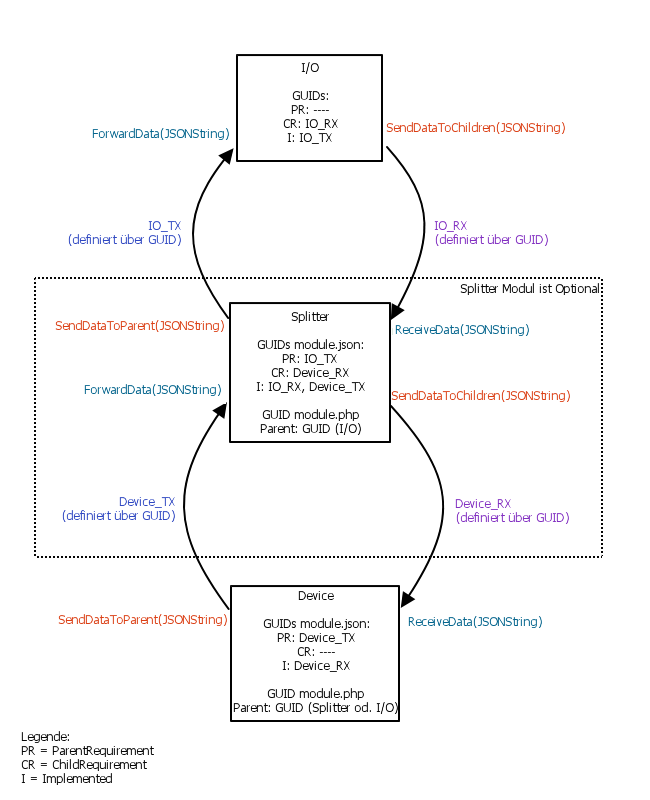
_Typical structure_
### Direction of Data flow
There are 2 directions of data flow.
#### I/O to Device
As can be seen in the figure, this flow direction is from the parent instance via [SendDataToChildren](sdk-php/module.md) to the children. The incoming data is processed within the children by the overwritable function [ReceiveData](sdk-php/module.md).
Optionally and if necessary, a splitter can be inserted between I/O and device.
#### Device to I/O
As can be seen in the figure, this flow direction is from the children instance via [SendDataToParent](sdk-php/module.md) to the parent. The incoming data is processed within the parent by the overwritable function [ForwardData](sdk-php/module.md).
Optionally and if necessary, a splitter can be inserted between the device and I/O.
### I/O Modules
In the case of self-developed modules, the [GUIDs](../../concepts.md) for devices and splitters must be specified in the respective [module.json](sdk-php/module.md) file.
These can be created using the [GUID Generator](../sdk-tools.md).
_On the I/O side, the following data packages are available for I/O types:_
| I/O module | Module GUID | Supported data packages |
| --------------------------------------------------------------- | -------------------------------------- | ------------------------------------------------------------------------------------------------------------------------------------------ |
| [Client Socket](../../modules/clientsocket.md) | {3CFF0FD9-E306-41DB-9B5A-9D06D38576C3} | Simple |
| [HID](../../modules/hid.md) | {E6D7692A-7F4C-441D-827B-64062CFE1C02} | Extended (event) |
| [HTTP Client](../../modules/httpclient.md) | {4CB91589-CE01-4700-906F-26320EFCF6C4} | Extended (HTTP Request) |
| [Multicast Socket](../../modules/multicastsocket.md) | {BAB408E0-0A0F-48C3-B14E-9FB2FA81F66A} | Simple Extended (Socket) |
| [Serial Port](../../modules/serialport.md) | {6DC3D946-0D31-450F-A8C6-C42DB8D7D4F1} | Simple |
| [Server Sent Event Client](../../modules/serversenteventclient.md) | {2FADB4B7-FDAB-3C64-3E2C-068A4809849A} | Extended (SSE) |
| [Server Socket](../../modules/serversocket.md) | {8062CF2B-600E-41D6-AD4B-1BA66C32D6ED} | Simple Extended (Socket) |
| [UDP Socket](../../modules/udpsocket.md) | {82347F20-F541-41E1-AC5B-A636FD3AE2D8} | Simple Extended (Socket) Erweitert (UDP) |
| [Virtual I/O](../../modules/virtualio.md) | {6179ED6A-FC31-413C-BB8E-1204150CF376} | Simple Extended (Socket) |
| [WebSocket Client](../../modules/websocketclient.md) | {D68FD31F-0E90-7019-F16C-1949BD3079EF} | Simple |
#### Data Packages
The data packets are encoded in JSONString.
These contain the [GUID](../../concepts.md) of the data packet type and the actual data.
Using the GUID as an identifier, the respective module knows what data is in the data packet and how it is formatted.
#### Simple
RX GUID: {018EF6B5-AB94-40C6-AA53-46943E824ACF}
TX GUID: {79827379-F36E-4ADA-8A95-5F8D1DC92FA9}
| Parameter | Data type | Description |
| --------- | --------- | ---------------- |
| Buffer | String | Any data content |
```php
// Example for sending to the parent (TX packet) of the simple type
public function SendData() {
$this->SendDataToParent(json_encode([
'DataID' => "{79827379-F36E-4ADA-8A95-5F8D1DC92FA9}",
'Buffer' => utf8_encode("Hello World String"),
]));
}
// Received data from the parent (RX packet) of the simple type
public function ReceiveData($JSONString) {
$data = json_decode($JSONString);
$data['Buffer'] = utf8_decode($Data['Buffer']);
// Output in the message window for debug purposes
IPS_LogMessage("DATA", print_r($data, true));
}
```
#### Extended (Event)
RX GUID: {FD7FF32C-331E-4F6B-8BA8-F73982EF5AA7}
TX GUID: {4A550680-80C5-4465-971E-BBF83205A02B}
| Parameter | Data type | Description |
| --------- | --------- | ---------------- |
| Buffer | String | Any data content |
| EventID | Integer | ID for the event |
```php
// Example for sending to the parent (TX packet) of the type Extended (Event)
public function SendData() {
$this->SendDataToParent(json_encode([
'DataID' => "{4A550680-80C5-4465-971E-BBF83205A02B}",
'Buffer' => utf8_encode("Hello World String"),
'EventID' => 123
]));
}
// Received data from the parent (RX packet) of the type Extended (Event)
public function ReceiveData($JSONString) {
$data = json_decode($JSONString);
$data['Buffer'] = utf8_decode($Data['Buffer']);
// Output in the message window for debug purposes
IPS_LogMessage("DATA", print_r($data, true));
}
```
#### Extended (Socket)
RX GUID: {7A1272A4-CBDB-46EF-BFC6-DCF4A53D2FC7}
TX GUID: {C8792760-65CF-4C53-B5C7-A30FCC84FEFE}
| Parameter | Data type | description |
| ---------- | --------- | ---------------------------------------------------------- |
| Buffer | String | Any data content |
| Type | Integer | Type of connection (0 = Data, 1 = Connect, 2 = Disconnect) |
| ClientIP | String | Connection IP address |
| ClientPort | Integer | Connection port |
```php
// Example for sending to the parent (TX packet) of the extended type (socket)
public function SendData() {
$this->SendDataToParent(json_encode([
'DataID' => "{C8792760-65CF-4C53-B5C7-A30FCC84FEFE}",
'Buffer' => utf8_encode("Hello World String"),
'Type' => 0,
'ClientIP' => "192.168.0.8",
'ClientPort' => 502
]));
}
// Received data from the parent (RX packet) of the type extended (socket)
public function ReceiveData($JSONString) {
$data = json_decode($JSONString);
$data['Buffer'] = utf8_decode($Data['Buffer']);
// Output in the message window for debug purposes
IPS_LogMessage("DATA", print_r($data, true));
}
```
#### Extended (UDP)
RX GUID: {9082C662-7864-D5CA-863F-53999200D897}
TX GUID: {8E4D9B23-E0F2-1E05-41D8-C21EA53B8706}
| Parameter | Data type | Description |
| ---------- | --------- | ------------------------------------------------------------------------------------------------------------------------------------ |
| Buffer | String | Any data content |
| ClientIP | String | IP address of the connection, if empty then the host address set in the UDP socket is used. (Will be ignored if broadcast is active) |
| ClientPort | Integer | Connection port, if set to 0, the port set in the UDP socket is used |
| Broadcast | Boolean | Broadcast deactivated/activated (False = deactivated, True = activated) |
```php
// Example for sending to the parent (TX packet) of the extended type (UDP)
public function SendData() {
$this->SendDataToParent(json_encode([
'DataID' => "{8E4D9B23-E0F2-1E05-41D8-C21EA53B8706}",
'Buffer' => utf8_encode("Hello World String"),
'ClientIP' => "192.168.0.8",
'ClientPort' => 502
'Broadcast' => false,
]));
}
// Received data from the parent (RX packet) of the extended type (UDP)
public function ReceiveData($JSONString) {
$data = json_decode($JSONString);
$data['Buffer'] = utf8_decode($Data['Buffer']);
// Output in the message window for debug purposes
IPS_LogMessage("DATA", print_r($data, true));
}
```
#### Extended (SSE)
RX GUID: {5A709184-B602-D394-227F-207611A33BDF}
| Parameter | Data type | Description |
| --------- | --------- | ---------------------------------------------- |
| Event | String | Any type of event |
| Data | String | Any data content |
| Retry | String | In milliseconds before another attempt to send |
| ID | String | ID for the event |
TX GUID: {79827379-F36E-4ADA-8A95-5F8D1DC92FA9}
TX is not evaluated but has to be set
```php
// Received data from the parent (RX packet) of the extended type (SSE)
public function ReceiveData($JSONString) {
$data = json_decode($JSONString);
// Output in the message window for debug purposes
IPS_LogMessage("DATA", print_r($data, true));
}
```
Further information is available at [https://www.w3.org/TR/eventsource/](https://html.spec.whatwg.org/multipage/server-sent-events.html#the-eventsource-interface)
#### Extended (HTTP Request)
RX GUID: {018EF6B5-AB94-40C6-AA53-46943E824ACF}
| Parameter RX | Data type | Description |
| ------------ | --------- | ---------------- |
| Buffer | String | Any data content |
TX GUID: {D4C1D08F-CD3B-494B-BE18-B36EF73B8F43}
| Parameter TX | Data type | Description |
| ------------- | --------- | ------------------------------------ |
| RequestMethod | String | GET or POST |
| RequestURL | String | URL of the website to be requested |
| RequestData | String | Which data value should be requested |
| Timeout | Integer | Milliseconds until a timeout occurs |
```php
// Example for sending to the parent (TX packet) of the extended type (HTTP request)
public function SendData() {
$this->SendDataToParent(json_encode([
'DataID' => "{D4C1D08F-CD3B-494B-BE18-B36EF73B8F43}",
'RequestMethod' => utf8_encode("POST"),
'RequestURL' => utf8_encode("https://reqbin.com/echo/post/form"),
'RequestData' => utf8_encode("dummy-post-data"),
'Timeout' => 10000
]));
}
// Received data from the parent (RX packet) of the simple type
public function ReceiveData($JSONString) {
$data = json_decode($JSONString);
$data['Buffer'] = utf8_decode($Data['Buffer']);
// Output in the message window for debug purposes
IPS_LogMessage("DATA", print_r($data, true));
}
```
### Requirements and Setup
The [GUIDs](../../concepts.md) for the data packet types used are defined in the [module.json](sdk-php/module.md) .
So that a data flow can be established between two entities, the sender must enter the type of communication used for the appropriate requirement.
The recipient enters the GUID of the communication type under Implemented.
If several GUIDs of different data packet types are entered in the [module.json](sdk-php/module.md) , a module can also interpret and process several data packet types.
> **Note:** The respective parent of each child must also be set up via [ConnectParent](sdk-php/module.md), [RequireParent](sdk-php/module.md) or [ForceParent](sdk-php/module.md). With the newer IPSModuleStrict, the necessary instances for the data flow are automatically created by the management console. If this automation is not suitable, the respective module can influence the automation of the management console via the function [GetCompatibleParents](sdk-php/module.md).
### Example
Communication between I/O, splitter and device.
The device has the splitter as a parent and the splitter has the I/O as a parent.
_Excerpt from the respective module.json_
__Example GUIDs of the data packet types:__
IO_TX: {65465465-6546-6546-6546-65465465}
IO_RX: {AE3AE3A-AE3A-AE3A-AE3A-AE3AE3AE}
Device_TX: {78978978-7897-7897-7897-78978978}
Device_RX: {12312312-1231-1231-1231-12312312}
```php
// Inside the I/O (parent of the splitter)
// I/Os usually have no other parents. So the list should normally be empty.
"parentRequirements": [],
// GUID of the data packet type that is used via SendDataToChildren
"childRequirements": ["{AE3AE3A-AE3A-AE3A-AE3A-AE3AE3AE}"],
// List of GUIDs of the data packet types that are obeyed.
// This is processed by the ForwardData function (data come from the child).
"implemented": ["{65465465-6546-6546-6546-65465465}"],
// Within the splitter (parent of the device, child of the I/O)
// GUID of the data packet type which is used via SendDataToParent
"parentRequirements": ["{65465465-6546-6546-6546-65465465}"],
// GUID of the data packet type that is used via SendDataToChildren
"childRequirements": ["{12312312-1231-1231-1231-12312312}"],
// List of GUIDs of the data packet types that are obeyed.
// This is processed either by the ForwardData function (data come from the child) or ReceiveData (data come from the parent).
"implemented": ["{AE3AE3A-AE3A-AE3A-AE3A-AE3AE3AE}", "{78978978-7897-7897-7897-78978978}"],
// Inside the device (child of the splitter)
// GUID of the data packet type which is used via SendDataToParent
"parentRequirements": ["{78978978-7897-7897-7897-78978978}"],
// Devices usually have no other children. So the list should normally be empty.
"childRequirements": [],
// List of GUIDs of the data packet types that are obeyed.
// This is processed by the ReceiveData function (data come from the parent).
"implemented": ["{12312312-1231-1231-1231-12312312}"],
```
## Data management
Source: https://www.symcon.de/en/service/documentation/developer-area/sdk-tools/sdk-php/data-management/
_Requires Symcon >= 4.0_
### Description
A module basically has four different forms of managing data. These are properties, attributes, buffers and status variables. These differ in terms of task, access options and persistence.
Properties
Attributes
Buffer
Status Variables
#### Properties
Properties are persistent data of a module which should/must be configured by the user. This data is only saved when "Apply" is clicked. Properties are, for example, required login data, device ID or interval for calling up sensor values. This is usually done via the configuration page, which is defined via the [form.json](sdk-php/configuration-forms.md).
| Function name | Brief description |
| -------------------------------------------------------------- | ---------------------------------------- |
| [ReadPropertyBoolean](sdk-php/module.md) | Returns the value of a boolean property |
| [ReadPropertyFloat](sdk-php/module.md) | Returns the value of a float property |
| [ReadPropertyInteger](sdk-php/module.md) | Returns the value of an integer property |
| [ReadPropertyString](sdk-php/module.md) | Returns the value of a string property |
| [RegisterPropertyBoolean](sdk-php/module.md) | Creates a boolean property |
| [RegisterPropertyFloat](sdk-php/module.md) | Creates a float property |
| [RegisterPropertyInteger](sdk-php/module.md) | Creates an integer property |
| [RegisterPropertyString](sdk-php/module.md) | Creates a string property |
```php
public function Create() {
//Never delete this line!
parent::Create();
$this->RegisterPropertyBoolean("EmulateStatus", true);
$this->RegisterPropertyFloat("Faktor", 0.5);
$this->RegisterPropertyInteger("DeviceID", 0);
$this->RegisterPropertyString("Text", "");
}
```
#### Attributes
Attributes are persistent data of a module, which are only set by the module itself and saved immediately. These are, for example, tokens for encrypted connections or saved values of a scene control.
| Function name | Brief description |
| --------------------------------------------------------------- | ----------------------------------------- |
| [ReadAttributeBoolean](sdk-php/module.md) | Returns the value of a boolean attribute |
| [ReadAttributeFloat](sdk-php/module.md) | Returns the value of a float attribute |
| [ReadAttributeInteger](sdk-php/module.md) | Returns the value of an integer attribute |
| [ReadAttributeString](sdk-php/module.md) | Returns the value of a string attribute |
| [RegisterAttributeBoolean](sdk-php/module.md) | Creates a boolean attribute |
| [RegisterAttributeFloat](sdk-php/module.md) | Creates a float attribute |
| [RegisterAttributeInteger](sdk-php/module.md) | Creates an integer attribute |
| [RegisterAttributeString](sdk-php/module.md) | Creates a string attribute |
| [WriteAttributeBoolean](sdk-php/module.md) | Writes in a boolean attribute |
| [WriteAttributeFloat](sdk-php/module.md) | Writes to a float attribute |
| [WriteAttributeInteger](sdk-php/module.md) | Writes in an integer attribute |
| [WriteAttributeString](sdk-php/module.md) | Writes to a string attribute |
__Example__
```php
public function Create() {
//Never delete this line!
parent::Create();
$this->RegisterAttributeBoolean("BoolAttr", true);
$this->RegisterAttributeInteger("IntAttr", 5);
$this->RegisterAttributeFloat("FloatAttr", 3.7);
$this->RegisterAttributeString("StrAttr", "lalala");
}
public function BumpAndShow() {
var_dump($this->ReadAttributeBoolean("BoolAttr"));
var_dump($this->ReadAttributeInteger("IntAttr"));
var_dump($this->ReadAttributeFloat("FloatAttr"));
var_dump($this->ReadAttributeString("StrAttr"));
$this->WriteAttributeBoolean("BoolAttr", !$this->ReadAttributeBoolean("BoolAttr"));
$this->WriteAttributeInteger("IntAttr", $this->ReadAttributeInteger("IntAttr")*2);
$this->WriteAttributeFloat("FloatAttr", $this->ReadAttributeFloat("FloatAttr")+0.1);
$this->WriteAttributeString("StrAttr", $this->ReadAttributeString("StrAttr") . "öäü");
}
```
#### Buffer
Buffers are non-persistent data of a module, which should only be managed by the module itself. These are, for example, incoming data records that are not transmitted in one, but arrive gradually and therefore have to be put together. These are only taken from the buffer and processed by the module when the data record is complete.
| Function name | Brief description |
| ---------------------------------------------------- | ------------------------------- |
| [GetBuffer](sdk-php/module.md) | Returns the content of a buffer |
| [GetBufferList](sdk-php/module.md) | Returns an array of all buffers |
| [SetBuffer](sdk-php/module.md) | Creates a buffer |
__Example__
```php
public function ReceiveData($JSONString) {
//Decode JSONString
$data = json_decode($JSONString);
//Parse and write values to our buffer
$this->SetBuffer("Test", utf8_decode($data->Buffer));
//Print buffer
IPS_LogMessage("IOTest", $this->GetBuffer("Test"));
}
```
#### Status Variables
Status variables are persistent data of a module, which can be changed by the module at any time. These are visible in the object tree and are available for further processing and display in the [Visualizations](../../modules/index.md). Status variables are, for example, sensor values, actuator values to be displayed on the WebFront and status values for further processing.
| Function name | Brief description |
| -------------------------------------------------------------- | ----------------------------------- |
| [DisableAction](sdk-php/module.md) | Disables the default action |
| [EnableAction](sdk-php/module.md) | Activates the default action |
| [GetValue](sdk-php/module.md) | Returns the value of a variable |
| [SetValue](sdk-php/module.md) | Sets the value of a variable |
| [MaintainAction](sdk-php/module.md) | Calls DisableAction or EnableAction |
| [MaintainVariable](sdk-php/module.md) | Configures a status variable |
| [RegisterVariableBoolean](sdk-php/module.md) | Creates a Boolean status variable |
| [RegisterVariableFloat](sdk-php/module.md) | Creates a float status variable |
| [RegisterVariableInteger](sdk-php/module.md) | Creates an integer status variable |
| [RegisterVariableString](sdk-php/module.md) | Creates a string status variable |
| [RequestAction](sdk-php/module.md) | Sets the value of a status variable |
| [UnregisterVariable](sdk-php/module.md) | Deletes a status variable |
__Example__
```php
public function Create() {
//Never delete this line!
parent::Create();
// Variables
$this->RegisterVariableString("TextData", "TextData", "");
IPS_SetHidden($this->GetIDForIdent("TextData"), true);
$this->RegisterVariableString("SimulationView", "SimulationView", "~HTMLBox");
$this->RegisterVariableInteger("SimulationCounter", "SimulationCounter" , "");
$this->RegisterVariableFloat("Factor", "Zoom Factor Wall Display", "Factor.Display");
$this->RegisterVariableBoolean("Active", "Simulation active", "~Switch");
$this->EnableAction("Active");
}
```
## HTML-SDK
Source: https://www.symcon.de/en/service/documentation/developer-area/sdk-tools/sdk-php/html-sdk/
_Requires Symcon >= 7.1_
### Description
The HTML SDK enables PHP modules to use an individual [object presentation](../../components/object-presentation.md). This presentation allows full flexibility thanks to HTML. Messages between the HTML presentation and the module can be used to update the presentation at runtime or to inform the module about user interaction.
### Use HTML as presentation
If the HTML SDK is to be used, the visualization must be activated with the function [SetVisualizationType](sdk-php/module.md). If the tile is then to be displayed in the visualization, the function [GetVisualizationTile](sdk-php/module.md) is used to return the HTML content.
### Translation
Analogous to [configuration forms](sdk-php/configuration-forms.md), the texts of the HTML elements of the visualization are also [localized](sdk-php.md) based on the user's language.
### Icons
The [Symcon icons](../../components/icons.md) can be used within the HTML presentation by loading the icons.js as script:
```php
```
When the script is included, icons can be shown as explained in the [documentation of Font Awesome](https://docs.fontawesome.com/web/add-icons/how-to). All icons that can be used normally in Symcon can be used as well. The Classic icons in the style Light can be used via CSS class fa-light while the Brands icons are used via class fa-brands. The custom icons can be used via class fa-kit.
### messages
The function [GetVisualizationTile](sdk-php/module.md) is initially called once. If the display is to be adjusted at runtime, this must be done via messages. Alternatively, messages enable a channel from the visualization to the module in order to switch variables or perform other interactions.
> **Note:** It is also possible to realize a comparable communication via a [HTML-Box](../../components/object-presentation.md). However, on the one hand, this is quite complex and, on the other hand, involves the risk of creating security gaps that could be exploited. In comparison, communication via HTML SDK is secured in both directions with the visualization password.
#### Module to visualization
If a message is to be sent from the module to the visualization, the function [UpdateVisualizationValue](sdk-php/module.md) must be used in the module. In order to receive and process the content of this message in the display, the function [handleMessage](sdk-php.md) must be implemented via JavaScript. This function receives the content that the content that was sent with UpdateVisualizationTile exactly as input. The format of this data is absolutely free and should be selected to suit the module.
#### Visualization for module
The visualization can use the function [requestAction](sdk-php.md) via JavaScript. In return, this function executes the PHP function [RequestAction](sdk-php/module.md) on the module side, allowing the module to respond to the message.
### Special functions in JavaScript
The HTML SDK offers a range of functions that can be used within the display via JavaScript.
| Function | Description |
| --------------------------------------------------- | ----------------------------------------------------------------- |
| [handleMessage](sdk-php.md) | This function must be defined to receive messages from the module |
| [requestAction](sdk-php.md) | This function sends a message to the module |
| [translate](sdk-php.md) | Translates text based on localization |
| [translateHTML](sdk-php.md) | Translates the text of HTML elements based on the localization |
### Webinar and examples
At the time of publication, the functionality of the HTML SDK was presented in a webinar on [YouTube](https://www.youtube.com/live/-dIHZRYbqpA?si=7QozwcUIwyK8l4zB).
Some sample implementations can also be viewed and tried out in our test repository:
| Example | Description |
| ---------------------------------------------------------------------------------------------------- | --------------------------------------------------------------------- |
| [Duck counter](https://github.com/symcon/SymconTest/tree/master/HTMLVisuTestDuckCounters) | A small counter with detailed comments |
| [Heat pump](https://github.com/symcon/SymconTest/tree/master/HTMLVisuTestHeatingPump) | A complex and extensive example for the representation of a heat pump |
## handleMessage
Source: https://www.symcon.de/en/service/documentation/developer-area/sdk-tools/sdk-php/html-sdk/handlemessage/
`void handleMessage(mixed Data)`
_Requires Symcon >= 7.1_
This function must be defined to receive messages from the module
**Parameters**
- `Data` (mixed): Any data
**Returns** (void): No return
Any data
**Example**
```text
function handleMessage(data) {
// In this example, data simply contains text that may be translated and displayed
document.getElementById('info').textContent = translate(data);
}
```
## openObject
Source: https://www.symcon.de/en/service/documentation/developer-area/sdk-tools/sdk-php/html-sdk/openobject/
`void openObject(int ObjectID)`
_Requires Symcon >= 8.2_
**Parameters**
- `ObjectID` (int): The ID of the object to be opened.
**Returns** (void): No return
The ID of the object to be opened.
**Example**
```js
// Opens the object with the ID 12345
openObject(12345);
```
## requestAction
Source: https://www.symcon.de/en/service/documentation/developer-area/sdk-tools/sdk-php/html-sdk/requestaction/
`void requestAction(string Ident, mixed Value)`
_Requires Symcon >= 7.1_
**Parameters**
- `Ident` (string): An ident
- `Value` (mixed): A value
**Returns** (void): No return
A value
**Example**
```js
// Set counter to 5
requestAction('Counter', 5);
```
## translate
Source: https://www.symcon.de/en/service/documentation/developer-area/sdk-tools/sdk-php/html-sdk/translate/
`string translate(string Original)`
_Requires Symcon >= 7.1_
Translates text based on localization
**Parameters**
- `Original` (string): The original English text to be translated
**Returns** (string): The translated text
The original English text to be translated
**Example**
```js
// Output the translated text to the console
console.log(translate('Hallo Welt'));
```
## translateHTML
Source: https://www.symcon.de/en/service/documentation/developer-area/sdk-tools/sdk-php/html-sdk/translatehtml/
`void translateHTML(object Node)`
_Requires Symcon >= 7.1_
Translates the text of HTML elements based on the localization
**Parameters**
- `Node` (object): An HTML element
**Returns** (void): No return
An HTML element
**Example**
```js
// Übersetze Inhalt des Textblockes 'info'
translateHTML(document.getElementById('info'));
```
## Constants
Source: https://www.symcon.de/en/service/documentation/developer-area/sdk-tools/sdk-php/constants/
_Requires Symcon >= 5.1_
### Constants
| Define | Description |
| ----------------------------------------------------------------- | -------------------------------------------- |
| EVENTCONDITIONCOMPARISON | Comparison conditions for conditional events |
| EVENTCYCLICDATETYPE | Date type for cyclical event |
| EVENTCYCLICTIMETYPE | Time type of the event |
| EVENTTRIGGERTYPE | Trigger type for triggered event |
| EVENTTYPE | Type of event |
| MEDIATYPE | Type of mediainstance |
| MODULETYPE | Type of module |
| OBJECTTYPE | Type of object |
| SCRIPTTYPE | Type of script |
| VARIABLETYPE | Type of variable |
#### EventConditionComparison
Comparison conditions for conditional events
| Constant | Value | Description |
| --------------------------------------- | ----- | ---------------- |
| EVENTCONDITIONCOMPARISON_EQUAL | 0 | Equal |
| EVENTCONDITIONCOMPARISON_NOTEQUAL | 1 | Not equal |
| EVENTCONDITIONCOMPARISON_GREATER | 2 | Greater |
| EVENTCONDITIONCOMPARISON_GREATEROREQUAL | 3 | Greater or equal |
| EVENTCONDITIONCOMPARISON_SMALLER | 4 | Smaller |
| EVENTCONDITIONCOMPARISON_SMALLEROREQUAL | 5 | Smaller or equal |
#### EventCyclicDateType
Date type for cyclical event
| Constant | Value | Description |
| ------------------------- | ----- | ------------ |
| EVENTCYCLICDATETYPE_NONE | 0 | No date type |
| EVENTCYCLICDATETYPE_ONCE | 1 | Once |
| EVENTCYCLICDATETYPE_DAY | 2 | Daily |
| EVENTCYCLICDATETYPE_WEEK | 3 | Weekly |
| EVENTCYCLICDATETYPE_MONTH | 4 | Monthly |
| EVENTCYCLICDATETYPE_YEAR | 5 | Yearly |
#### EventCyclicTimeType
Time type of the event
| Constant | Value | Description |
| -------------------------- | ----- | ----------- |
| EVENTCYCLICTIMETYPE_ONCE | 0 | Once |
| EVENTCYCLICTIMETYPE_SECOND | 1 | Secondly |
| EVENTCYCLICTIMETYPE_MINUTE | 2 | Minutely |
| EVENTCYCLICTIMETYPE_HOUR | 3 | Hourly |
#### EventTriggerType
Trigger type for triggered event
| Constant | Value | Description |
| ------------------------------ | ----- | ------------------------------ |
| EVENTTRIGGERTYPE_ONUPDATE | 0 | If the variable is updated |
| EVENTTRIGGERTYPE_ONCHANGE | 1 | If the variable is changed |
| EVENTTRIGGERTYPE_ONLIMITEXCEED | 2 | If the limit value is exceeded |
| EVENTTRIGGERTYPE_ONLIMITDROP | 3 | If the limit value is exceeded |
| EVENTTRIGGERTYPE_ONVALUE | 4 | At a certain value |
#### EventType
Type of event
| Constant | Value | Description |
| ------------------ | ----- | --------------- |
| EVENTTYPE_TRIGGER | 0 | Triggered event |
| EVENTTYPE_CYCLIC | 1 | Cyclical event |
| EVENTTYPE_SCHEDULE | 2 | Schedule event |
#### MediaType
Type of mediainstance
| Constant | Value | Description |
| ------------------ | ----- | ----------- |
| MEDIATYPE_IPSVIEW | 0 | IPSView |
| MEDIATYPE_IMAGE | 1 | Image |
| MEDIATYPE_SOUND | 2 | Sound |
| MEDIATYPE_STREAM | 3 | Stream |
| MEDIATYPE_CHART | 4 | Chart |
| MEDIATYPE_DOCUMENT | 5 | Document |
#### ModuleType
Type of module
| Constant | Value | Description |
| ------------------------ | ----- | ------------- |
| MODULETYPE_CORE | 0 | Core |
| MODULETYPE_IO | 1 | I/O |
| MODULETYPE_SPLITTER | 2 | Splitter |
| MODULETYPE_DEVICE | 3 | Device |
| MODULETYPE_CONFIGURATOR | 4 | Configurator |
| MODULETYPE_DISCOVERY | 5 | Discovery |
| MODULETYPE_VISUALIZATION | 6 | Visualization |
#### ObjectType
Type of object
| Constant | Value | Description |
| ------------------- | ----- | ----------- |
| OBJECTTYPE_CATEGORY | 0 | Category |
| OBJECTTYPE_INSTANCE | 1 | Instance |
| OBJECTTYPE_VARIABLE | 2 | Variable |
| OBJECTTYPE_SCRIPT | 3 | Script |
| OBJECTTYPE_EVENT | 4 | Event |
| OBJECTTYPE_MEDIA | 5 | Media |
| OBJECTTYPE_LINK | 6 | Link |
#### ScriptType
Type of script
| Constant | Value | Description |
| ---------------------- | ----- | ----------- |
| SCRIPTTYPE_PHP | 0 | PHP-Script |
| SCRIPTTYPE_FLOW | 1 | Flow Script |
| SCRIPTTYPE_IPSWORKFLOW | 2 | IPSWorkflow |
#### VariableType
Type of variable
| Constant | Value | Description |
| -------------------- | ----- | ----------- |
| VARIABLETYPE_BOOLEAN | 0 | Boolean |
| VARIABLETYPE_INTEGER | 1 | Integer |
| VARIABLETYPE_FLOAT | 2 | Float |
| VARIABLETYPE_STRING | 3 | String |
#### Presentations
| GUID | Konstante | Name |
| -------------------------------------- | ---------------------------------------- | --------------------------------------------------------- |
| {6B9CAEEC-5958-C223-30F7-BD36569FC57A} | VARIABLE_PRESENTATION_SLIDER | [Slider](../../components/object-presentation.md) |
| {4153A8D4-5C33-C65F-C1F3-7B61AAF99B1C} | VARIABLE_PRESENTATION_LEGACY | [Legacy-Profile](../../components/object-presentation.md) |
| {3319437D-7CDE-699D-750A-3C6A3841FA75} | VARIABLE_PRESENTATION_VALUE_PRESENTATION | [Value Presentation](../../components/object-presentation.md) |
| {6F477326-1683-A2FD-D2E7-477F366ECB62} | VARIABLE_PRESENTATION_VALUE_INPUT | [Value Input](../../components/object-presentation.md) |
| {9DE1D610-5106-97FB-714D-1AADEDF8377A} | VARIABLE_PRESENTATION_WEB_CONTENT | [Web Content](../../components/object-presentation.md) |
| {05CC3CC2-A0B2-5837-A4A7-A07EA0B9DDFB} | VARIABLE_PRESENTATION_COLOR | [Color](../../components/object-presentation.md) |
| {497C4845-27FA-6E4F-AE37-5D951D3BDBF9} | VARIABLE_PRESENTATION_DATE_TIME | [Date/Time](../../components/object-presentation.md) |
| {60AE6B26-B3E2-BDB1-A3A1-BE232940664B} | VARIABLE_PRESENTATION_SWITCH | [Switch](../../components/object-presentation.md) |
| {6075FC22-69AF-B110-3749-C24138883082} | VARIABLE_PRESENTATION_SHUTTER | [Shuttere](../../components/object-presentation.md) |
| {52D9E126-D7D2-2CBB-5E62-4CF7BA7C5D82} | VARIABLE_PRESENTATION_ENUMERATION | [Enumeration](../../components/object-presentation.md) |
| {08A6AF76-394E-D354-48D5-BFC690488E4E} | VARIABLE_PRESENTATION_DURATION | [Duration](../../components/object-presentation.md) |
#### Templates
| GUID | Konstante | Name |
| -------------------------------------- | ----------------------------------------------------- | -------------------------------------------------------- |
| {B4C70F3E-6613-DA1A-7279-5DEE8DEB1B24} | VARIABLE_TEMPLATE_DATE | [Date](../../components/object-presentation.md) |
| {362DA268-56A2-E771-5E53-17E38B5D82E6} | VARIABLE_TEMPLATE_TIME | [Time](../../components/object-presentation.md) |
| {BB0E9933-0403-BD3A-D1C9-255646934B00} | VARIABLE_TEMPLATE_DATE_TIME | [Datum/Uhrzeit](../../components/object-presentation.md) |
| {868B087E-A38D-2155-EBE0-157AFBBF9E8C} | VARIABLE_TEMPLATE_SLIDER_ROOM_TEMPERATURE | [Room Temperature](../../components/object-presentation.md) |
| {66062309-21A9-26C0-213F-775C52E1473B} | VARIABLE_TEMPLATE_SLIDER_COLOR_TEMPERATURE | [Color Temperature](../../components/object-presentation.md) |
| {BC799412-0C66-551F-CAEC-7566F5D52BD9} | VARIABLE_TEMPLATE_SLIDER_ENERGY | [Energy](../../components/object-presentation.md) |
| {8EC19DF0-89FB-A77E-ED7D-047A949CF292} | VARIABLE_TEMPLATE_SLIDER_POWER | [Power](../../components/object-presentation.md) |
| {3BE75DE9-7D84-C082-2E77-9ED3AEE04D63} | VARIABLE_TEMPLATE_SHUTTER_LAMELLA_RIGHT | [Lamella right](../../components/object-presentation.md) |
| {22A0DF9C-C200-154A-641B-3A3CB096DB6D} | VARIABLE_TEMPLATE_SHUTTER_LAMELLA_LEFT | [Lamella left](../../components/object-presentation.md) |
| {90AF8F8F-183F-BBFD-E078-35FAB6DCFE4F} | VARIABLE_TEMPLATE_VALUE_PRESENTATION_ROOM_TEMPERATURE | [Room Temperature](../../components/object-presentation.md) |
| {2FED3D39-073D-6037-901B-2586A1AB5569} | VARIABLE_TEMPLATE_VALUE_PRESENTATION_POWER | [Power](../../components/object-presentation.md) |
| {C899FCFA-063E-897E-9DA4-28ADD278EED5} | VARIABLE_TEMPLATE_VALUE_PRESENTATION_ENERGY | [Energy](../../components/object-presentation.md) |
| {7BD38CF5-07F2-5B5B-8F7F-15398B823BFC} | VARIABLE_TEMPLATE_VALUE_PRESENTATION_BATTERY | [Battery](../../components/object-presentation.md) |
| {C90EF36A-165E-D0B0-032C-F468F483D42B} | VARIABLE_TEMPLATE_VALUE_PRESENTATION_BATTERY_COLOR | [Battery (Color)](../../components/object-presentation.md) |
| {0C711895-2F8E-DBFE-1700-84173491D229} | VARIABLE_TEMPLATE_COLOR_RAINBOW | [Rainbow](../../components/object-presentation.md) |
| {A7467E68-5C39-5BD9-C0C8-BCE6004FEEAA} | VARIABLE_TEMPLATE_COLOR_FOREST | [Forest](../../components/object-presentation.md) |
#### InstanceStatus
The status of an instance
| Constant | Value | Description |
| ------------- | ----- | ------------------------- |
| IS_CREATING | 101 | Instance is being created |
| IS_ACTIVE | 102 | Instance is active |
| IS_DELETING | 103 | Instance is being deleted |
| IS_INACTIVE | 104 | Instance is inactive |
| IS_NOTCREATED | 105 | Instance was not created |
| IS_STANDBY | 106 | Instance is in standby |
#### Visualization Types
since 9.1
| Constant | Value | Description |
| ------------------------------------------- | ----- | ------------------------------------------------------------------------- |
| INSTANCE_VISUALIZATION_TYPE_NONE | 0 | The instance does not use its own visualization |
| INSTANCE_VISUALIZATION_TYPE_HTML | 1 | The instance uses an HTML visualization |
| INSTANCE_VISUALIZATION_TYPE_HTML_FULLSCREEN | 2 | The instance uses an HTML visualization for normal and opened tile |
## Localizations
Source: https://www.symcon.de/en/service/documentation/developer-area/sdk-tools/sdk-php/localizations/
_Requires Symcon >= 4.1_
The JSON file "locale.json" contains the translations for "label" and "caption" of the configuration page. Graduated language abbreviations are also possible here. For example, "de_DE" or "de_AT" can also be used.
### Examples
__Basic structure of the JSON file__
The language abbreviations indicate into which language the translation is to be carried out
```php
{
"translations": {
"de": {
"Word to be translated 1": "Translation into German - Word 1",
"Word to be translated 2": "Translation into German - Word 2"
},
"de_DE": {
"Word to be translated 1": "Translation into German - Word 1",
"Word to be translated 2": "Translation into German - Word 2"
},
"de_CH": {
"Word to be translated 1": "Translation into Swiss German - word 1",
"Word to be translated 2": "Translation into Swiss German - word 2"
}
}
}
```
__Complete example using an SMS module (see example [configuration forms](sdk-php/configuration-forms.md) )__
```php
{
"translations": {
"de": {
"Username": "Benutzername",
"Password": "Passwort",
"Sender": "Absender",
"Type": "Typ",
"Combi-SMS": "Kombi-SMS",
"Number": "Nummer",
"Message": "Nachricht",
"Send Message": "Sende Nachricht",
"Read Balance": "Frage Guthaben ab",
"Login information valid": "Logindaten sind gültig",
"Authentication failed": "Authentifizierung ist fehlgeschlagen",
"No credits left": "Kein Guthaben vorhanden"
}
}
}
```
## Messages
Source: https://www.symcon.de/en/service/documentation/developer-area/sdk-tools/sdk-php/messages/
_Requires Symcon >= 4.1_
### Description
All messages have their own ID, which describes the type of message.
This is a five-digit number and is made up as follows:
Base + category + type = total value
> **Note:** With version 5.0 and above the values are available as constants automatically
### Overview of all MessageIDs
### Message base
Messages from IP-Symcon have the value base 10000, those from module instances (still undocumented) have the value base 20000.
| Define | Value | Description |
| ------------- | ----- | ------------------------- |
| IPS_BASE | 10000 | Value base for the kernel |
| IPS_MODULBASE | 20000 | Value base for modules |
### Message Categories
| Define | Value | Description |
| -------------------------------------------------------- | ----- | ---------------- |
| [IPS_BASE](https://www.symcon.de/./#IPS_BASE) | 0 | Service messages |
| [IPS_KERNELMESSAGE](https://www.symcon.de/./#IPS_KERNELMESSAGE) | 100 | Kernel Manager |
| [IPS_LOGMESSAGE](https://www.symcon.de/./#IPS_LOGMESSAGE) | 200 | Message Manager |
| [IPS_MODULEMESSAGE](https://www.symcon.de/./#IPS_MODULEMESSAGE) | 300 | Module Manager |
| [IPS_OBJECTMESSAGE](https://www.symcon.de/./#IPS_OBJECTMESSAGE) | 400 | Object Manager |
| [IPS_INSTANCEMESSAGE](https://www.symcon.de/./#IPS_INSTANCEMESSAGE) | 500 | Instance Manager |
| [IPS_SEARCHMESSAGE](https://www.symcon.de/./#IPS_SEARCHMESSAGE) | 510 | Search Manager |
| [IPS_VARIABLEMESSAGE](https://www.symcon.de/./#IPS_VARIABLEMESSAGE) | 600 | Variable Manager |
| [IPS_SCRIPTMESSAGE](https://www.symcon.de/./#IPS_SCRIPTMESSAGE) | 700 | Script Manager |
| [IPS_EVENTMESSAGE](https://www.symcon.de/./#IPS_EVENTMESSAGE) | 800 | Event Manager |
| [IPS_MEDIAMESSAGE](https://www.symcon.de/./#IPS_MEDIAMESSAGE) | 900 | Media Manager |
| [IPS_LINKMESSAGE](https://www.symcon.de/./#IPS_LINKMESSAGE) | 1000 | Link Manager |
| [IPS_FLOWMESSAGE](https://www.symcon.de/./#IPS_FLOWMESSAGE) | 1100 | Flow Manager |
| [IPS_ENGINEMESSAGE](https://www.symcon.de/./#IPS_ENGINEMESSAGE) | 1200 | Script Engine |
| [IPS_PROFILEMESSAGE](https://www.symcon.de/./#IPS_PROFILEMESSAGE) | 1300 | Profile Pool |
| [IPS_TIMERMESSAGE](https://www.symcon.de/./#IPS_TIMERMESSAGE) | 1400 | Timer Pool |
| [IPS_ACTIONMESSAGE](https://www.symcon.de/./#IPS_ACTIONMESSAGE) | 1500 | Action Pool |
| [IPS_LICENSEMESSAGE](https://www.symcon.de/./#IPS_LICENSEMESSAGE) | 1600 | License Pool |
### Message types
#### IPS_BASE
Value base 0
| Define | Value | Total value | Description |
| --------------------------- | ----- | ----------- | ---------------------------------------------------- |
| IPS_KERNELSTARTED (ab 4.2) | 1 | 10001 | Is sent after KR_READY and processed synchronously |
| IPS_KERNELSHUTDOWN (ab 4.2) | 2 | 10002 | Is sent before KR_UNINIT and processed synchronously |
#### IPS_KERNELMESSAGE
Value base 100
| Define | Value | Total value | Description |
| ----------- | ----- | ----------- | --------------------------------------------------------------------------- |
| KR_CREATE | 1 | 10101 | Kernel was created |
| KR_INIT | 2 | 10102 | Kernel components are initialized, modules are loaded and settings are read |
| KR_READY | 3 | 10103 | Kernel is ready and running |
| KR_UNINIT | 4 | 10104 | "Shutdown"-command received, finalize everything loaded |
| KR_SHUTDOWN | 5 | 10105 | Finalization complete, remove kernel |
#### IPS_LOGMESSAGE
Value base 200
| Define | Value | Total value | Description |
| ---------- | ----- | ----------- | ------------------- |
| KL_MESSAGE | 1 | 10201 | Normal message |
| KL_SUCCESS | 2 | 10202 | Success |
| KL_NOTIFY | 3 | 10203 | Change Notification |
| KL_WARNING | 4 | 10204 | Warning |
| KL_ERROR | 5 | 10205 | Error Message |
| KL_DEBUG | 6 | 10206 | Debug Information |
| KL_CUSTOM | 7 | 10207 | Other Messages |
#### IPS_MODULEMESSAGE
Value base 300
| Define | Value | Total value | Description |
| --------- | ----- | ----------- | --------------- |
| ML_LOAD | 1 | 10301 | Module loaded |
| ML_UNLOAD | 2 | 10302 | Module unloaded |
#### IPS_OBJECTMESSAGE
Value base 400
| Define | Value | Total value | Description |
| ----------------- | ----- | ----------- | ------------------------------ |
| OM_REGISTER | 1 | 10401 | Object created |
| OM_UNREGISTER | 2 | 10402 | Object removed |
| OM_CHANGEPARENT | 3 | 10403 | Parent object has changed |
| OM_CHANGENAME | 4 | 10404 | Name has changed |
| OM_CHANGEINFO | 5 | 10405 | Description has changed |
| OM_CHANGETYPE | 6 | 10406 | Type has changed |
| OM_CHANGESUMMARY | 7 | 10407 | Short information has changed |
| OM_CHANGEPOSITION | 8 | 10408 | Type has changed |
| OM_CHANGEREADONLY | 9 | 10409 | "Read-only" status has changed |
| OM_CHANGEHIDDEN | 10 | 10410 | Visibility has changed |
| OM_CHANGEICON | 11 | 10411 | Icon has changed |
| OM_CHILDADDED | 12 | 10412 | Child added |
| OM_CHILDREMOVED | 13 | 10413 | Child removed |
| OM_CHANGEIDENT | 14 | 10414 | Ident has changed |
| OM_CHANGEDISABLED | 15 | 10415 | Usability has changed |
| OM_CHANGELOCKED | 16 | 10416 | Locked was Changed |
#### IPS_INSTANCEMESSAGE
Value base 500
| Define | Value | Total value | Description |
| ------------------ | ----- | ----------- | -------------------------------------- |
| IM_CREATE | 1 | 10501 | Instance created |
| IM_DELETE | 2 | 10502 | Instance removed |
| IM_CONNECT | 3 | 10503 | Instance interface available |
| IM_DISCONNECT | 4 | 10504 | Instance interface no longer available |
| IM_CHANGESTATUS | 5 | 10505 | Status has changed |
| IM_CHANGESETTINGS | 6 | 10506 | Settings have changed |
| IM_CHANGEATTRIBUTE | 7 | 10507 | Attribute has changed |
| IM_ADDATTRIBUTE | 8 | 10508 | Attribute added |
| IM_REMOVEATTRIBUTE | 9 | 10509 | Attribute removed |
#### IPS_SEARCHMESSAGE
Value base 510
| Define | Value | Total value | Description |
| --------------- | ----- | ----------- | ---------------------- |
| IM_SEARCHSTART | 1 | 10511 | Search started |
| IM_SEARCHSTOP | 2 | 10512 | Search stopped |
| IM_SEARCHUPDATE | 3 | 10513 | Search has new results |
#### IPS_FORMMESSAGE
Value base 520
| Define | Value | Total value | Description |
| ------------------ | ----- | ----------- | ---------------------------- |
| IM_FORMFIELDCREATE | 1 | 10521 | Create new form field |
| IM_FORMFIELDDELETE | 2 | 10522 | Delete existing form field |
| IM_FORMFIELDUPDATE | 3 | 10523 | Updating existing form field |
| IM_FORMRELOAD | 4 | 10524 | Reload form |
#### IPS_VARIABLEMESSAGE
Value base 600
| Define | Value | Total value | Description |
| ---------------------- | ----- | ----------- | -------------------------------------- |
| VM_CREATE | 1 | 10601 | Variable was created |
| VM_DELETE | 2 | 10602 | Variable was removed |
| VM_UPDATE | 3 | 10603 | Variable was updated |
| VM_CHANGEPROFILENAME | 4 | 10604 | Variable profile name has been changed |
| VM_CHANGEPROFILEACTION | 5 | 10605 | Variable profile action was changed |
| VM_CHANGEDLOCKED | 6 | 10606 | Locked was Changed |
#### IPS_SCRIPTMESSAGE
Value base 700
| Define | Value | Total value | Description |
| ------------- | ----- | ----------- | ------------------------------- |
| SM_CREATE | 1 | 10701 | Script was created |
| SM_DELETE | 2 | 10702 | Script was removed |
| SM_CHANGEFILE | 3 | 10703 | Script was attached to file |
| SM_BROKEN | 4 | 10704 | Script error status has changed |
| SM_UPDATE | 5 | 10704 | Script was updated |
#### IPS_EVENTMESSAGE
Value base 800
| Define | Value | Total value | Description |
| ---------------------------------- | ----- | ----------- | ---------------------------------------------------------- |
| EM_CREATE | 1 | 10801 | Event was created |
| EM_DELETE | 2 | 10802 | Event was removed |
| EM_UPDATE | 3 | 10803 | Event was updated |
| EM_CHANGEACTIVE | 4 | 10804 | Event activation has changed |
| EM_CHANGELIMIT | 5 | 10805 | Event call limit has changed |
| EM_CHANGESCRIPT | 6 | 10806 | Event script content has changed |
| EM_CHANGETRIGGER | 7 | 10807 | Event trigger has changed |
| EM_CHANGETRIGGERVALUE | 8 | 10808 | Event limit has changed |
| EM_CHANGETRIGGEREXECUTION | 9 | 10809 | Event limit triggering has changed |
| EM_CHANGECYCLIC | 10 | 10810 | Cyclic event has changed |
| EM_CHANGECYCLICDATEFROM | 11 | 10811 | Start date has changed |
| EM_CHANGECYCLICDATETO | 12 | 10812 | End date has changed |
| EM_CHANGECYCLICTIMEFROM | 13 | 10813 | Start time has changed |
| EM_CHANGECYCLICTIMETO | 14 | 10814 | End time has changed |
| EM_ADDSCHEDULEACTION | 15 | 10815 | Entry in the action table of the schedule has been added |
| EM_REMOVESCHEDULEACTION | 16 | 10816 | Entry in the action table of the schedule has been removed |
| EM_CHANGESCHEDULEACTION | 17 | 10817 | Entry in the action table of the schedule has changed |
| EM_ADDSCHEDULEGROUP | 18 | 10818 | Group of the schedule days was added |
| EM_REMOVESCHEDULEGROUP | 19 | 10819 | Group of the schedule days has been removed |
| EM_CHANGESCHEDULEGROUP | 20 | 10820 | Group of the schedule days has changed |
| EM_ADDSCHEDULEGROUPPOINT | 21 | 10821 | Switching point of a group has been added |
| EM_REMOVESCHEDULEGROUPPOINT | 22 | 10822 | Switching point of a group has been removed |
| EM_CHANGESCHEDULEGROUPPOINT | 23 | 10823 | The switching point of a group has changed |
| EM_ADDCONDITION | 24 | 10824 | Condition was added |
| EM_REMOVECONDITION | 25 | 10825 | Condition was removed |
| EM_CHANGECONDITION | 26 | 10826 | Condition has changed |
| EM_ADDCONDITIONVARIABLERULE | 27 | 10827 | Condition variable rule has been added |
| EM_REMOVECONDITIONVARIABLERULE | 28 | 10828 | Variable rule of the condition has been removed |
| EM_CHANGECONDITIONVARIABLERULE | 29 | 10829 | Variable rule of the condition has changed |
| EM_ADDCONDITIONDATERULE | 30 | 10830 | Date rule of condition was added |
| EM_REMOVECONDITIONDATERULE | 31 | 10831 | Date rule of condition was added |
| EM_CHANGECONDITIONDATERULE | 32 | 10832 | Condition date rule has changed |
| EM_ADDCONDITIONTIMERULE | 33 | 10833 | Condition time rule was added |
| EM_REMOVECONDITIONTIMERULE | 34 | 10834 | Time rule of the condition has been removed |
| EM_CHANGECONDITIONTIMERULE | 35 | 10835 | Time rule of the condition has changed |
| EM_ADDCONDITIONDAYOFTHEWEEKRULE | 36 | 10836 | Day of the week rule was added |
| EM_REMOVECONDITIONDAYOFTHEWEEKRULE | 37 | 10837 | Day of the week rule of the condition has been removed |
| EM_CHANGECONDITIONDAYOFTHEWEEKRULE | 38 | 10838 | Day of the week rule of the condition has changed |
#### IPS_MEDIAMESSAGE
Value base 900
| Define | Value | Total value | Description |
| --------------- | ----- | ----------- | ----------------------------------------------- |
| MM_CREATE | 1 | 10901 | Media object was created |
| MM_DELETE | 2 | 10902 | Media object has been removed |
| MM_CHANGEFILE | 3 | 10903 | Media asset file has changed |
| MM_AVAILABLE | 4 | 10904 | The availability of the media asset has changed |
| MM_UPDATE | 5 | 10905 | Media asset has been updated |
| MM_CHANGECACHED | 6 | 10906 | Media object cache option has changed |
#### IPS_LINKMESSAGE
Value base 1000
| Define | Value | Total value | Description |
| --------------- | ----- | ----------- | --------------------------------------- |
| LM_CREATE | 1 | 11001 | Link was created |
| LM_DELETE | 2 | 11002 | Link was removed |
| LM_CHANGETARGET | 3 | 11003 | The destination of the link has changed |
#### IPS_FLOWMESSAGE
Value base 1100
| Define | Value | Total value | Description |
| --------------- | ----- | ----------- | ----------------------------------------------- |
| FM_CONNECT | 1 | 11101 | Instance has been connected |
| FM_DISCONNECT | 2 | 11102 | Instance was disconnected |
| FM_CHILDADDED | 3 | 11103 | Child instance was connected to this instance |
| FM_CHILDREMOVED | 4 | 11104 | Child instance was separated from this instance |
#### IPS_ENGINEMESSAGE
Value base 1200
| Define | Value | Total value | Description |
| ------------- | ----- | ----------- | --------------------------------------------------------------- |
| SE_UPDATE | 1 | 11201 | Script engine was reloaded |
| SE_EXECUTE | 2 | 11202 | Script was executed |
| SE_RUNNING | 3 | 11203 | Script is running |
| SE_FLOWSCRIPT | 4 | 11204 | On FlowScript Status (either all steps finished or was aborted) |
#### IPS_PROFILEMESSAGE
Value base 1300
| Define | Value | Total value | Description |
| --------------------- | ----- | ----------- | ------------------------------------------ |
| PM_CREATE | 1 | 11301 | Profile was created |
| PM_DELETE | 2 | 11302 | Profile has been removed |
| PM_CHANGETEXT | 3 | 11303 | Profile prefix/ profile suffix has changed |
| PM_CHANGEVALUES | 4 | 11304 | Profile values have changed |
| PM_CHANGEDIGITS | 5 | 11305 | Profile decimal places have changed |
| PM_CHANGEICON | 6 | 11306 | Profile icon has changed |
| PM_ASSOCIATIONADDED | 7 | 11307 | Profile association was added |
| PM_ASSOCIATIONREMOVED | 8 | 11308 | Profile association was removed |
| PM_ASSOCIATIONCHANGED | 9 | 11309 | Profile association has changed |
#### IPS_TIMERMESSAGE
Value base 1400
| Define | Value | Total value | Description |
| ----------------- | ----- | ----------- | -------------------------- |
| TM_REGISTER | 1 | 11401 | Timer was created |
| TM_UNREGISTER | 2 | 11402 | Timer has been removed |
| TM_CHANGEINTERVAL | 3 | 11403 | Timer interval has changed |
#### IPS_ACTIONMESSAGE
Value base 1500
| Define | Value | Total value | Description |
| ------------------ | ----- | ----------- | ---------------------------- |
| AM_FORMFIELDCREATE | 1 | 11501 | Currently unused |
| AM_FORMFIELDDELETE | 2 | 11502 | Currently unused |
| AM_FORMFIELDUPDATE | 3 | 11503 | Form element needs an update |
| AM_FORMRELOAD | 4 | 11504 | Reload configuration form |
#### IPS_LICENSEMESSAGE
Value base 1600
| Define | Value | Total value | Description |
| --------------------- | ----- | ----------- | ---------------------- |
| LP_UPDATELICENSE | 1 | 11601 | On license update |
| LP_UPDATESUBSCRIPTION | 2 | 11602 | On subscription update |
### Message parameters
Values of various message parameters
#### Search Handling
| Define | Value | Total value | Description |
| -------------- | ----- | ----------- | --------------------------------------------------------------------------- |
| IF_UNKNOWN | 0 | 0 | Unknown value |
| IF_NEW | 1 | 1 | Device is created but not configured |
| IF_OLD | 2 | 2 | Device is configured and should have an InstanceID |
| IF_CURRENT | 3 | 3 | The device is configured and the InstanceID belongs to the searching device |
| IF_UNSUPPORTED | 4 | 4 | Device is not supported by the module |
#### Status Codes
| Define | Value | Total value | Description |
| ------------- | ----- | ----------- | --------------------------- |
| IS_SBASE | 100 | 100 | Value base for status codes |
| IS_CREATING | 1 | 101 | Instance is creating |
| IS_ACTIVE | 2 | 102 | Instance is active |
| IS_DELETING | 3 | 103 | Instance is deleting |
| IS_INACTIVE | 4 | 104 | Instance is inactive |
| IS_NOTCREATED | 5 | 105 | Instance was not created |
#### Error Codes
| Define | Value | Total value | Description |
| -------- | ----- | ----------- | ------------- |
| IS_EBASE | 200 | 200 | General error |
## References
Source: https://www.symcon.de/en/service/documentation/developer-area/sdk-tools/sdk-php/references/
_Requires Symcon >= 5.1_
### Description
References indicate which objects require oneself to function properly. For example, during a reference search for a variable, a triggered event is listed which is triggered when the variable changes. Without the variable, the event cannot function properly.
The references are called up by default via the [context menu](../../concepts.md) in the object tree. One can then jump to the objects in the displayed list.
### Manage references
References can be added and removed in the module.
| Function | Description |
| ---------------------------------------------------------- | ------------------------------------------------------------------------------------------------------------ |
| [GetReferenceList](sdk-php/module.md) | This function returns an array with all references. |
| [RegisterReference](sdk-php/module.md) | This function registers a reference using the TargetobjectID, which is then found during a reference search. |
| [UnregisterReference](sdk-php/module.md) | This function removes a reference for the module. |
## Store
Source: https://www.symcon.de/en/service/documentation/developer-area/sdk-tools/sdk-php/store/
Since version 5.1 there is a module store in IP-Symcon in which developed modules can be offered. This is based on a library which can be found and installed conveniently.
> **Note:** General information about the Module Store can be found here: [Module Store](../../components/management-console.md)
Up to three different channels can be offered for each library: Stable, Beta and Testing
* __Stable__ is the channel for the stable productive version of the library. Publications on this channel are checked by the Symcon team.
* __Beta__ is the open test channel. Every user has access to it and can install the beta version.
* __Testing__ describes an internal test channel. For this purpose, users must be invited explicitly, granting them access to the channel. If one is not invited, no insight into this version is possible.
## Submit
Source: https://www.symcon.de/en/service/documentation/developer-area/sdk-tools/sdk-php/store/submit/
### Description
If a developed library is to be offered in the Module Store, this must be submitted via the developer area on the [account page](https://account.symcon.de) .
### Developer area
The developer area can be accessed on the [account page](https://account.symcon.de) under "developer area".
All previous submissions are listed here. The number of downloads as well as the state of the individual channels is displayed here. With the "Edit" button a module can be adjusted. The button "Check up to date" automatically checks which modules are currently at the state of the newest commit of its main branch. This function is only supported for GitHub repositories. For a bigger number of modules correspondingly many requests are made towards the GitHub API, which could become exhausted if the account from the personal area is not connected with a GitHub account. If the account is [connected to GitHub](https://www.symcon.de/./#Connect_with_GitHub), the limit is significantly increased. New modules can be prepared for submission using the "Add module" button. If your own account has been granted access to other accounts, the submissions of these accounts can be checked and edited by selecting "Account".
### Add module
After clicking on "Add module", a dialog appears in which a Bundle ID and an initial channel can be selected.
The Bundle ID is a unique ID, which remains the same for new versions, and consists of lowercase letters and dots. It is recommended to use the reverse domain notation, e.g. de.symcon.alexa. The initial channel is the channel for the first submission. Additional channels can easily be added later.
### Submit module
Under "Edit module" one can check the current status according to channels and prepare the next submission.
The address of the Git repository under which the current library can be found is entered under GIT-URL. To use private repositories, the account of the personal area needs to be [connected to a GitHub account](https://www.symcon.de/./#Connect_with_GitHub) that has access to that private repository.
> **Note:** Currently private repositories are only supported on GitHub.
After the URL, the commit that is to be published is selected. To do this, one can click on the gear in the "GIT-Commit" line, click on the desired commit and confirm via "Select". The dialog offers the commits divided according to branches. If the desired commit is not displayed, more commits of a branch can be loaded with "Load more". Alternatively, the ID of the commit can also be entered manually. If the repository is not on GitHub, the dialog is limited and can only select a branch. The newest commit from that branch is automatically selected.
Localization provides names and descriptions of the module in one language. Multiple localizations for multiple languages can be added, but at least one is required. The module must be usable in all localized languages. Once a module has been published with a localization, this language must also be offered in future publications.
Clicking on "Add localization" opens a dialog in which the language of the new localization can be selected.
After the selection has been confirmed with "OK", a new empty localization of the selected language appears. A localization can be expanded with a click on the arrow on the right.
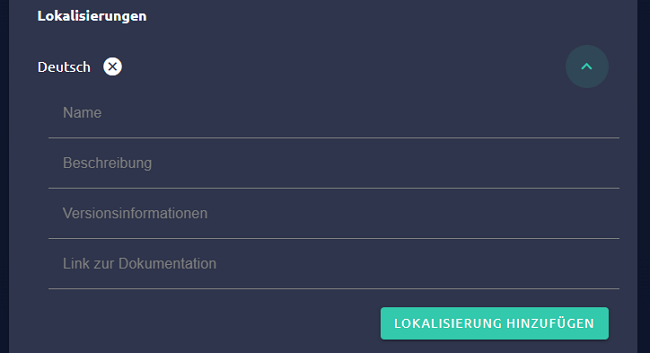
The following fields must be filled in for localization:
| Field | Description |
| --------------------- | ---------------------------------------------------------------------------------------------------------------------- |
| Name | The displayed name of the module |
| Description | A description of the module |
| Version information | Information on what's new about this version |
| Link to documentation | A link to explain the module. This can be, for example, a readme in the repository or an explanatory post in the forum |
A localization can be removed by clicking on the X next to the language.
Finally, suitable categories are selected for the submission. Via "Add Category" a dialog appears in which a new category can be selected and confirmed with "Select".

Categories can be removed by clicking on the associated X. At least one category is required for a submission, selecting multiple categories is also possible.
Below "Submission" further settings are possible.
| Setting | Description |
| ------------------------------------------------------ | ------------------------------------------------------------------------------------------------------------------------------------------------------------------------------------------------------------------------------------------------------------------------------------------------------------------------------------------- |
| Update includes no functional changes | This setting can be activated, if the current submission does not include any programaticcal changes that are relevant for the user, e.g., only the style was updated. The new version is not offered to users. The submission of non-functional changes can be helpful, to properly recognize the module as up to date |
| Close beta and testing channels after succesful review | If this setting is activated, all lower channels are closed after a succesful publication. Closed channels are not available in the Module Store any more. Users that are on a closed channel now, are forwarded towards the next highest channel for updates. This setting is not available if there are no publications on lower channels |
Finally, the current template offers three buttons. "Discard" will delete the template. If only the template exists for the module, the entire bundle will be deleted. "Save" saves the current status of the template. Not all elements are required to be filled in for this. A module without localizations and categories can therefore be saved, but not submitted. "Submit" is used to submit the module for deployment in the Module Store. The module is offered directly in the module store on the testing and beta channels. When submitting to Stable, the module goes through a review process by the Symcon-Team before it is published. If the module is accepted, it will be published in the Module Store. If it is rejected, one will be informed why the submission was rejected, both in the developer area and via e-mail.
### Review
When reviewing a module, various points are checked on the basis of our [Best Practices](https://gist.github.com/paresy/236bfbfcb26e6936eaae919b3cfdfc4f) . These are the following points in particular:
1. Does the module access local files and could read and manipulate them?
* Access to local files is permitted in exceptional cases, especially within the IP-Symcon folder. However, a more detailed check is carried out here in order to prevent misuse.
2. Is there a corresponding translation for each localization of the module?
3. Can the instances of the module be created without errors, even if not all requirements may have been met?
* Under all circumstances it must be possible to create a module as an instance. The module must therefore independently check whether the requirements are met. If the requirements are not met, this should be shown appropriately in the instance configuration.
4. Does any communication via splitter/IO run as intended via the data flow via [SendDataToChildren](sdk-php/module.md)/[SendDataToParent](sdk-php/module.md)/[ReceiveData](sdk-php/module.md)/[ForwardData](sdk-php/module.md)?
5. Does a module only access its own objects or ones that have been assigned to it?
* Own objects are below the instance.
* Using SelectVariable and similar elements, further objects can be assigned to a module, which may be used within the expected framework.
* External objects that have not been assigned to the module must not be manipulated.
6. New objects may only be created outside of the instance if this has been explicitly confirmed by the user. A conforming example of this is the use of the "Configurator" configuration element.
* This also prohibits the creation of events to switch internal functions. For this purpose [RegisterTimer](sdk-php/module.md) or [MessageSink](sdk-php/module.md) and the associated functions are to be used.
7. Deviations are possible with prior agreement. However, this should be discussed in a suitable place when submitting, for example by e-mail or as a comment at the relevant point in the code.
8. Code quality or absence of errors are not checked during the review.
9. "IPSymcon", "IPS" or similar may not be part of a name chosen in a localization.
10. Modules that require more than the current stable version as a condition, e.g. ones that only work with the current beta, may not be submitted to the stable channel.
11. Some object properties are in the sovereignty of the user even in the case of module-specific objects. These may initially be specified, but cannot be further manipulated without explicit confirmation from the user. These properties are:
* The name
* All visual settings: Show object, object active and icon
* The description
* The position
* All event-specific properties
* User-defined profile, user-defined action and logging of variables must never be set without explicit confirmation, not even initially! Action or profile can of course be defined using a standard action or profile.
12. PHP files cannot use the short PHP-tag (<?) And should use the long PHP-tag (<?php) instead.
13. After the initial creation of an instance, the user is in the sovereignty of the properties.
* If the module wants to change something here, other values can be specified via the dynamic function [UpdateFormField](sdk-php/module.md) and subsequently be confirmed by the user.
* Thus the functions [IPS_SetProperty](../../functions/management-instances.md) and [IPS_ApplyChanges](../../functions/management-instances.md) should never be used.
* If the parameter loadValuesFromConfiguration is set to false in a [List](sdk-php/configuration-forms.md) or a [Tree](sdk-php/configuration-forms.md), the property still has to be filled in the interests of the user when loading. The parameter should only make it possible to adjust, for example, the order or to add new values in the middle.
14. A submission requires a descriptive name, a suitable description and version information as well as a documentation that explains the configuration and use of the module.
15. If configurators are connected to a splitter or I/O, they may only manage devices that are also connected to this splitter or I/O
* Instances, that are connected to the same splitter or I/O as the configurator, should be listed in the configurator regardless of whether they still exist physically
* Instances, that are connected to another splitter or I/O, must not be listed in a configurator with a splitter or I/O
16. If a module offers a discovery instance, it must work without configuration
17. Since logging can smoothly be implemented via $this->LogMessage and these messages are correctly linked to the sending instance, IPS_LogMessage may no longer be used for logging
### Edit module
If there is no current template on a channel under "Edit module", a new template can be created by clicking on "Prepare new version". In the dialog one can choose whether one wants to create a completely new template or use a current publication as a template.
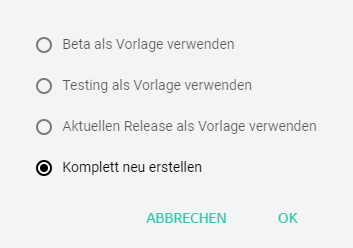
Alternatively, when publishing there is an option to move these to a higher channel. If a submission has been rejected, it can also be used as a new template to compensate for any deficiencies without having to configure everything from scratch again.
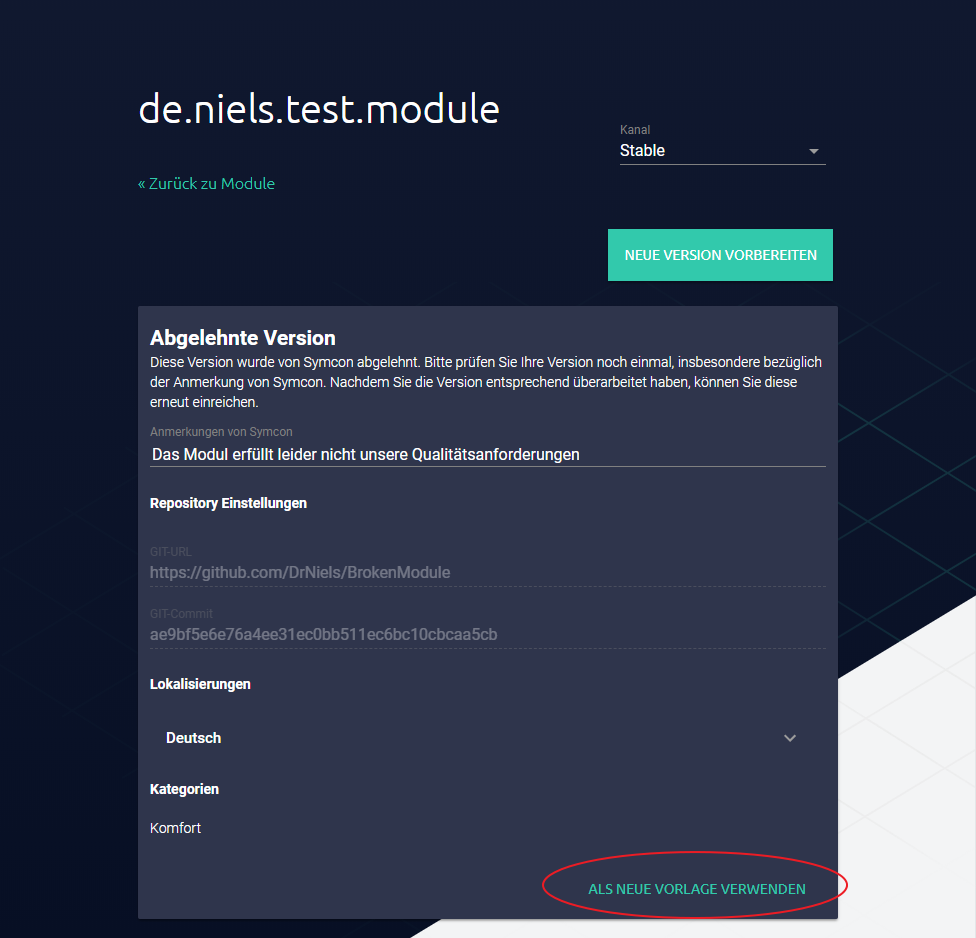
If a module, which is currently being reviewed, is to be withdrawn, this can be done by clicking on "Withdraw". If a module is in the module store, it can no longer be withdrawn.
### Connect with GitHub
The account of the personal area can be connected to GitHub. This enables the use of private repositories as well as a significantly higher number of requests towards the GitHub API. This can be especially relevant for checking if published modules are up to date. The connection can be done in the [Settings of the Personal Area](https://account.symcon.de/account/settings). This is done by clicking "Connect" in the area "(Developer) GitHub OAuth Connection".
If no GitHub user is currently logged in within the browser, this is done within the next step. Here, the email as well as the password of the GitHub account need to be entered. If an account is already logged in, this step is skipped.
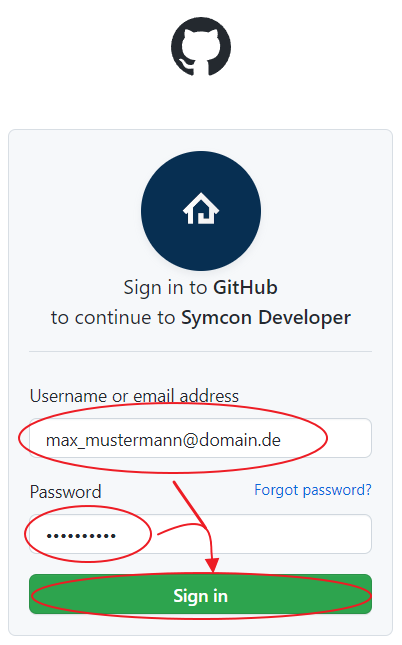
Finally, the access via Symcon needs to be authorized. This is done by clicking "Authorize symcon".
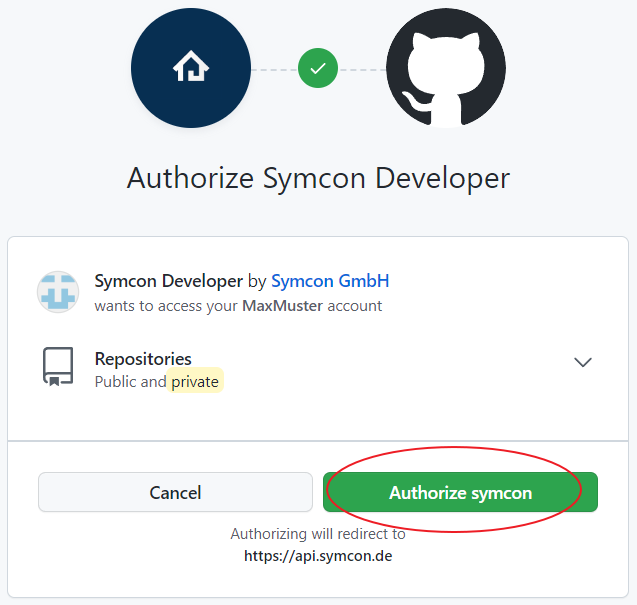
Now, the account from the personal area is connected with the GitHub account. The connection can be undone by clicking "Disconnect".
## Structure
Source: https://www.symcon.de/en/service/documentation/developer-area/sdk-tools/sdk-php/structure/
### Description
The required structure is necessary for correct functioning within IP-Symcon. Integration via [Module Control](../../modules/module-control.md) only works if the structure is adhered to.
* The "library.json" is the core of every module development.
* The "module.php" and "module.json" together form the actual module.
* Form.json can be used to set up the configuration page.
* Locale.json is used for possible translations.
* The module folder name (here: Module1, Module2) should have the same name as the class name in module.php.
Folders that do not contain any module.json are marked as faulty.
Exceptions are the folders:
* libs/ (since version 4.2)
* docs/ (since version 4.2)
* imgs/ (since version 4.2)
* tests/ (since version 4.4)
* actions/ (since version 6.0)
> **Note:** Point-folders (e.g. .github, .style) are also ignored and are not necessary for the module to function correctly. These are important, for example, for the correct functioning of the repository.
These folders are not integrated as a module and offer the possibility of making external libraries, documents, images and tests available.
### Directory structure
```php
Library
|
- Module1
| |
| - module.php
| |
| - module.json
| |
| - form.json (optional)
| |
| - locale.json (optional)
|
- Module2
| |
| - module.php
| |
| - module.json
| |
| - form.json (optional)
| |
| - locale.json (optional)
|
- actions (optional)
| |
| - Definitions of actions
|
- libs (optional)
| |
| - any libraries
|
- docs (optional)
| |
| - any documents
|
- imgs (optional)
| |
| - any media files
|
- tests (optional)
| |
| - any test files
|
- library.json
|
- README.txt (optional)
```