# Configuration Forms
> Symcon documentation · English · generated on 2026-09-26
> Index: https://www.symcon.de/en/llms.txt
Source: https://www.symcon.de/en/service/documentation/developer-area/sdk-tools/sdk-php/configuration-forms/
_Requires Symcon >= 4.0_
The configuration forms are JSON files that are used to configure the properties of IP-Symcon instances.
These are usually loaded from the Management Console and displayed accordingly.
The JSON file describing the configuration form has up to two areas which can, independently of one another, be individually described.
A translation of the "caption" and "label" can be added via the [Localizations](../sdk-php.md) via the locale.json.
### Form areas
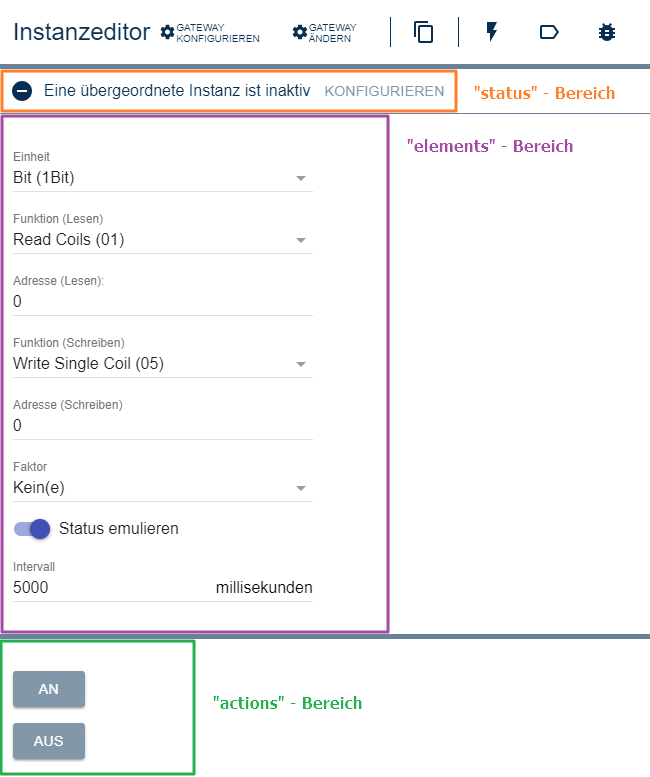
__elements__
Form fields defined in the "elements" area can set the properties of an instance. The name of a form field, if available, corresponds to the name of the property which is set via [IPS_SetProperty](../../../functions/management-instances.md). If the "elements" area is not to be visible, it must not be defined.
__actions__
The "actions" area is a so-called test environment. The form fields defined here cannot change the properties of the respective instance. If the "actions" area is not to be visible, it must not be defined.
The general rule: The test environment can only be used if changes have been accepted in the elements area. This prevents settings that have not been accepted from being tested.
__status__
The "status" area defines possible status messages. No form fields are allowed in the "status" area, only status messages which are explained under [Status Message](configuration-forms.md). If the module is not to display any status messages, this area does not have to be defined.
### Overview of the insertable form fields
| Form field / Type | since IP-Symcon | Description |
| -------------------------------------------------------- | --------------- | ------------------------------------------------------------------------------- |
| [Button](configuration-forms.md) | 4.0 | Button |
| [CheckBox](configuration-forms.md) | 4.0 | Checkbox |
| [Configurator](configuration-forms.md) | 5.0 | Describes a configurator |
| [ExpansionPanel](configuration-forms.md) | 5.0 | Form fields that can be opened and closed |
| [HorizontalSlider](configuration-forms.md) | 4.0 | A horizontal slider |
| [Image](configuration-forms.md) | 5.0 | Creates an image on the module page |
| [IntervalBox](configuration-forms.md) | 4.0 | Specification of numbers with text description / unit (outdated) |
| [Label](configuration-forms.md) | 4.0 | A label |
| [List](configuration-forms.md) | 4.2 | An editable list |
| [NumberSpinner](configuration-forms.md) | 4.0 | Input field in which only numbers are allowed. (optionally with decimal places) |
| [PasswordTextBox](configuration-forms.md) | 4.0 | Input field for passwords |
| [PopupAlert](configuration-forms.md) | 5.0 | Alarm, which opens a popup immediately |
| [PopupButton](configuration-forms.md) | 5.0 | Button that opens a popup |
| [RowLayout](configuration-forms.md) | 5.0 | Row view of multiple form fields |
| [Select](configuration-forms.md) | 4.0 | Drop-down menu |
| [SelectCategory](configuration-forms.md) | 4.0 | Selection dialog for a category |
| [SelectColor](configuration-forms.md) | 4.2 | Selection dialog for a color |
| [SelectDate](configuration-forms.md) | 5.0 | Selection dialog for a date |
| [SelectDateTime](configuration-forms.md) | 5.0 | Selection dialog for a date and time |
| [SelectEvent](configuration-forms.md) | 4.0 | Selection dialog for an event |
| [SelectFile](configuration-forms.md) | 4.2 | Selection dialog for a file |
| [SelectInstance](configuration-forms.md) | 4.0 | Selection dialog for an instance |
| [SelectLink](configuration-forms.md) | 4.0 | Selection dialog for a link |
| [SelectMedia](configuration-forms.md) | 4.0 | Selection dialog for a media file |
| [SelectObject](configuration-forms.md) | 4.0 | Selection dialog for an object |
| [SelectScript](configuration-forms.md) | 4.0 | Selection dialog for a script |
| [SelectTime](configuration-forms.md) | 5.0 | Selection dialog for a time |
| [SelectVariable](configuration-forms.md) | 4.0 | Selection dialog for a variable |
| [Tree](configuration-forms.md) | 5.0 | Creates a tree |
| [ValidationTextBox](configuration-forms.md) | 4.0 | Input field for text |
### Examples
__Basic structure of the JSON file__
```php
{
"elements":
[
... // Insert form fields here
],
"actions":
[
... // Insert form fields here
],
"status":
[
... // Insert status messages here
]
}
```
__Complete example using an SMS module__
```php
{
"elements":
[
{ "type": "ValidationTextBox", "name": "Username", "caption": "Username" },
{ "type": "ValidationTextBox", "name": "Password", "caption": "Password" },
{ "type": "NumberSpinner", "name": "APIID", "caption": "APIID" },
{ "type": "ValidationTextBox", "name": "Sender", "caption": "Sender" },
{ "type": "Select", "name": "SMSType", "caption": "Type",
"options": [
{ "caption": "SMS", "value": 0 },
{ "caption": "Combi-SMS", "value": 1 },
{ "caption": "MMS", "value": 2 }
]}
],
"actions":
[
{ "type": "ValidationTextBox", "name": "Number", "caption": "Number" },
{ "type": "ValidationTextBox", "name": "Message", "caption": "Message" },
{ "type": "Button", "caption": "Send Message", "onClick": "SMS_Send($id, $Number, $Message);" },
{ "type": "Button", "caption": "Read Balance", "onClick": "echo 'Balance: '.sprintf('%.2f', SMS_RequestBalance($id)).' credits';" }
],
"status":
[
{ "code": 102, "icon": "active", "caption": "Login information valid" },
{ "code": 201, "icon": "error", "caption": "Authentication failed" },
{ "code": 202, "icon": "error", "caption": "No credits left" }
]
}
```
## Button
Source: https://www.symcon.de/en/service/documentation/developer-area/sdk-tools/sdk-php/configuration-forms/button/
A button that executes an action when pressed.

### Parameters
| Parameter | Description |
| ------------------- | ------------------------------------------------------------------------------------------------------------------------------------------------------------------------------------------------------------------------------------------------------------------------------------------------------------------------------------------ |
| caption | Visible caption of the button |
| confirm (optional) | (__default:__ "") If this parameter does not contain an empty string, the text is displayed in a yes/no dialog when the button is pressed. The onClick action is only carried out if the dialog is confirmed with "Yes". If the parameter is empty, the action is carried out directly. (since IP-Symcon 5.0) |
| download (optional) | (__default:__ "") If this parameter is not an empty string and the output of the onClick script is a [Data-URL](https://developer.mozilla.org/en-US/docs/Web/HTTP/Basics_of_HTTP/Data_URLs), the output is downloaded as a text file with the name of the download parameter. (since IP-Symcon 7.0) |
| enabled (optional) | (__default:__ true) If true, the button can be used, otherwise it is displayed as deactivated (since IP-Symcon 5.2) |
| label | Name and visible caption of the button _(deprecated, cannot be changed)_ |
| link (optional) | If this parameter is true, the output of the onClick script is opened as a link. If it is false, the output is displayed as a dialog in the configuration form. If the parameter is not set, a decision whether it is opened as a link or displayed in the dialog is made on the basis of the output (see info box). (since IP-Symcon 5.1) |
| name (optional) | Name of the button |
| onClick | Script that is executed when the button is clicked. If the script consists of several lines, the individual lines can also be defined as an array (arrays are supported since version 6.0). No PHP-tags are required. There are a few other variables available, which are discussed in the information field below. |
| type | Button |
| visible (optional) | (__default:__ true) If true, the button is visible, otherwise it is invisible (since IP-Symcon 5.2) |
| width (optional) | Fixed width of the button in pixels or % as a string, e.g. "40%" or "250px". If the value is not set or "", the width is automatically selected based on the caption (since IP-Symcon 5.2) |
> **Note:** The variable $id is available in all areas. In addition, variables are created for all form fields if a name has been assigned. The variable can then be used accordingly as $Name. The $Name variable is only available within the same scope (e.g. actions or elements).
> **Note:** If the parameter onClick contains an "echo" in combination with 'http'/'https', the browser is opened and the URL is called. If there is an "echo" in combination with a 'mailto:', the default mail program is opened with all the parameters set. If an "echo" is present in combination with a 'link:', 'link:' is filtered out and the remaining content is opened in the browser. This makes relative links possible. (available since IP-Symcon 4.1)
### Example
```php
//The example returns the instance ID.
{ "type": "Button", "caption": "On", "onClick": "echo $id;" }
// Special example:
// The example opens the browser with the specified address when "clicked": 'https://www.symcon.de'
{
"type": "Button",
"caption": "Symcon",
"onClick": "echo 'https://www.symcon.de';"
}
// The example asks whether the value of a variable should actually be set to 0
{
"type": "Button",
"caption": "Reset",
"onClick": "SetValue(12345, 0);",
"confirm": "This sets the variable back to 0. Important data can be lost in the process. Are you sure?"
}
// The example runs a multi-line script
{
"type": "Button",
"caption": "Reset",
"onClick": [
"SetValue(12345, 0);",
"echo 'value was reset';"
]
}
```
## CheckBox
Source: https://www.symcon.de/en/service/documentation/developer-area/sdk-tools/sdk-php/configuration-forms/checkbox/
Creates a checkbox.
If created in the "elements" area, the checkbox sets a property to __True__ or __False__ when accepted.
The parameter __"name"__ defines which property is set.

### Parameters
| Parameter | Description |
| ------------------------ | -------------------------------------------------------------------------------------------------------------------------------------------------------------------------------------------------------------------------------------------------------------------------------------------------------------------------------------------- |
| caption | visible caption |
| download (optional) | (__default:__ "") If this parameter is not an empty string and the output of the onChange script is a [Data-URL](https://developer.mozilla.org/en-US/docs/Web/HTTP/Basics_of_HTTP/Data_URLs), the output is downloaded as a text file with the name of the download parameter. (since Symcon 7.0) |
| enabled (optional) | (__default:__ true) If true, the CheckBox can be used, otherwise it is displayed as deactivated (since Symcon 5.2) |
| items (optional) | (__default:__ []) List of configuration elements which are only displayed while the CheckBox is activated. The values of the elements are retained if it is deactivated again (cannot be changed) (since Symcon 9.1) |
| itemsPosition (optional) | (__default:__ 0) The position of the configuration elements defined by "items" (since Symcon 9.1)
0: The elements are displayed below the CheckBox
1: The elements are displayed to the right of the CheckBox |
| link (optional) | (__default:__ false) If this parameter is true, the output of the onChange script is opened as a link. If it is false, the output is displayed as a dialog in the configuration form. (since Symcon 6.0) |
| name (optional) | Name of the checkbox/the property to be set |
| onChange (optional) | (__default:__ "") Script, which is executed with a click when the checkbox is changed. If the script consists of several lines, the individual lines can also be defined as an array (arrays are supported since version 6.0). It has the same properties as onClick of the [Button](configuration-forms.md) (since Symcon 5.2) |
| type | CheckBox |
| value (optional) | (__default:__ false) The value of the CheckBox - If there is an associated property, this parameter is overwritten by the property in the elements area (since Symcon 5.2) |
| visible (optional) | (__default:__ true) If true, the CheckBox is visible, otherwise it is invisible (since Symcon 5.2) |
| width (optional) | Fixed width of the checkbox in pixels or % as a string, e.g. "40%" or "250px". If the value is not set or "", the width is automatically selected based on the caption (since Symcon 5.3) |
### Example
```php
{ "type": "CheckBox", "name": "status", "caption": "emulate Status" }
//Configuration elements which are only displayed while the CheckBox is activated
{ "type": "CheckBox", "name": "UseProxy", "caption": "Use proxy",
"itemsPosition": 1,
"items": [
{ "type": "ValidationTextBox", "name": "ProxyHost", "caption": "Host" },
{ "type": "NumberSpinner", "name": "ProxyPort", "caption": "Port" }
]
}
```
## ColumnLayout
Source: https://www.symcon.de/en/service/documentation/developer-area/sdk-tools/sdk-php/configuration-forms/columnlayout/
_Requires Symcon >= 6.0_
Creates a column in which form fields are displayed one below one another. This is particularly useful for dynamically adapting the content.
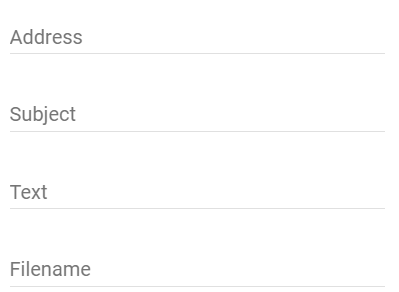
> **Warning:** This item is not supported by the Legacy Console. If a module with this element is opened in the legacy console, all the elements contained are displayed one below the other in the form.
### Parameters
| Parameter | Description |
| ------------------ | ---------------------------------------------------------------------------- |
| items | List of configuration items within the column |
| name (optional) | Name of the column |
| type | ColumnLayout |
| visible (optional) | (__default:__true) If true, the column is visible, otherwise it is invisible |
### Example
```php
// column layout
{
"type": "ColumnLayout",
"items": [
{
"type": "SelectLocation",
"name": "Location",
"caption": "My Location"
},{
"type": "Button",
"caption": "Test",
"onClick": "TM_Update($id);"
},{
"type": "Button",
"caption": "Test2",
"onClick": "TM_Update2($id);"
}
]
}
```
## Configurator
Source: https://www.symcon.de/en/service/documentation/developer-area/sdk-tools/sdk-php/configuration-forms/configurator/
_Requires Symcon >= 5.0_
Describes the appearance and functionality of a configurator.

> **Warning:** This item is not supported by the Legacy Console. If a module with this element is opened in the legacy console, an error message appears.
### General Parameters
| Parameter | Description |
| ---------------------------------------------------------- | ------------------------------------------------------------------------------------------------------------------------------------------------------------------------------------------------------------------------------------------------------------------------------------------------------------------------------------------------------------------------------------------------------------------------------------------------------------------------------------------------------------------------------------------------------------------------------ |
| caption (optional) | visible caption of the configuration list |
| columns (optional) | (__default:__ columns for address ("address") and name ("name")) Columns of the configuration list |
| delete (optional) | (__default:__ false) If true, a button is displayed behind each entry with InstanceID, which deletes the corresponding instance and updates the line in the configurator |
| discoveryInterval (optional) | (__default:__ 0) If the console requests the including configuration form for [Device Search](../../../components/management-console.md), this parameter defines how many seconds need to pass before another request is allowed to be executed; If multiple elements of the type Configurator are included within the configuration form, the maximum is used (since IP-Symcon 6.3) |
| onExpand (optional) | (__default:__ "") Script which is executed after expanding an entry of the configurator. If the script consists of several lines, the individual lines can also be defined as an array. In this version, the tree does not offer the currently selected entry as the variable value, but the expanded entry, see [Selected Line as a Variable in in on-Actions](configuration-forms.md). Otherwise it has the same properties as onClick of the [Button](configuration-forms.md) (since IP-Symcon 6.4) |
| name (optional) | Name of the configuration list |
| rowCount (optional) | (__default:__ 0) visible number of lines; If there are more lines in the list, a scroll bar is shown - if the value is 0, the configuration list fills the remaining space in the instance editor. Only one configuration item can get all of the remaining space. |
| sort(optional) | Sorting of the table. If this is not set, the list remains unsorted |
| type | Configurator |
| values (optional) | Entries of the form |
| visible (optional) | (__default:__ true) If true, the configurator is visible, otherwise it is invisible (since IP-Symcon 5.2) |
> **Note:** If the parameters columns, sort or values are to be changed via [UpdateFormField](module.md), the new values must be coded as JSON.
### Parameters for Columns
| Parameter | Description |
| ---------------------- | ------------------------------------------------------------------------------------------------------------------------------------------------------------------------------------------------------------------------------------------------------------------------------------------------------------- |
| caption | visible caption of a column |
| label | visible caption of a column _(deprecated)_ |
| name | unique name of a column to refer to; the name cannot be "id", "parent", "create", "expanded" or "InstanceID" |
| quickFilter (optional) | (__default:__ true) If true, the text of this column is considered during the search via quick filter. Should the value be false for all columns, the quick filter is hidden. (since IP-Symcon 7.2) |
| visible (optional) | (__default:__ true) If false, the column is not displayed |
| width | Width of the column in pixels, as a CSS string (e.g. "100px"); a single column may have the value "auto", which means that the width of this column uses the remaining available space. In the case of a tree, the value "auto" must be set for a column. The expansion symbols are displayed in this column. |
### Parameters for sort
| Parameter | Description |
| --------- | ----------------------------------------------------------------------------------------------------- |
| column | Name of the column by which the list is sorted |
| direction | The direction of the sort; "ascending" for an ascending order and "descending" for a descending order |
### Parameters for values
| Parameter | Description |
| --------------------- | ----------------------------------------------------------------------------------------------------------------------------------------------------------------------------------------------------------------------------------------------------------------- |
| address (optional) | (__default__ : "") If the default columns were used, this value is used for the address column. |
| create (optional) | (__default__ : error) Specification of the configuration of the created instance (More information) |
| expanded (optional) | (__default__ : false) If this value is true, the entry is expanded directly when the configuration form is loaded |
| instanceID (optional) | (__default__ : 0) InstanceID of the device in the object tree, 0 if the device has not yet been created |
| id (optional) | An identifier with which the entry for a tree display can be addressed as a parent node, id must be greater than 0 |
| name (optional) | (__default__ : "") If the default columns were used, this value is used for the name column. This value additionally defines the name of the instance to be created. If the instance already exists, the name column shows the name of the instance and not the content of this parameter. |
| parent (optional) | (__default__ : 0) The id of a value can be set in this field, which becomes the parent node of this value in the tree display. For this, the parent value must come before of the child in the array. If "parent" is 0, the element is inserted at the top level. |
### Parameter for Create
There are various options for defining the instances to be created and their initial configuration.
#### Variant 1: Configuration of a Single Instance
In the first variant, a single instance and its configuration is defined. In this case create is an object that contains information about the ModuleID used and the initial configuration:
_Parameters for configuration_
| Parameter | Description |
| -------------------------- | ------------------------------------------------------------------------------------------------------------------------------------------------------------------------------------------------------------------------------------------------------------------------------------------------------------------------------------------------------------------------------------------------------------------------------------------------------------------------------------------------------------------------------------------------------------------------------------------------------------------- |
| moduleID | The module ID of the instance required or to be created |
| configuration | The required configuration of the instance, see [IPS_SetConfiguration](../../../functions/management-instances.md), not coded as a JSON string |
| location (optional) | (__default:__ []) The list of strings indicates the initial position in the object tree. If the list is empty, the instance is created in the main category. Otherwise, the categories with the respective name are used hierarchically and created if necessary. |
| info (optional) | (__default:__ "") The initial description of the newly created instance; if an existing instance is used, the description is not overwritten. |
| position (optional) | (__default:__ 0) The initial position of the newly created instance; if an existing instance is used, the position is not overwritten. |
| name (optional) | (__default:__ module name or value of the "name" column) The initial name of the newly created instance; if an existing instance is used, the name is not overwritten. (since IP-Symcon 5.5) |
| noDiscovery (optional) | (__default:__ false) If this parameter is set to true, this entry is not displayed as a device in the [Device Search](../../../components/management-console.md) and cannot be marked as read. In the case of a configuration as a chain (variant 2 ), the value of the first entry in the chain is used. If there are several possible configurations (variant 3 ), each configuration must have this parameter set to true so that the selection does not appear in the Device Search. (since IP-Symcon 5.4) |
| statusVariables (optional) | (__default:__ {}) This object specifies an initial configuration of the status variables. For each parameter of this status variable object, the variable with the ident of the parameter name is configured. The associated parameter is another object that defines the configuration of the variables. The variable configuration is used after the instance configuration has been adopted. Variables that are created later cannot be configured here. (since IP-Symcon 5.3) |
_Parameters for status variables_
| Parameter | Description |
| --------------- | ------------------------------------------------------------------------------------------------------------------------------------------------------------------- |
| name (optional) | (__default:__ specification by created instance) The status variable is renamed to this value. The name is translated through the localization of the configurator. |
If an instance is created, it is created with the ModuleID and configuration specified by the configuration. As is usual with the creation of an instance, the new instance is linked to a valid physical parent instance, if possible. The physical parent instance of the configurator is preferably used here.
#### Variant 2: Configuration of a Chain
Alternatively, a chain of configurations can be used. This defines the entire physical chain for the newly created instance, usually the device, splitter and I/O. In this variant, data.create represents a list, the elements of which define the instances of the physical chain as in variant 1. The list begins with the device to be created and then continues with the next parent instance.
When creating a chain, existing parent instances are preferably reused, provided that these and their parent instances meet the requirements of the chain. However, the device itself will always be newly created.
#### Variant 3: Several possible Configurations
Finally, several configurations can be made available for selection. Here create is configured as an object with key/value pairs, whereby each value corresponds to a configuration as described in variant 1 or variant 2. If an instance is to be created in this representation, the user is given a selection of the designations. The instance is created with the settings of the selected item. The keys "moduleID" and "configuration" cannot be used here.
### Colors in the Configuration List
What the individual colors mean in messages and in the configurator can be read under the color codes for [messages](../sdk-php.md) and [configurators](../../../concepts.md). The element presents this information as follows:
| Color | Condition |
| ----- | ----------------------------------------------------------------------------------------------------------------------------------------------------------------------------------------------------------------------- |
| green | InstanceID is 0, create is defined |
| red | InstanceID is not 0, create is not defined or the defined InstanceID does not exist |
| gray | The instance with the ID InstanceID is not configured as specified by create. If create represents a chain, the line is also displayed in gray if a physical parent is configured differently than defined in the chain |
| white | InstanceID is 0, create is not defined (category) |
| white | The instance with the ID instanceID is configured as specified by create. If create represents a chain, the line is only displayed in white if all physical parents are configured as defined in the chain |
### Use the Configurator Form Field in the Device Search
The console offers [Instances](../../../concepts.md) that can be created centrally via the [Device Search](../../../components/management-console.md). This is done by regularly calling [GetConfigurationForm](module.md) for [Instances](../../../concepts.md) of the type Configurator and Discovery and evaluating the parameter values for configurator fields. Only configurator and discovery instances that contain at least one configurator field are displayed in the Device Search. In this, values can also be empty. If the own instance is to be seen in the [Device Search](../../../components/management-console.md), the following conditions must therefore be met:
* The instance must be of the type Configurator or Discovery
* The search for devices must be started automatically when executing [GetConfigurationForm](module.md). If the search takes longer, values should be left empty in an initial return, but after the search has been completed, the devices that can be created must be included in the return of [GetConfigurationForm](module.md)
* The search should not be restarted when [GetConfigurationForm](module.md) is called repeatedly if it is currently running
* An example implementation can be found here: [SymconTest](https://github.com/symcon/SymconTest/blob/master/BelatedDiscoveryTest/module.php)
### Selected Line as a Variable in on-Actions
The use of the values of the configurator in scripts is analogous to [Lists](configuration-forms.md). All values are available there, including expanded, instanceID and create. However, the configurator does not save any values in a property.
### Example
```php
// Basic example
{
"type": "Configurator",
"name": "Configuration",
"caption": "Configuration",
"delete": true,
"values": [
{
"id": 1,
"name": "Category",
"address": ""
},{
"parent": 1,
"name": "Calculation module - minimum",
"address": "2",
"create": {
"moduleID": "{A7B0B43B-BEB0-4452-B55E-CD8A9A56B052}",
"configuration": {
"Calculation": 2,
"Variables": "[]"
}
}
},{
"parent": 1,
"name": "Computing module in the living room",
"address": "2",
"create": {
"moduleID": "{A7B0B43B-BEB0-4452-B55E-CD8A9A56B052}",
"configuration": {
"Calculation": 2,
"Variables": "[]"
},
"location": [
"Ground floor",
"Living room"
]
}
},{
"parent": 1,
"instanceID": 53398,
"name": "Incorrect instance",
"address": "4"
},{
"parent": 1,
"name": "Calculation module - selection",
"address": "2",
"create": {
"Maximum": {
"moduleID": "{A7B0B43B-BEB0-4452-B55E-CD8A9A56B052}",
"configuration": {
"Calculation": 3,
"Variables": "[]"
}
},
"Average": {
"moduleID": "{A7B0B43B-BEB0-4452-B55E-CD8A9A56B052}",
"configuration": {
"Calculation": 4,
"Variables": "[]"
}
}
}
}, {
"parent": 1,
"name": "OZW772 IP-Interface",
"address": "00:A0:03:FD:14:BB",
"create": [
{
"moduleID": "{33765ABB-CFA5-40AA-89C0-A7CEA89CFE7A}",
"configuration": {}
},
{
"moduleID": "{1C902193-B044-43B8-9433-419F09C641B8}",
"configuration": {
"GatewayMode":1
}
},
{
"moduleID": "{82347F20-F541-41E1-AC5B-A636FD3AE2D8}",
"configuration": {
"Host":"172.17.31.95",
"Port":3671,
"Open":true
}
}
]
}
]
}
// Example with renaming of status variables
{
"type": "Configurator",
"values": [{
"name": "Calculation module (renamed status variables)",
"address": "Address",
"create": {
"moduleID": "{A7B0B43B-BEB0-4452-B55E-CD8A9A56B052}",
"configuration": {},
"statusVariables": {
"Minimum": {
"name": "Alternative name for minimum"
},
"Maximum": {
"name": "Alternative name for maximum"
}
}
}
}]
}
```
## ExpansionPanel
Source: https://www.symcon.de/en/service/documentation/developer-area/sdk-tools/sdk-php/configuration-forms/expansionpanel/
_Requires Symcon >= 5.0_
Creates an Expansion Panel, which contains further form fields and can be opened and closed in order to display the content in a space-saving manner.
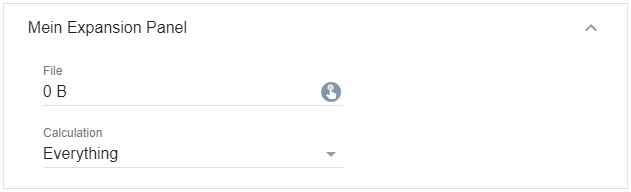
> **Warning:** This item is not supported by the Legacy Console. If a module with this element is opened in the legacy console, all elements contained are displayed directly in the form.
### Parameters
| Parameter | Description |
| ------------------- | ---------------------------------------------------------------------------------------------------------------------------------------------------------------------------------------------------------------------------------------------------------------------------------------------------------------------------------------- |
| caption | Expansion panel caption |
| download (optional) | (__default:__ "") If this parameter is not an empty string and the output of the onClick script is a [Data-URL](https://developer.mozilla.org/en-US/docs/Web/HTTP/Basics_of_HTTP/Data_URLs), the output is downloaded as a text file with the name of the download parameter. (since IP-Symcon 7.0) |
| expanded (optional) | (__default:__ false) If true, the expansion panel is expanded, otherwise it is collapsed (since IP-Symcon 5.2) |
| items | List of form fields within the expansion panel (cannot be changed) |
| link (optional) | (__default:__ false) If this parameter is true, the output of the onClick script is opened as a link. If it is false, the output is displayed as a dialog in the configuration form. (since IP-Symcon 6.0) |
| name (optional) | Name of the button |
| onClick (optional) | (__default:__ "") Script that is executed when you click on the drop-down icon. If the script consists of several lines, the individual lines can also be defined as an array (arrays are supported since version 6.0). It has the same properties as onClick of the [Button](configuration-forms.md) (since IP-Symcon 5.3) |
| type | ExpansionPanel |
| visible (optional) | (__default:__ true) If true, the expansion panel is visible, otherwise it is invisible (since IP-Symcon 5.2) |
| width (optional) | Fixed width of the expansion panel in pixels or % as a string, e.g. "40%" or "250px". If the value is not set or "", the full width is used automatically (since IP-Symcon 5.3) |
### Example
```php
// Set up an Expansion Panel
{
"type": "ExpansionPanel",
"caption": "My Expansion Panel",
"items": [
{
"type": "SelectFile",
"name": "File",
"caption": "File"
},
{
"type": "Select",
"name": "Calculation",
"caption": "Calculation",
"options": [
{ "caption": "Everything", "value": 0 },
{ "caption": "Sum", "value": 1 },
{ "caption": "Minimum", "value": 2 },
{ "caption": "Maximum", "value": 3 },
{ "caption": "Average", "value": 4 },
{ "caption": "Count", "value": 5 }
]
}
]
}
```
## HorizontalSlider
Source: https://www.symcon.de/en/service/documentation/developer-area/sdk-tools/sdk-php/configuration-forms/horizontalslider/
Creates a horizontal slider that can be moved between the values of __"minimum"__ and __"maximum"__.

### Parameters
| Parameter | Description |
| ---------------------------------------- | --------------------------------------------------------------------------------------------------------------------------------------------------------------------------------------------------------------------------------------------------------------------------------------------------------------- |
| caption | Caption of the slider |
| displayValue (optional) | (__default:__ false) On true, the value of the slider is displayed right of the slider. (since IP-Symcon 8.1) |
| download (optional) | (__default:__ "") If this parameter is not an empty string and the output of the onChange script is a [Data-URL](https://developer.mozilla.org/en-US/docs/Web/HTTP/Basics_of_HTTP/Data_URLs), the output is downloaded as a text file with the name of the download parameter. (since IP-Symcon 7.0) |
| enabled (optional) | (__default:__ true) If true, the slider can be used, otherwise it is displayed as deactivated (since IP-Symcon 5.2) |
| link (optional) | (__default:__ false) If this parameter is true, the output of the onChange script is opened as a link. If it is false, the output is displayed as a dialog in the configuration form. (since IP-Symcon 6.0) |
| maximum (optional, since IP-Symcon 5.3) | (__default:__ 100) Maximum value that can be set in the slider |
| minimum (optional, since IP-Symcon 5.3) | (__default:__ 0) Minimum value that can be set in the slider |
| name (optional) | Name of the slider |
| onChange (optional, since IP-Symcon 5.3) | (__default:__ "") Script which is executed when the controller is moved. If the script consists of several lines, the individual lines can also be defined as an array (arrays are supported since version 6.0). It has the same properties as onClick of the [Button](configuration-forms.md) |
| prefix (optional) | (__default:__ "") Visible caption / unit before the value display (since IP-Symcon 8.1) |
| stepSize (optional) | (__default:__ 1) Step size in which the slider can be adjusted (since IP-Symcon 5.3) |
| suffix (optional) | (__default:__ "") Visible caption / unit after the value display (since IP-Symcon 8.1) |
| type | Horizontal slider |
| value (optional) | (__default:__ minimum) The value of the slider - If there is an associated property, the parameter in the elements area is overwritten by the property (since IP-Symcon 5.2) |
| visible (optional) | (__default:__ true) If true, the slider is visible, otherwise it is invisible (since IP-Symcon 5.2) |
| width (optional) | (__default:__ 300px) Fixed width of the slider in pixels or % as a string, e.g. "40%" or "250px" (since IP-Symcon 5.3) |
### Example
```php
// The example returns the InstanceID.
{ "type": "HorizontalSlider", "name": "Slider", "caption": "ID-slider", "minimum": 0, "maximum": 16, "onChange": "echo $id;" }
```
## Image
Source: https://www.symcon.de/en/service/documentation/developer-area/sdk-tools/sdk-php/configuration-forms/image/
_Requires Symcon >= 5.0_
Creates an image that is displayed on the module page. The image can be specified directly or loaded from a media object.
> **Warning:** This item is not supported by the Legacy Console. If a module with this element is opened in the legacy console, an error message appears.
### Parameters
| Parameter | Description |
| ------------------- | ------------------------------------------------------------------------------------------------------------------------------------------------------------------------------------------------------------------------------------------------------------------------------------------------------------------------------------------ |
| download (optional) | (__default:__ "") If this parameter is not an empty string and the output of the onChange script is a [Data-URL](https://developer.mozilla.org/en-US/docs/Web/HTTP/Basics_of_HTTP/Data_URLs), the output is downloaded as a text file with the name of the download parameter. (since IP-Symcon 7.0) |
| image (optional) | Content of the image as a Data-URI ([More info](https://wiki.selfhtml.org/wiki/Grafik/Grafiken_mit_Data-URI), cannot be combined with __mediaID__, either __image__ or __mediaID__ must be set) |
| link (optional) | If this parameter is true, the output of the onClick script is opened as a link. If it is false, the output is displayed as a dialog in the configuration form. If the parameter is not set, a decision is made on the basis of the output whether it is opened as a link or displayed in the dialog (see info box). (since IP-Symcon 6.0) |
| mediaID (optional) | MediaID of the displayed image or stream (since IP-Symcon 5.5) (cannot be combined with __image__, either __image__ or __mediaID__ must be set) |
| name (optional) | Name of the image |
| type | Image |
| visible (optional) | (__default:__ true) If true, the image is visible, otherwise it is invisible (since IP-Symcon 5.2) |
| center (optional) | (__default:__ false) If __center__ is set, the image is centered horizontally within the displayed area, otherwise it is left-justified. This setting has no function within a [RowLayout](configuration-forms.md). |
| width (optional) | Fixed width of the image in pixels or % as a string, e.g. "40%" or "250px". If the value is not set or "", the width is automatically selected based on the image (since IP-Symcon 6.0) |
| onClick | Script that is executed when the image is clicked. If the script consists of several lines, the individual lines can also be defined as an array. It has the same properties as onClick of the [Button](configuration-forms.md). (since IP-Symcon 6.0) |
> **Note:** If the parameter onClick contains an "echo" in combination with 'http'/'https', the browser is opened and the URL is called. If there is an "echo" in combination with a 'mailto:', the default mail program is opened with all the parameters set (since IP-Symcon 6.0)
### Example
```php
// Display the image base64-coded
{
"type": "Image",
"image": "data:image/png;base64, iVBORw0KGgoAAAANSUhEUgAAAAUAAAAFCAYAAACNbyblAAAAHElEQVQI12P4//8/w38GIAXDIBKE0DHxgljNBAAO9TXL0Y4OHwAAAABJRU5ErkJggg=="
}
// Display image from media
{
"type": "Image",
"mediaID": 12345
}
```
## IntervalBox (deprecated)
Source: https://www.symcon.de/en/service/documentation/developer-area/sdk-tools/sdk-php/configuration-forms/intervalbox/
> **Warning:** As of 5.0 the IntervalBox is deprecated and will be removed at a future date. The [NumberSpinner](configuration-forms.md) supports the
> parameter __suffix__ and thus offers all functions of the IntervalBox. Therefore the parameters of the IntervalBox cannot be changed.
Creates an IntervalBox which has a number input field, which has a label/unit behind the input field.
If created in the "elements" area, the IntervalBox sets a property to the entered numerical value when adopted.
The parameter __"name"__ defines which property is set.

### Parameters
| Parameter | Description |
| --------------- | ----------------------------------------------- |
| caption | Visible label/unit behind the input field |
| type | IntervalBox |
| name (optional) | Name of the interval box/the property to be set |
### Example
```php
{"type": "IntervalBox", "name": "CacheInterval", "caption": "Seconds" }
```
## Label
Source: https://www.symcon.de/en/service/documentation/developer-area/sdk-tools/sdk-php/configuration-forms/label/
Creates a label that provides an overview.

### Parameters
| Parameter | Description |
| ------------------ | ----------------------------------------------------------------------------------------------------------------------------------------------------------------------------------------- |
| caption | visible caption |
| label | visible caption _(outdated, cannot be changed)_ |
| link (optional) | (__default:__ true) If this parameter is set, URLs within the label that begin with "http://" or "https://" are displayed as links (since IP-Symcon 5.3) |
| name (optional) | Name of the label |
| type | Label |
| visible (optional) | (__default:__ true) If true, the label is visible, otherwise it is invisible (since IP-Symcon 5.2) |
| width (optional) | Fixed width of the label in pixels or % as a string, e.g. "40%" or "250px". If the value is not set or "", the width is automatically selected based on the caption (since IP-Symcon 5.3) |
### Example
```php
{ "type": "Label", "caption": "Press learn after you have put the device into learn mode" }
```
## List
Source: https://www.symcon.de/en/service/documentation/developer-area/sdk-tools/sdk-php/configuration-forms/list/
_Requires Symcon >= 4.2_
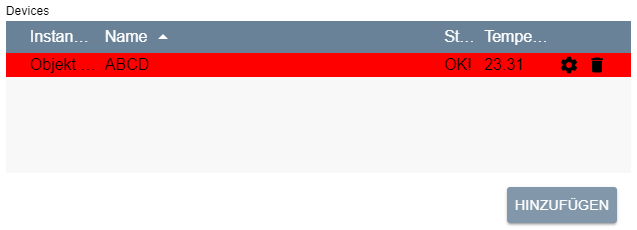
Creates a list with the heading __caption__.
The displayed columns are defined in __columns__.
Initial entries in the list can be specified via __values__.
### General Parameters
| Parameter | Description |
| ------------------------------------------------------- | ------------------------------------------------------------------------------------------------------------------------------------------------------------------------------------------------------------------------------------------------------------------------------------------------------------------------------------------------------------------------------------------------------------------------------------------------------------------------------------------------------------------------------------------------------------------------------------------------------------------------------------------------------------------------------ |
| add (optional) | (__default:__ false) If true, an "Add" button is displayed below the table, which adds a new element with standard values to the table |
| caption (optional) | Visible caption of the list |
| columns | Columns of the list |
| delete (optional) | (__default:__ false) If true, a button is displayed behind each entry in the list, which deletes the corresponding element |
| download (optional) | (__default:__ "") If this parameter is not an empty string and the output of the onAdd, onChangeOrder, onDelete or onEdit script is a [Data-URL](https://developer.mozilla.org/en-US/docs/Web/HTTP/Basics_of_HTTP/Data_URLs), the output is downloaded as a text file with the name of the download parameter. (since Symcon 7.0) |
| form (optional) | (__default:__ based on the "edit" parameters of column) An individual form for editing or adding rows. The definition of the form is done analogously to the definition of the form for [Actions](../sdk-php.md) either static or via PHP code. How the form is evaluated and filled is explained in the section Individual Forms for Editing (since Symcon 7.0) |
| link (optional) | (__default:__ false) If this parameter is true, the output of the onAdd, onChangeOrder, onDelete or onEdit script is opened as a link. If it is false, the output is displayed as a dialog in the configuration form. (since Symcon 6.0) |
| multiAdd (optional) | (__default:__ false, if onAdd is set, otherwise true) If this parameter is true, form is not set and the list has only a single editable column of the type [SelectObject](configuration-forms.md), [SelectCategory](configuration-forms.md), [SelectInstance](configuration-forms.md), [SelectVariable](configuration-forms.md), [SelectScript](configuration-forms.md), [SelectMedia](configuration-forms.md) or [SelectLink](configuration-forms.md), multiple objects can be added at once. When adding multiple objects, onAdd is still executed only once. (since Symcon 9.1) |
| name (optional) | Name of the list / the property to be set |
| onAdd (optional) | (__default:__ "") Script which is executed after adding an entry to the list. If the script consists of several lines, the individual lines can also be defined as an array (arrays are supported since version 6.0). In this version, the list does not offer the currently selected entry as the variable value but the added entry instead, see [Selected line as variable in on-Actions](configuration-forms.md). Otherwise it has the same properties as onClick of the [Button](configuration-forms.md) (since Symcon 5.3) |
| onChangeOrder (optional) | (__default:__ "") Script which is executed after moving an entry within the list. If the script consists of several lines, the individual lines can also be defined as an array. In this version, the list does not offer the currently selected entry as the variable value but the moved entry instead, see [Selected line as variable in on-Actions](configuration-forms.md). Otherwise it has the same properties as onClick of the [Button](configuration-forms.md) (since Symcon 6.3) |
| onDelete (optional) | (__default:__ "") Script which is executed after deleting an entry in the list. If the script consists of several lines, the individual lines can also be defined as an array (arrays are supported since version 6.0). In this version, the list does not offer the currently selected entry as a variable value but the deleted entry instead, see [Selected line as variable in on-Actions](configuration-forms.md). Otherwise it has the same properties as onClick of the [Button](configuration-forms.md) (since Symcon 5.3) |
| onEdit (optional) | (__default:__ "") Script which is executed after editing an entry in the list. If the script consists of several lines, the individual lines can also be defined as an array (arrays are supported since version 6.0). In this version, the list does not offer the currently selected entry as a variable value but the edited entry instead, see [Selected line as variable in on-Actions](configuration-forms.md). Otherwise it has the same properties as onClick of the [Button](configuration-forms.md) (since Symcon 5.3) |
| rowCount (optional) | (__default:__ 0) visible number of lines; If there are more lines in the list, a scroll bar is displayed - if the value is 0, the list fills the remaining space available in the instance editor. Only one configuration item can get all of the remaining space. |
| sort (optional) | Sort the table. If this is not set, the list remains unsorted |
| type | List |
| values (optional) | Initial entries in the list |
| visible (optional) | (__default:__ true) If true, the list is visible, otherwise it is invisible (since Symcon 5.2) |
| enabled (optional) | (__default:__ true) If true, the list can be used, otherwise it is displayed deactivated (since Symcon 6.0) |
| changeOrder (optional) | (__default:__ false) If true, the order of the entries can be changed using drag & drop. The sorting of the list according to columns, however, is not possible in that case. (since Symcon 6.0) |
| loadValuesFromConfiguration (optional) | (__default:__ true) This parameter specifies whether the list should be filled with the values of the property, see [Saving and loading lists](configuration-forms.md) . If the value is set to false, it is necessary for a successful review in the Module Store to fill the list in the interests of the user, see [Review guidelines](../sdk-php.md) Point 13 (since Symcon 6.0) |
### Parameters for Columns
| Parameter | Description |
| --------------------------------------------------- | ----------------------------------------------------------------------------------------------------------------------------------------------------------------------------------------------------------------------------------------------------------------------------------------------------------------------------- |
| add (optional) | Initial value in this column for a newly added entry, necessary if __add__ is set to true in the list. Alternatively, an object can be provided which generates the value automatically, see Parameters for add (since Symcon 9.1) |
| align (optional) | (__default:__ "left") Alignment of the column (since Symcon 5.2)
"left": Content is displayed left-aligned
"center": Content is displayed centered
"right": Content is displayed right-aligned |
| caption | Visible caption of a column |
| confirm (optional) | (__default:__ "") Query text before an onClick action is performed. The action is only carried out if the query is confirmed with "Yes". If no query text is defined, the action is carried out directly (since Symcon 5.2) |
| download (optional) | (__default:__ "") If this parameter is not an empty string and the output of the onClick script of this column is a [Data-URL](https://developer.mozilla.org/en-US/docs/Web/HTTP/Basics_of_HTTP/Data_URLs), the output is downloaded as a text file with the name of the download parameter. (since Symcon 7.1) |
| edit (optional) | Description of an editable element |
| label | Visible caption of a column _(deprecated)_ |
| link (optional) | (__default:__ false) If this parameter is true, the output of the onClick script of this column is opened as a link. If it is false, the output is displayed as a dialog in the configuration form. (since Symcon 7.1) |
| name | Unique name of a column to refer to; the name must not be "rowColor", "editable" or "deletable", since these values are used for other functions, see [Parameters for values](configuration-forms.md) |
| onClick (optional) | (__default:__ "") Script which is executed when a field in this column is clicked. It has the same properties as onClick of the [Button](configuration-forms.md). The script is only executed if this field is not empty, i.e. 0, false or "" (since Symcon 5.2) |
| quickFilter (optional) | (__default:__ false) If true, the text of this column is considered during the search via quick filter. Should the value be false for all columns, the quick filter is hidden. (since Symcon 7.2) |
| sortColumn (optional) | If sortColumn is set and sorted according to this column, the values of the column are compared with the name of this parameter instead of the values of this column |
| save (optional) | (__default:__ true, if the element can be edited or __add__ is an object for automatic generation, otherwise false) If true, the values of this column should be saved as module properties, see [Save and load lists](configuration-forms.md) |
| visible (optional) | (__default:__ true) If false, the column is not displayed |
| width | Width of the column in pixels, as a CSS string (e.g. "100px"); a single column may have the value "auto", which means that the width of this column uses the remaining available space |
### Parameters for edit
| Parameter | Description |
| ------------------ | ----------------------------------------------------------------------------------------------------------------------------------------------------------------------------------------------------------------------------------------------------------------------------------------------------------------------------------------------------------------------------------------------------------------------------------------------------------------------------------------------------------------------------------------------------------------------------------------------------------------------------------------------------------------------------------------------------------------------------------------------------------------------------------------------------------------------------------------------------------------------------------------------------------------------------------------------------------------------------------------------------------------------------------- |
| type | Type of representation, according to the possible entries:
[CheckBox](configuration-forms.md), [IntervalBox](configuration-forms.md), [NumberSpinner](configuration-forms.md), [PasswordTextBox](configuration-forms.md), [Select](configuration-forms.md), [SelectCategory](configuration-forms.md), [SelectColor](configuration-forms.md), [SelectEvent](configuration-forms.md), [SelectFile](configuration-forms.md), [SelectInstance](configuration-forms.md), [SelectLink](configuration-forms.md), [SelectMedia](configuration-forms.md), [SelectObject](configuration-forms.md), [SelectScript](configuration-forms.md), [SelectVariable](configuration-forms.md), [ValidationTextBox](configuration-forms.md), [List](configuration-forms.md), [Tree](configuration-forms.md) |
| Further parameters | The other parameters depend on the type selected; the parameters "name" and "caption" of the type are ignored |
> **Note:** If the "type" List or Tree is used, the value of this column is not JSON-coded again. It is only necessary to parse the value of the higher-level list once. Each sub-list or subtree is then directly available as an object. Similarly, the values in "values" do not have to be coded twice.
> **Note:** The "add" parameter of the column is translated according to the localization, provided the "type" of "edit" is ValidationTextBox or PasswordTextBox or "edit" is not set at all
> **Note:** It is possibly to update only specific parts of columns or values with the function [UpdateFormField](module.md) by using a dot notation. In this case, the target is provided as columns.x.y or values.x.y. x refers to the index of the affected column or value and y refers to the name of the updated field. It is also possible to update a single column or value completely by using columns.x or values.x as target. For example, updating the width of the second column can be done via $this->UpdateFormField('list', 'columns.1.width', '200px');.
### Parameters for add
Instead of a fixed value, the parameter __add__ of a column can also be an object which describes the strategy by which the value of a newly added entry is generated automatically (since Symcon 9.1). The value is generated when the entry is added and is treated like a regular value afterwards. The generated value is unique within the column: If a random value matches the value of an existing entry, a new value is generated. Generated values are not translated.
| Parameter | Description |
| ----------------- | --------------------------------------------------------------------------------------------------------------------------------------------------------------------------------------------------------------------------------------------------------------------------------------------------------------------------------------------------------------------------------------------------------------------------------------------------------------------------------------------- |
| strategy | Strategy of the generation:
"increment": The highest numeric value of this column across all entries of the list is increased by __step__. Non-numeric values are ignored. If there is no numeric value yet, __step__ is used
"random-string": A random string of the characters a-z, A-Z and 0-9 with the length __length__
"random-integer": A random integer between __min__ and __max__
"guid": A random GUID (UUID version 4), e.g. "{3F2504E0-4F89-4D3A-9A0C-0305E82C3301}" |
| step (optional) | (__default:__ 1) Step by which the highest value is increased, only for the strategy "increment"; must be a number other than 0 |
| length (optional) | (__default:__ 32) Number of characters of the generated string, only for the strategy "random-string" |
| min (optional) | (__default:__ 0) Lower bound (inclusive) of the random integer, only for the strategy "random-integer"; must be less than __max__ |
| max (optional) | (__default:__ 2147483647) Upper bound (inclusive) of the random integer, only for the strategy "random-integer"; must be greater than __min__ |
> **Note:** To keep generated values, columns with such an add value are saved by default, i.e. the parameter "save" is true by default for these columns. If a loaded entry is missing the value of such a column, e.g. because the column was added later, the value is generated by the same strategy when loading. The default value that on-actions receive when no entry is selected is generated by the strategy as well. If no unique value can be generated because all possible values are already in use, e.g. with "random-integer" and a small range between min and max, adding the entry fails with an error message.
```php
// Columns with automatically generated values
{
"caption": "ID",
"name": "ID",
"width": "50px",
"add": { "strategy": "increment", "step": 10 }
}, {
"caption": "Token",
"name": "Token",
"width": "auto",
"add": { "strategy": "random-string", "length": 16 },
"edit": { "type": "ValidationTextBox" }
}, {
"caption": "Random number",
"name": "Number",
"width": "100px",
"add": { "strategy": "random-integer", "min": 1, "max": 100 },
"edit": { "type": "NumberSpinner" }
}, {
"caption": "GUID",
"name": "GUID",
"width": "300px",
"add": { "strategy": "guid" }
}
```
### Parameters for sort
| Parameter | Description |
| --------- | ----------------------------------------------------------------------------------------------------- |
| column | Name of the column by which the list is sorted |
| direction | The direction of the sort; "ascending" for an ascending order and "descending" for a descending order |
### Parameters for values
| Parameter | Description |
| ----------------------------- | --------------------------------------------------------------------------------------------------------------------------------------------------------------------------------------------------------------------------------------------------------------------------------------------- |
| deletable (optional) | (__default:__ true) If false, the line cannot be deleted (since Symcon 5.4) |
| editable (optional) | (__default:__ true) If false, the line cannot be edited, although the list itself has editable columns (since Symcon 5.4) |
| rowColor (optional) | (__default:__ transparent) Background color of the line as hex code (default colors see below), empty string for transparency |
| icons (optional) | (__default:__ {}) An object that contains the used icons for each column. Within the object, the key defines the name of the column and the value the name of the used icon. If there is no entry for a column, no icon is shown for that column. (since Symcon 9.0) |
| Further parameters (optional) | (__default:__ "") For each initial entry in the list, the values for all columns are defined here. For this purpose, a parameter with the name of the column is entered for each column. The assignment of the parameter corresponds to the value of this column for the corresponding entry. |
| Color | Hex code |
| ----------- | -------- |
| Light green | #C0FFC0 |
| Purple | #C0C0FF |
| Yellow | #FFFFC0 |
| Gray | #DFDFDF |
| Red | #FFC0C0 |
What the individual colors mean in messages and in the configurator can be read under the color codes for [messages](../../../components/management-console.md) and [configurators](../../../concepts.md).
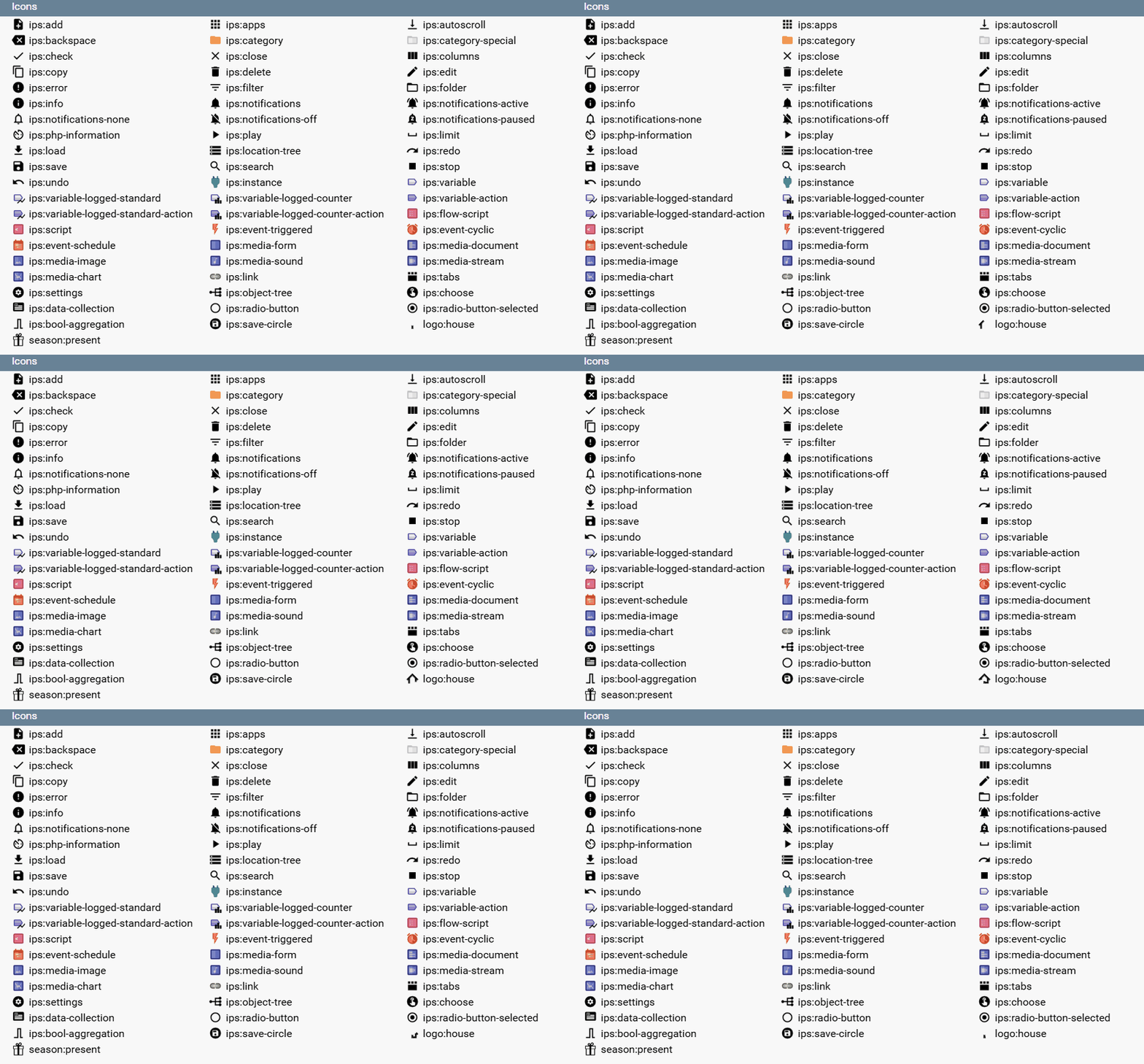
All icons supported by iron-icon are usable: [Iron Icons Demo](https://kevingleason.me/Polymer-Todo/bower_components/iron-icons/demo/index.html)
In addition, the following Symcon specific icons can be used:
### Saving and loading lists
When the list is saved, all list elements that can be edited or that have set the __save__ parameter are saved as module properties.
If the list is reloaded and the parameter __loadValuesFromConfiguration__ is not set to false, the values that were saved as module properties are entered first. If __loadValuesFromConfiguration__ is set to false, values are not loaded from the property and only as described in the next steps. If values from the property should be used as basis anyway, they must be provided within the __values__. The other elements, including the color, are filled with the initial values from __values__.
If there are more lines than elements in __values__, elements of the superfluous lines that were not saved as module properties are filled with the initial value __add__ of the corresponding column.
### Selected Line as a Variable in on-Actions
In the definition of the configuration form, the values of the table can be used as the variable __$Name__. The object can be accessed like an array. If the corresponding object is accessed with a string index, the corresponding value is returned as defined in [values](configuration-forms.md) of the selected line. If a numeric index is accessed or the object is iterated, the corresponding line is returned, the individual parameters of which can in turn be referenced by a string index.
Example:
```php
// Output the name of the currently selected row in the devices table
{ "type": "Button", "caption": "Output", "onClick": "print_r($devices['name']);" }
// Output the name of the first line of the devices table
{ "type": "Button", "caption": "Output", "onClick": "print_r($devices[0]['name']);" }
```
### Individual Forms for Editing
By default, when editing or adding a new row, a form based on the edit parameters of the individual columns is used. However, if the parameter "form" is set, a form that is described by that parameter is used instead.
If a row is edited, the value of each form field is set depending on the value with the same name of the edited row, if available. During adding, the initial values of the form fields are instead defined by the "add" value of the column with the same name if such a column exists. When the dialog is confirmed, all values of the dialog are saved for the row. If afterwards columns exist, whose name are not contained within the form, their values are set by their "add" value.
When applying the configuration, all values that correspond to a column are saved as usual depending on the "save" parameter. If a value does not fit any column, it is saved in any case.
Parts of an individual form can be updated via [UpdateFormField](module.md) just like within the regular form.
Example for the use of the "form" parameter can be found within the [Test Repository](https://github.com/symcon/SymconTest/tree/master/ListDynamicEditFormTest).
### Register and read out values from the table in PHP
If the table was defined in the configuration form in the __elements__ area, the table can be registered with the [RegisterPropertyString](module.md) function. The table is then saved as a JSON-encoded string.
The [ReadPropertyString](module.md) function can be used to read out the stored string. In a next step the function **json_decode** should be used to convert the read string into an array.
Example:
```php
$arrString = $this->ReadPropertyString("devices");
$arr = json_decode($arrString);
```
### Example
```php
// Simple editable list of instances and associated values
// The list initially contains an entry
{
"type": "List",
"name": "Devices",
"caption": "Devices",
"rowCount": 5,
"add": true,
"delete": true,
"sort": {
"column": "Name",
"direction": "ascending"
},
"columns": [{
"caption": "InstanceID",
"name": "InstanceID",
"width": "75px",
"add": 0,
"edit": {
"type": "SelectInstance"
}
}, {
"caption": "Name",
"name": "Name",
"width": "auto",
"add": ""
}, {
"caption": "State",
"name": "State",
"width": "40px",
"add": "New!"
}, {
"caption": "Temperature",
"name": "Temperature",
"width": "75px",
"add": 20.0,
"edit": {
"type": "NumberSpinner",
"digits": 2
}
}],
"values": [{
"InstanceID": 12435,
"Name": "ABCD",
"State": "OK!",
"Temperature": 23.31,
"rowColor": "#ff0000" //rot
}]
}
```
If the value __InstanceID__ of the first entry in the example table is changed to 54321 and __Temperature__ to 37.0 and the table is saved, the new values for __InstanceID__ and __Temperature__ are persistently saved as module properties. Since the other elements, i.e. __name__, __state__ and the color of the line __rowColor__, cannot be edited, they are not saved either.
If the table is now reloaded, the saved values for __InstanceID__ and __Temperature__ are loaded first. The non-editable fields __name__ and __state__ are then assigned the values from __values__ i.e., "ABCD" and "OK!" filled. The color is also loaded from __values__, which gives the line a red background.
If one has also added another line to the table and set the values __InstanceID__ and __Temperature__ to 314 and -5.3, respectively, then these would also be loaded from the module properties. Since there is only one element in __values__, the non-editable fields are filled according to the standard values from __add__. The __name__ field of the second line would remain empty and __state__ would be set to "OK!". Since no color is defined, the background of this line would be transparent.
```php
// List with alternative sorting
{
"type": "List",
"name": "sortList",
"rowCount": 5,
"add": false,
"columns": [
{
"caption": "Text",
"name": "Text",
"width": "auto",
"sortColumn": "Number"
},
{
"caption": "Number",
"name": "Number",
"width": "200px",
"visible": false
}
],
"values": [
{
"Text": "One",
"Number": "1"
},
{
"Text": "Two",
"Number": "2"
},
{
"Text": "Three",
"Number": "3"
}
]
}
```
## NumberSpinner
Source: https://www.symcon.de/en/service/documentation/developer-area/sdk-tools/sdk-php/configuration-forms/numberspinner/
Creates an input field for numbers with the heading __caption__.
If created in the "Elements" area, the NumberSpinner sets a property to the entered numerical value when accepted.
The parameter __"Name"__ defines which property is set.
> **Note:** The digits parameter is used to determine whether the entered number is interpreted as an integer or a float (floating point number).

### Parameters
| Parameter | Description |
| --------------------- | ----------------------------------------------------------------------------------------------------------------------------------------------------------------------------------------------------------------------------------------------------------------------------------------------- |
| caption | Visible caption of the NumberSpinner |
| digits (optional) | (__default:__ 0) Indicates the number of decimal places. (Cannot be combined with hex) |
| enabled (optional) | (__default:__ true) If true, the NumberSpinner can be used, otherwise it is displayed as deactivated (since IP-Symcon 5.2) |
| hex (optional) | (__default:__ false) If true, then a hexadecimal input {1..9, A..F} is allowed. (Cannot be combined with digits) |
| minimum (optional) | (__default:__ no minimum value) Defines a minimum value - If the entered value is less than the minimum value, an error is displayed and changes cannot be accepted (since IP-Symcon 5.3) |
| maximum (optional) | (__default:__ no maximum value) Defines a maximum value - If the entered value is greater than the maximum value, an error is displayed and changes cannot be accepted (since IP-Symcon 5.3) |
| moreDigits (optional) | (__default:__ false) If false, the NumberSpinner is limited to the specified number of decimal places. If this is exceeded, an error is displayed and changes cannot be accepted. If true, any number of decimal places can be specified (cannot be combined with hex; since IP-Symcon 6.0) |
| name (optional) | Name of the NumberSpinner / the property to be set |
| onChange (optional) | (__default:__ "") Script which is executed when the NumberSpinner value is changed. If the script consists of several lines, the individual lines can also be defined as an array. It has the same properties as onClick of the [Button](configuration-forms.md). (since IP-Symcon 8.1) |
| suffix (optional) | (__default:__ "") Visible caption / unit behind the input field |
| type | NumberSpinner |
| value (optional) | (__default:__ 0) The value of the NumberSpinner - If there is an associated property, this parameter is overwritten by the property in the elements area (since IP-Symcon 5.2) |
| visible (optional) | (__default:__ true) If true, the NumberSpinner is visible, otherwise it is invisible (since IP-Symcon 5.2) |
| width (optional) | (__default:__ 300px) Fixed width of the input field in pixels or % as a string, e.g. "40%" or "250px" (since IP-Symcon 5.3) |
### Example
```php
// without digits/hex parameters
{ "type": "NumberSpinner", "Name": "Port", "caption": "Port" }
// with digits parameter
{ "type": "NumberSpinner", "Name": "Latitude", "caption": "Latitude (N)", "digits": 2}
// with hex parameters
{ "type": "NumberSpinner", "Name": "Value", "caption": "Hexvalue", "hex": true}
// with suffix
{ "type": "NumberSpinner", "Name": "Seconds", "caption": "Seconds", "suffix": "seconds"}
```
## OpenObjectButton
Source: https://www.symcon.de/en/service/documentation/developer-area/sdk-tools/sdk-php/configuration-forms/openobjectbutton/
_Requires Symcon >= 5.3_
A button that opens an object when pressed. The instance configurator is opened for an instance and the script editor for a script. For all other object types, the edit dialog is opened in the object tree.
### Parameters
| Parameters | Description |
| ------------------ | -------------------------------------------------------------------------------------------------------------------------------------------------------------------- |
| caption | Visible caption of the button |
| enabled (optional) | (__default:__ true) If true, the button can be used, otherwise it is displayed as deactivated |
| name (optional) | Name of the button |
| objectID | ID of the object to be opened |
| type | OpenObjectButton |
| visible (optional) | (__default:__ true) If true, the button is visible, otherwise it is invisible |
| width (optional) | Fixed width of the button in pixels or % as a string, e.g. "40%" or "250px". If the value is not set or "", the width is automatically selected based on the caption |
### Example
```php
{ "type": "OpenObjectButton", "caption": "To the Connect Control", "objectID": 42563 }
```
## PasswordTextBox
Source: https://www.symcon.de/en/service/documentation/developer-area/sdk-tools/sdk-php/configuration-forms/passwordtextbox/
Creates an input field for passwords with the heading __caption__.
If created in the "Elements" area, the PasswordTextBox sets a property to the entered String when accepted.
The parameter __"Name"__ defines which property is set.

### Parameter
| Parameters | Description |
| ------------------- | ----------------------------------------------------------------------------------------------------------------------------------------------------------------------------------------------------------------------------------------------------------------------------------------------- |
| caption | Visible caption of the password input field |
| enabled (optional) | (__default:__ true) If true, the PasswordTextBox can be used, otherwise it is displayed as deactivated (since IP-Symcon 5.2) |
| name (optional) | Name of the password input field/the property to be set |
| onChange (optional) | (__default:__ "") Script which is executed when the PasswordTextBox value is changed. If the script consists of several lines, the individual lines can also be defined as an array. It has the same properties as onClick of the [Button](configuration-forms.md). (since IP-Symcon 8.1) |
| type | PasswordTextBox |
| validate (optional) | (__default:__ "") If the value does not meet the regular expression specified here, an error is displayed and changes cannot be accepted (since IP-Symcon 5.3) |
| value (optional) | (__default:__ "") The value of the PasswordTextBox - If there is an associated property, this parameter is overwritten by the property in the elements area (since IP-Symcon 5.2) |
| visible (optional) | (__default:__ true) If true, the image is visible, otherwise it is invisible (since IP-Symcon 5.2) |
| width (optional) | (__default:__ 300px) Fixed width of the input field in pixels or % as a string, e.g. "40%" or "250px" (since IP-Symcon 5.3) |
### Example
```php
{ "type": "PasswordTextBox", "name": "Password", "caption": "Passwort" }
```
## PopupAlert
Source: https://www.symcon.de/en/service/documentation/developer-area/sdk-tools/sdk-php/configuration-forms/popupalert/
_Requires Symcon >= 5.0_
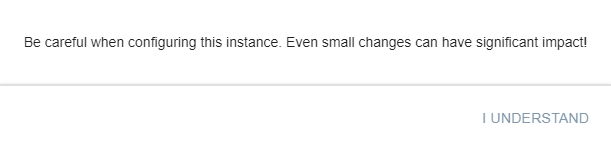
If the configuration form contains this element, it will be opened when the configuration page is loaded. After the popup has been closed, it is also possible to open it again using dynamics (visible to true).
### General Parameters
| Parameters | Description |
| ------------------ | ------------------------------------------------------------------------------------------------------------------------------------------------------------------------------------------------------------------------------------------------------------------------ |
| name (optional) | Name of the PopupAlert |
| popup | Definition of the popup to be opened (parameters can be changed since Symcon 6.1 by linking the parameter names, e.g. popup.closeCaption) |
| type | PopupAlert |
| visible (optional) | (__default:__ true) If visible is initially true, the popup is opened when the instance configuration is opened, otherwise nothing happens. By changing to true, the popup can be opened afterwards. A change to false closes a currently open popup. (since Symcon 5.2) |
### Parameters for popup
| Parameters | Description |
| ------------------------------------------------------ | ----------------------------------------------------------------------------------------------------------------------------------------------------------------------------------------------------------------------------------------------------------------------------------------------------------------------------------------------------------------------------------------------------------------------------------------------------------------------------------------------------------------------------------------------------------------------------------------------------------------------------------------------------------------------------------------------- |
| buttons (optional) | (__default:__ []) A list of buttons which is shown in the popup at the bottom right. The close button is always displayed first, followed by the buttons described here in sequence (since Symcon 6.1) |
| caption (optional) | (__default:__ "") Visible title of the popup (since Symcon 8.2) |
| closeCaption (optional) | (__default:__ "OK") The caption of the close button in the lower right corner of the popup |
| initialPage (optional) | (__default:__ 0) A reference to the page from [pages](https://www.symcon.de/./#Parameters_for_pages) that is shown when the popup is opened. This can be a number corresponding to the index within the pages list, a string corresponding to the name of the page, or a script returning the page as a number or string. If the script consists of several lines, the individual lines can also be defined as an array. No PHP-tags are required. It has the same properties as onClick of the [Button](configuration-forms.md). If the defined page does not exist, the first page is shown. A change to initialPage only takes effect the next time the popup is opened. (since Symcon 9.1) |
| items | List of form fields in the popup (cannot be changed) |
| [pages](https://www.symcon.de/./#Parameters_for_pages) (optional) | (__default:__ []) A list of pages of the popup that can be linked together to enable the functionality of a wizard. If the list is empty, the regularly defined content is displayed. (since Symcon 9.1) |
| width (optional) | (__default:__ "") Initial width of the popup in pixels or % as a string, e.g. "40%" or "250px". Percentages refer to the width of the browser window. If the value is not set or "", the default width is used (since Symcon 9.0) |
### Parameters for pages
The pages field contains a list of objects, each describing a page. If a popup has multiple pages, the buttons on the far right show "Back" and "Next" or "OK", which can be used to switch between pages. "Back" is active if a previous page exists and either no script for "onConfirm" has been defined for it, or both "onConfirm" and "onUndo" are defined. If only "onConfirm" is defined, "Back" is deactivated. For the second button, "Next" is displayed if a next page is defined, otherwise "OK". Each of these objects can use the following parameters:
| Parameter | Description |
| ----------------------------- | -------------------------------------------------------------------------------------------------------------------------------------------------------------------------------------------------------------------------------------------------------------------------------------------------------------------------------------------------------------------------------------------------------------------------------------------------------------------------------------------------------------------------------------------------------------- |
| name (optional) | A name for referencing, typically for nextPage |
| nextPage (optional) | (__default:__ next page) A reference to the page to be shown when "Next" is clicked. This can be a number corresponding to the index within the pages list, a string corresponding to the name of the page, or a script returning the next page as a number or string. If the script consists of several lines, the individual lines can also be defined as an array. No PHP-tags are required. It has the same properties as onClick of the [Button](configuration-forms.md). If the defined page does not exist, clicking "OK" closes the popup. |
| onConfirm (optional) | (__default:__ "") Script that is executed when "Next" or "OK" is pressed. If the script consists of several lines, the individual lines can also be defined as an array. No PHP-tags are required. It has the same properties as onClick of the [Button](configuration-forms.md). If the page change is prevented by validate, onConfirm is not executed. |
| onUndo (optional) | (__default:__ "") Script that is executed when returning to this page via "Back". If the script consists of several lines, the individual lines can also be defined as an array. No PHP-tags are required. It has the same properties as onClick of the [Button](configuration-forms.md). |
| validate (optional) | (__default:__ "") Script that is executed when "Next" or "OK" is pressed. If the script consists of several lines, the individual lines can also be defined as an array. No PHP-tags are required. It has the same properties as onClick of the [Button](configuration-forms.md). If the script returns a non-empty string, it is displayed as an error, no page change takes place and onConfirm is not executed. |
| Further parameters (optional) | All parameters from [popup](https://www.symcon.de/./#Parameters_for_popup), i.e. buttons, caption, closeCaption and items can also be defined for a page. In that case the parameter defined for the page is used. Only if this is not set, the default from popup is used. |
### Parameters for buttons
| Parameters | Description |
| ------------------ | -------------------------------------------------------------------------------------------------------------------------------------------------------------------------------------------------------------------------------------------------------------------------------------------------------------------------------------------------------------------------------------------------------------------------------------------------------------------------------------------------------------------------------------------------------------------------------------------------------------------------------------------- |
| caption | Visible caption of the button |
| onClick | Script that is executed when the button is clicked. If the script consists of several lines, the individual lines can also be defined as an array. No PHP-tags are required. It has the same properties as onClick of the [Button](configuration-forms.md). If the script does not produce any output, the popup is closed after the script has been processed. Otherwise the output is shown as a red error message at the bottom of the popup. There is an exception here if the return begins with the prefix "MESSAGE:". In this case the popup is closed and the return is displayed after the prefix in a message dialog. |
| enabled (optional) | (__default:__ true) If true, the button can be used, otherwise it is displayed as deactivated |
### Example
```php
{
"type": "PopupAlert",
"popup": {
"closeCaption": "I understand",
"items": [
{
"type": "Label",
"caption": "Be careful when configuring this instance. Even small changes can have significant impact!"
}
]
}
},
{
"type": "PopupAlert",
"popup": {
"items": [
{
"type": "SelectVariable",
"name": "VariableActionTest",
"caption": "Some Action Variable"
}
]
}
},
{
"type": "PopupAlert",
"popup": {
"caption": "A title that is never seen since every page overrides it",
"closeCaption": "Close dialog",
"items": [
{
"type": "Label",
"caption": "This element is never seen since every page has its own items"
}
],
"pages": [
{
"caption": "Start",
"items": [
{
"type": "Label",
"caption": "Next page: Selection"
}
],
"nextPage": 2
},
{
"caption": "Never visible",
"items": [
{
"type": "Label",
"caption": "This page is never shown since the start page jumps directly to the page at index 2, the selection"
}
]
},
{
"caption": "Selection",
"items": [
{
"type": "Select",
"name": "NextPage",
"options": [
{"value": "page1", "caption": "Go to page 1"},
{"value": "page2", "caption": "Go to page 2"},
{"value": "close", "caption": "Done, close"}
],
"caption": "Choose next page"
}
],
"nextPage": "return $NextPage;"
},
{
"name": "page1",
"caption": "Page 1",
"items": [
{
"type": "Label",
"caption": "This is page 1 with 'Undo'"
}
],
"onUndo": "echo 'Undo page 1';",
"onConfirm": "echo 'Confirm page 1';"
},
{
"name": "page2",
"caption": "Page 2",
"items": [
{
"type": "Label",
"caption": "This is page 2, there is no 'Undo'. This is also the last page of the wizard."
}
],
"onConfirm": "echo 'Confirm page 2';"
}
]
}
}
```
## PopupButton
Source: https://www.symcon.de/en/service/documentation/developer-area/sdk-tools/sdk-php/configuration-forms/popupbutton/
_Requires Symcon >= 5.0_
Creates a button which, when clicked, opens a popup containing additional form fields.
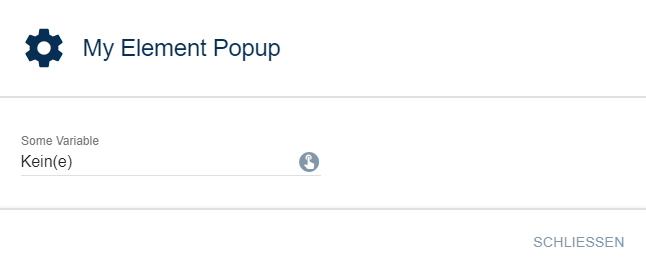
### General Parameters
| Parameter | Description |
| ------------------- | ----------------------------------------------------------------------------------------------------------------------------------------------------------------------------------------------------------------------------------------------------------------------------------------------------------- |
| caption | Visible caption of the button |
| download (optional) | (__default:__ "") If this parameter is not an empty string and the output of the onClick script is a [Data-URL](https://developer.mozilla.org/en-US/docs/Web/HTTP/Basics_of_HTTP/Data_URLs), the output is downloaded as a text file with the name of the download parameter. (since Symcon 7.0) |
| enabled (optional) | (__default:__ true) If true, the button can be used, otherwise it is displayed as deactivated This parameter has no effect on a possibly opened popup (since Symcon 5.2) |
| link (optional) | (__default:__ false) If this parameter is true, the output of the onClick script is opened as a link. If it is false, the output is displayed as a dialog in the configuration form. (since Symcon 6.0) |
| name (optional) | Name of the PopupButton |
| onClick | Script that is executed when the button is clicked. If the script consists of several lines, the individual lines can also be defined as an array (arrays are supported since version 6.0). It has the same properties as onClick of the [Button](configuration-forms.md) (since Symcon 5.3) |
| popup | Definition of the popup to be opened (parameters can be changed since Symcon 6.1 by linking the parameter names, e.g. popup.closeCaption) |
| type | PopupButton |
| visible (optional) | (__default:__ true) If true, the button is visible, otherwise it is invisible This parameter has no effect on a possibly opened popup (since Symcon 5.2) |
| width (optional) | Fixed width of the button in pixels or % as a string, e.g. "40%" or "250px". If the value is not set or "", the width is automatically selected based on the caption (since Symcon 5.2) |
### Parameters for popup
| Parameters | Description |
| ------------------------------------------------------ | ----------------------------------------------------------------------------------------------------------------------------------------------------------------------------------------------------------------------------------------------------------------------------------------------------------------------------------------------------------------------------------------------------------------------------------------------------------------------------------------------------------------------------------------------------------------------------------------------------------------------------------------------------------------------------------------------- |
| buttons (optional) | (__default:__ []) A list of buttons which is shown in the popup at the bottom right. The close button is always displayed first, followed by the buttons described here in sequence (since Symcon 6.1) |
| caption (optional) | (__default:__ "") Visible title of the popup |
| closeCaption (optional) | (__default:__ "Close") The caption of the close button at the bottom right in the popup (since version 6.1) |
| initialPage (optional) | (__default:__ 0) A reference to the page from [pages](https://www.symcon.de/./#Parameters_for_pages) that is shown when the popup is opened. This can be a number corresponding to the index within the pages list, a string corresponding to the name of the page, or a script returning the page as a number or string. If the script consists of several lines, the individual lines can also be defined as an array. No PHP-tags are required. It has the same properties as onClick of the [Button](configuration-forms.md). If the defined page does not exist, the first page is shown. A change to initialPage only takes effect the next time the popup is opened. (since Symcon 9.1) |
| items | List of form fields in the popup (cannot be changed) |
| [pages](https://www.symcon.de/./#Parameters_for_pages) (optional) | (__default:__ []) A list of pages of the popup that can be linked together to enable the functionality of a wizard. If the list is empty, the regularly defined content is displayed. (since Symcon 9.1) |
| width (optional) | (__default:__ "") Initial width of the popup in pixels or % as a string, e.g. "40%" or "250px". Percentages refer to the width of the browser window. If the value is not set or "", the default width is used (since Symcon 9.0) |
### Parameters for pages
The pages field contains a list of objects, each describing a page. If a popup has multiple pages, the buttons on the far right show "Back" and "Next" or "OK", which can be used to switch between pages. "Back" is active if a previous page exists and either no script for "onConfirm" has been defined for it, or both "onConfirm" and "onUndo" are defined. If only "onConfirm" is defined, "Back" is deactivated. For the second button, "Next" is displayed if a next page is defined, otherwise "OK". Each of these objects can use the following parameters:
| Parameter | Description |
| ----------------------------- | -------------------------------------------------------------------------------------------------------------------------------------------------------------------------------------------------------------------------------------------------------------------------------------------------------------------------------------------------------------------------------------------------------------------------------------------------------------------------------------------------------------------------------------------------------------- |
| name (optional) | A name for referencing, typically for nextPage |
| nextPage (optional) | (__default:__ next page) A reference to the page to be shown when "Next" is clicked. This can be a number corresponding to the index within the pages list, a string corresponding to the name of the page, or a script returning the next page as a number or string. If the script consists of several lines, the individual lines can also be defined as an array. No PHP-tags are required. It has the same properties as onClick of the [Button](configuration-forms.md). If the defined page does not exist, clicking "OK" closes the popup. |
| onConfirm (optional) | (__default:__ "") Script that is executed when "Next" or "OK" is pressed. If the script consists of several lines, the individual lines can also be defined as an array. No PHP-tags are required. It has the same properties as onClick of the [Button](configuration-forms.md). If the page change is prevented by validate, onConfirm is not executed. |
| onUndo (optional) | (__default:__ "") Script that is executed when returning to this page via "Back". If the script consists of several lines, the individual lines can also be defined as an array. No PHP-tags are required. It has the same properties as onClick of the [Button](configuration-forms.md). |
| validate (optional) | (__default:__ "") Script that is executed when "Next" or "OK" is pressed. If the script consists of several lines, the individual lines can also be defined as an array. No PHP-tags are required. It has the same properties as onClick of the [Button](configuration-forms.md). If the script returns a non-empty string, it is displayed as an error, no page change takes place and onConfirm is not executed. |
| Further parameters (optional) | All parameters from [popup](https://www.symcon.de/./#Parameters_for_popup), i.e. buttons, caption, closeCaption and items can also be defined for a page. In that case the parameter defined for the page is used. Only if this is not set, the default from popup is used. |
### Parameters for buttons
| Parameters | Description |
| ------------------ | -------------------------------------------------------------------------------------------------------------------------------------------------------------------------------------------------------------------------------------------------------------------------------------------------------------------------------------------------------------------------------------------------------------------------------------------------------------------------------------------------------------------------------------------------------------------------------------------------------------------------------------------- |
| caption | Visible caption of the button |
| onClick | Script that is executed when the button is clicked. If the script consists of several lines, the individual lines can also be defined as an array. No PHP-tags are required. It has the same properties as onClick of the [Button](configuration-forms.md). If the script does not produce any output, the popup is closed after the script has been processed. Otherwise the output is shown as a red error message at the bottom of the popup. There is an exception here if the return begins with the prefix "MESSAGE:". In this case the popup is closed and the return is displayed after the prefix in a message dialog. |
| enabled (optional) | (__default:__ true) If true, the button can be used, otherwise it is displayed as deactivated |
### Example
```php
{
"type": "PopupButton",
"caption": "Open Popup",
"popup": {
"caption": "My Element Popup",
"items": [
{
"type": "SelectVariable",
"name": "VariableTest",
"caption": "Some Variable"
}
]
}
},
{
"type": "PopupButton",
"caption": "Start Wizard",
"popup": {
"caption": "A title that is never seen since every page overrides it",
"closeCaption": "Close dialog",
"items": [
{
"type": "Label",
"caption": "This element is never seen since every page has its own items"
}
],
"pages": [
{
"caption": "Start",
"items": [
{
"type": "Label",
"caption": "Next page: Selection"
}
],
"nextPage": 2
},
{
"caption": "Never visible",
"items": [
{
"type": "Label",
"caption": "This page is never shown since the start page jumps directly to the page at index 2, the selection"
}
]
},
{
"caption": "Selection",
"items": [
{
"type": "Select",
"name": "NextPage",
"options": [
{"value": "page1", "caption": "Go to page 1"},
{"value": "page2", "caption": "Go to page 2"},
{"value": "close", "caption": "Done, close"}
],
"caption": "Choose next page"
}
],
"nextPage": "return $NextPage;"
},
{
"name": "page1",
"caption": "Page 1",
"items": [
{
"type": "Label",
"caption": "This is page 1 with 'Undo'"
}
],
"onUndo": "echo 'Undo page 1';",
"onConfirm": "echo 'Confirm page 1';"
},
{
"name": "page2",
"caption": "Page 2",
"items": [
{
"type": "Label",
"caption": "This is page 2, there is no 'Undo'. This is also the last page of the wizard."
}
],
"onConfirm": "echo 'Confirm page 2';"
}
]
}
}
```
## ProgressBar
Source: https://www.symcon.de/en/service/documentation/developer-area/sdk-tools/sdk-php/configuration-forms/progressbar/
_Requires Symcon >= 5.2_
Creates a progress bar.
The progress bar is helpful to inform a user about a possibly longer process by using [UpdateFormField](module.md).
It is possible to display either a progressive bar or an indefinite bar that shows a loading animation.

### Parameters
| Parameter | Description |
| ------------------------ | --------------------------------------------------------------------------------------------------------------------------------------------------------------------------------------------------------------------------------------------------------------------------------------------------------------------------------------- |
| caption (optional) | Visible caption of the progress bar |
| current (optional) | (__default:__ 0) The current value of the progress bar - If the bar is displayed progressively, it is unfilled if the current value corresponds to the minimum value of the progress bar, completely filled if the current value corresponds to the maximum value of the progress bar and otherwise accordingly proportionately filled. |
| indeterminate (optional) | (__default:__ false) If true, the progress bar is indeterminate and shows an animation, otherwise the bar is displayed progressively on the basis of current, minimum and maximum |
| maximum (optional) | (__default:__ 100) The maximum value of the progress bar |
| minimum (optional) | (__default:__ 0) The minimum value of the progress bar |
| name (optional) | Name of the progress bar |
| type | ProgressBar |
| visible (optional) | (__default:__ true) If true, the button is visible, otherwise it is invisible |
| width (optional) | (__default:__ 300px) Fixed width of the input field in pixels or % as a string, e.g. "40%" or "250px" (since IP-Symcon 5.3) |
### Example
```php
{
"type": "ProgressBar",
"name": "IndeterminateProgress",
"indeterminate": true,
"caption": "loading..."
},
{
"type": "ProgressBar",
"name": "DeterminateProgress",
"minimum": 0,
"maximum": 50,
"current": 20,
"caption": "20 / 50"
}
```
## QrCode
Source: https://www.symcon.de/en/service/documentation/developer-area/sdk-tools/sdk-php/configuration-forms/qrcode/
_Requires Symcon >= 7.0_
Creates a QR Code.
### parameter
| parameter | description |
| ------------------ | ------------------------------------------------------------------------------------------- |
| caption (optional) | (__default:__ "") visible caption |
| center (optional) | (__default:__ false) If true the QR Code is displayed in the middle, otherwise left-aligned |
| description | (__default:__ true) If true, the text contained in the QR Code will be displayed below it |
| name (optional) | name of the QR Code/property to set |
| source | The string encoded in the QR Code |
| type | QrCode |
| visible (optional) | (__default:__ true) If true the QR Code is visible, otherwise it is invisible |
### example
```php
{ "type": "QrCode", "name": "Example", "caption": "Example text", "source": "An example text" }
```
## RadioButtonGroup
Source: https://www.symcon.de/en/service/documentation/developer-area/sdk-tools/sdk-php/configuration-forms/radiobuttongroup/
_Requires Symcon >= 9.1_
Creates a group of radio buttons with the heading __caption__.
If created in the "elements" area, the radio buttons set a property to the selected value __value__ when accepted.
The parameter __"name"__ defines which property is set.
> **Note:** With MultiSelect it is important to ensure that all value arrays contain the same names
> **Warning:** If RadioButtonGroup is used within lists, there is no MultiSelect.
### Parameter
| Parameter | Description |
| ------------------------ | ----------------------------------------------------------------------------------------------------------------------------------------------------------------------------------------------------------------------------------------------------------------------------------------- |
| caption | Visible caption of the group of radio buttons |
| download (optional) | (__default:__ "") If this parameter is not an empty string and the output of the onChange script is a [Data-URL](https://developer.mozilla.org/en-US/docs/Web/HTTP/Basics_of_HTTP/Data_URLs), the output is downloaded as a text file with the name of the download parameter. |
| enabled (optional) | (__default:__ true) If true, the group can be used, otherwise it is displayed as deactivated |
| itemsPosition (optional) | (__default:__ 0) The position of the configuration elements defined by "items" of the options
0: The elements are displayed below the respective radio button
1: The elements are displayed to the right of the respective radio button |
| link (optional) | (__default:__ false) If this parameter is true, the output of the onChange script is opened as a link. If it is false, the output is displayed as a dialog in the configuration form. |
| name (optional) | Name of the group/the property to be set |
| options | Array containing all options |
| onChange (optional) | (__default:__ "") Script which is executed when a radio button is selected. If the script consists of several lines, the individual lines can also be defined as an array. It has the same properties as onClick of the [Button](configuration-forms.md) |
| type | RadioButtonGroup |
| value (optional) | (__default:__ first defined option) The value of the selected radio button - If there is an associated property, this parameter is overwritten by the property in the elements area |
| visible (optional) | (__default:__ true) If true, the group is visible, otherwise it is invisible |
| width (optional) | (__default:__ 300px) Fixed width of the group in pixels or % as a string, e.g. "40%" or "250px" |
### Parameters for options
| Parameter | Description |
| ------------------ | --------------------------------------------------------------------------------------------------------------------------------------------------------------------------------- |
| caption | Caption of a radio button |
| enabled (optional) | (__default:__ true) If true, the radio button is active and can be selected, otherwise it is shown as inactive and cannot be selected |
| items (optional) | (__default:__ []) List of configuration elements which are only displayed while this radio button is selected. The values of the elements of the other radio buttons are retained |
| value | Value that is transferred when selected. Can also contain another array, which transfers the values to several properties. |
### Example
```php
//Simple value transfer
//The "DeviceType" property is set to 0..3
//The group has 4 radio buttons
{ "type": "RadioButtonGroup", "name": "DeviceType", "caption": "Unit",
"options": [
{ "caption": "Bit (1Bit)", "value": 0 },
{ "caption": "Bits (2Bit)", "value": 1 },
{ "caption": "Bits (4Bit)", "value": 2 },
{ "caption": "Byte (8Bit)", "value": 3 }
]
}
//Multiple value transfer (MultiSelect)
//"name" of the RadioButtonGroup (here: "OutputDevice") must be set, but is not used to set the values.
//Properties "DeviceName", "DeviceChannels" and "DeviceNum" are set.
{ "type": "RadioButtonGroup", "name": "OutputDevice", "caption": "Output device",
"options": [
{"caption" : "No sound",
"value": [
{"name": "DeviceName", "value": "No sound"},
{"name": "DeviceChannels", "value": 0},
{"name": "DeviceNum", "value": 0}
]
},
{"caption" : "Headphones",
"value": [
{"name": "DeviceName", "value": "Headphones"},
{"name": "DeviceChannels", "value": 2},
{"name": "DeviceNum", "value": 1}
]
},
{"caption" : "Speaker",
"value": [
{"name": "DeviceName", "value": "Stereo speakers"},
{"name": "DeviceChannels", "value": 2},
{"name": "DeviceNum", "value": 2}
]
}
]
}
//Configuration elements of individual radio buttons
//The elements of the radio button "Network" are only displayed while it is selected
{ "type": "RadioButtonGroup", "name": "ConnectionType", "caption": "Connection",
"options": [
{ "caption": "USB", "value": 0 },
{ "caption": "Network", "value": 1,
"items": [
{ "type": "ValidationTextBox", "name": "Host", "caption": "Host" },
{ "type": "NumberSpinner", "name": "Port", "caption": "Port" }
]
}
]
}
```
## RowLayout
Source: https://www.symcon.de/en/service/documentation/developer-area/sdk-tools/sdk-php/configuration-forms/rowlayout/
_Requires Symcon >= 5.0_
Creates a row in which form fields are displayed side by side.

### Parameter
| Parameter | Description |
| ------------------ | ------------------------------------------------------------------------------------------------ |
| items | List with configuration elements within the row (can be changed since IP-Symcon 6.0) |
| name (optional) | Name of the row |
| type | RowLayout |
| visible (optional) | (__default:__ true) If true, the row is visible, otherwise it is invisible (since IP-Symcon 5.2) |
### Example
```php
// row layout
{
"type": "RowLayout",
"items": [
{
"type": "SelectLocation",
"name": "Location",
"caption": "My Location"
},{
"type": "Button",
"caption": "Test",
"onClick": "TM_Update($id);"
},{
"type": "Button",
"caption": "Test2",
"onClick": "TM_Update2($id);"
}
]
}
```
## ScriptEditor
Source: https://www.symcon.de/en/service/documentation/developer-area/sdk-tools/sdk-php/configuration-forms/scripteditor/
_Requires Symcon >= 6.0_
Creates a script editor with the heading __caption__.
If created in the "elements" area, the ScriptEditor sets a property on transfer to the entered string.
The parameter __"name"__ defines which property is set.
### Parameters
| Parameter | Description |
| ------------------- | ------------------------------------------------------------------------------------------------------------------------------------------------------------------------------------ |
| caption (optional) | (__default:__ "") Visible caption of the input field |
| enabled (optional) | (__default:__ true) If true, the button can be used, otherwise it is displayed as deactivated |
| name (optional) | Name of the input field/the property to be set |
| type | ScriptEditor |
| value (optional) | (__default:__ Placeholder script with PHP tag) The value of the input field - If there is an associated property, this parameter is overwritten by the property in the elements area |
| visible (optional) | (__default:__ true) If true, the input field is visible, otherwise it is invisible |
| width (optional) | (__default:__ 100%) Fixed width of the input field in pixels or % as a string, e.g. "40%" or "250px", |
| rowCount (optional) | (__default:__ 5) Number of lines displayed in the editor. If the script itself contains more lines, a scroll bar is displayed |
### Example
```php
{ "type": "ScriptEditor", "name": "Script" }
```
## Select
Source: https://www.symcon.de/en/service/documentation/developer-area/sdk-tools/sdk-php/configuration-forms/select/
Creates a drop-down menu with the heading __caption__.
If created in the "elements" area, the drop-down menu sets a property to the selected value __value__ when accepted.
The parameter __"name"__ defines which property is set.
> **Note:** With MultiSelect it is important to ensure that all value arrays contain the same names
> **Warning:** If Select is used within lists, there is no MultiSelect.

### Parameter
| Parameter | Description |
| ------------------------ | ------------------------------------------------------------------------------------------------------------------------------------------------------------------------------------------------------------------------------------------------------------------------------------------------------------------------------------ |
| caption | Visible caption of the drop-down menu |
| download (optional) | (__default:__ "") If this parameter is not an empty string and the output of the onChange script is a [Data-URL](https://developer.mozilla.org/en-US/docs/Web/HTTP/Basics_of_HTTP/Data_URLs), the output is downloaded as a text file with the name of the download parameter. (since Symcon 7.0) |
| enabled (optional) | (__default:__ true) If true, the drop-down menu can be used, otherwise it is displayed as deactivated (since Symcon 5.2) |
| itemsPosition (optional) | (__default:__ 0) The position of the configuration elements defined by "items" of the options (since Symcon 9.1)
0: The elements are displayed below the drop-down menu
1: The elements are displayed to the right of the drop-down menu |
| link (optional) | (__default:__ false) If this parameter is true, the output of the onChange script is opened as a link. If it is false, the output is displayed as a dialog in the configuration form. (since Symcon 6.0) |
| name (optional) | Name of the drop-down menu/the property to be set |
| options | Array containing all options |
| onChange (optional) | (__default:__ "") Script which is executed when the dropdown value is changed. If the script consists of several lines, the individual lines can also be defined as an array (arrays are supported from version 6.0). It has the same properties as onClick of the [Button](configuration-forms.md). (since Symcon 5.2) |
| type | Select |
| value (optional) | (__default:__ first defined option) The value of the drop-down menu - If there is an associated property, this parameter is overwritten by the property in the elements area (since Symcon 5.2) |
| visible (optional) | (__default:__ true) If true, the drop-down menu is visible, otherwise it is invisible (since Symcon 5.2) |
| width (optional) | (__default:__ 300px) Fixed width of the input field in pixels or % as a string, e.g. "40%" or "250px" (since Symcon 5.3) |
### Parameters for options
| Parameter | Description |
| ------------------ | ---------------------------------------------------------------------------------------------------------------------------------------------------------------------------------------- |
| caption | Caption of an option |
| enabled (optional) | (__default:__ true) If true, the option is active and can be selected, otherwise it is shown as inactive and cannot be selected (since Symcon 9.1) |
| items (optional) | (__default:__ []) List of configuration elements which are only displayed while this option is selected. The values of the elements of the other options are retained (since Symcon 9.1) |
| label | Caption of an option _(deprecated)_ |
| value | Value that is transferred when selected. Can also contain another array, which transfers the values to several properties. |
### Example
```php
//Simple value transfer
//The "DeviceType" property is set to 0..3
//The drop-down menu has 4 entries
{ "type": "Select", "name": "DeviceType", "caption": "Unit",
"options": [
{ "caption": "Bit (1Bit)", "value": 0 },
{ "caption": "Bits (2Bit)", "value": 1 },
{ "caption": "Bits (4Bit)", "value": 2 },
{ "caption": "Byte (8Bit)", "value": 3 }
]
}
//Multiple value transfer (MultiSelect)
//"name" of the Select (here: "OutputDevice") must be set, but is not used to set the values.
//Properties "DeviceName", "DeviceChannels" and "DeviceNum" are set.
{ "type": "Select", "name": "OutputDevice", "caption": "Output device",
"options": [
{"caption" : "No sound",
"value": [
{"name": "DeviceName", "value": "No sound"},
{"name": "DeviceChannels", "value": 0},
{"name": "DeviceNum", "value": 0}
]
},
{"caption" : "Headphones",
"value": [
{"name": "DeviceName", "value": "Headphones"},
{"name": "DeviceChannels", "value": 2},
{"name": "DeviceNum", "value": 1}
]
},
{"caption" : "Speaker",
"value": [
{"name": "DeviceName", "value": "Stereo speakers"},
{"name": "DeviceChannels", "value": 2},
{"name": "DeviceNum", "value": 2}
]
}
]
}
//Configuration elements of individual options
//The elements of the option "Network" are only displayed while it is selected
{ "type": "Select", "name": "ConnectionType", "caption": "Connection",
"options": [
{ "caption": "USB", "value": 0 },
{ "caption": "Network", "value": 1,
"items": [
{ "type": "ValidationTextBox", "name": "Host", "caption": "Host" },
{ "type": "NumberSpinner", "name": "Port", "caption": "Port" }
]
}
]
}
```
## SelectAction
Source: https://www.symcon.de/en/service/documentation/developer-area/sdk-tools/sdk-php/configuration-forms/selectaction/
_Requires Symcon >= 6.0_
Creates an input for an [action](../sdk-php.md) .
If created in the "elements" area, the property __name__ is set to a JSON-coded object, which contains the following parameters:
| Parameter | Description |
| ---------- | ----------------- |
| actionID | Action ID |
| parameters | Action parameters |
### Parameters
| Parameter | Description |
| ------------------------------------ | -------------------------------------------------------------------------------------------------------------------------------------------------------------------------------------------------------------- |
| caption (optional) | (__default:__ "") Visible caption (since IP-Symcon 7.1) |
| enabled (optional) | (__default:__ true) If true, the selection can be used, otherwise it is displayed as deactivated |
| environment (optional) | (__default:__ "Default") Defines the environment of the action selection, here it can be determined which types of actions are available for selection, see also [Actions](../sdk-php.md) |
| highestPriorityOnly (optional) | (__default:__ false) If false, the element has a selection of all suitable actions, otherwise the action with the highest priority is automatically selected |
| includeDefaultEnvironment (optional) | (__default:__ true) If false, only actions that support the environment _environment_ are offered for selection; if true, all actions of the "Default" environment are also offered |
| name (optional) | Name of the selection/the property to be set |
| targetID (optional) | (__default:__ -2) With -2 the element has a target selection, otherwise the target with this ID is set as the target, where -1 stands for general actions |
| type | SelectAction |
| value (optional) | (__default:__ no action selected) The value of the selection - If there is an associated property, this parameter will be overwritten by the property in the elements area |
| visible (optional) | (__default:__ true) If true, the selection is visible, otherwise it is invisible |
| width (optional) | (__default:__ 300px) Fixed width of the input field in pixels or % as a string, e.g. "40%" or "250px" |
| saveTarget (optional) | (__default:__ true) If true, the target is saved as TARGET as part of the parameters |
| saveEnvironment (optional) | (__default:__ true) If true, the environment is saved as ENVIRONMENT as part of the parameters |
| saveParent (optional) | (__default:__ true) If true, the InstanceID is saved as PARENT as part of the parameters |
### Example 1: Target, Environment and InstanceID are constantly saved as part of the property
By default, all required parameters are saved as a return from SelectAction. This is the easiest way to perform the action.
```php
{ "type": "SelectAction", "name": "PropertyAction", "targetID": 12345 }
// PHP code in the module
$action = json_decode($this->ReadPropertyString('PropertyAction'), true);
IPS_RunAction($action['actionID'], $action['parameters']);
```
### Example 2: Target, environment and InstanceID are set dynamically
If the additional parameters are not saved as a return, they have to be added manually. In this way, for example, actions can be exchanged between entities and no redundant data is stored.
```php
{ "type": "SelectAction", "name": "PropertyAction", "targetID": 12345, "saveTarget": false, "saveEnvironment": false, "saveParent": false }
// PHP code in the module
$action = json_decode($this->ReadPropertyString('PropertyAction'), true);
$parameters = $action['parameters'];
$parameters['TARGET'] = 12345;
$parameters['ENVIRONMENT'] = 'Default';
$parameters['PARENT'] = $this->InstanceID;
IPS_RunAction($action['actionID'], $parameters);
```
## SelectCategory
Source: https://www.symcon.de/en/service/documentation/developer-area/sdk-tools/sdk-php/configuration-forms/selectcategory/
Creates a selection dialog with the caption __caption__.
If created in the "elements" area, the property __name__ is set to the ID of the selected category when accepted.

### Parameter
| Parameter | Description |
| ------------------- | --------------------------------------------------------------------------------------------------------------------------------------------------------------------------------------------------------------------------------------------------------------------------------------------------------------------------------------------------------- |
| caption | Visible caption |
| download (optional) | (__default:__ "") If this parameter is not an empty string and the output of the onChange script is a [Data-URL](https://developer.mozilla.org/en-US/docs/Web/HTTP/Basics_of_HTTP/Data_URLs), the output is downloaded as a text file with the name of the download parameter. (since IP-Symcon 7.0) |
| enabled (optional) | (__default:__ true) If true, the category selection can be used, otherwise it is shown deactivated (since IP-Symcon 5.2) |
| link (optional) | (__default:__ false) If this parameter is true, the output of the onChange script is opened as a link. If it is false, the output is displayed as a dialog in the configuration form. (since IP-Symcon 6.0) |
| name (optional) | Name of the category selection/the property to be set |
| onChange (optional) | (__default:__ "") Script which is executed when the value of the category selection is changed. If the script consists of several lines, the individual lines can also be defined as an array (arrays are supported since version 6.0). It has the same properties as onClick of the [Button](configuration-forms.md). (since IP-Symcon 5.2) |
| type | SelectCategory |
| value (optional) | (__default:__ 1) The value of the category selection - If there is an associated property, this parameter is overwritten by the property in the elements area (since IP-Symcon 5.2) |
| visible (optional) | (__default:__ true) If true, the selection is visible, otherwise it is invisible (since IP-Symcon 5.2) |
| width (optional) | (__default:__ 300px) Fixed width of the category selection in pixels or % as a string, e.g. "40%" or "250px" (since IP-Symcon 5.3) |
### Example
```php
{ "type": "SelectCategory", "name": "PropertyCategoryID", "caption": "Target" }
```
## SelectColor
Source: https://www.symcon.de/en/service/documentation/developer-area/sdk-tools/sdk-php/configuration-forms/selectcolor/
_Requires Symcon >= 4.2_
Creates a selection dialog with the caption __caption__.
If created in the "elements" area, the property __name__ is set to the value as hex string of the selected color when accepted.
If the value is deleted, it is set to transparent(value = -1).

### Parameters
| Parameter | Description |
| --------------------------- | ---------------------------------------------------------------------------------------------------------------------------------------------------------------------------------------------------------------------------------------------------------------------------------------------------------------------------- |
| allowTransparent (optional) | (__default:__ true) If set, the selection can be deleted and thereby set to "transparent". Otherwise the value cannot be deleted and therefore cannot be set to "transparent". |
| caption | Visible caption |
| download (optional) | (__default:__ "") If this parameter is not an empty string and the output of the onChange script is a [Data-URL](https://developer.mozilla.org/en-US/docs/Web/HTTP/Basics_of_HTTP/Data_URLs), the output is downloaded as a text file with the name of the download parameter. (since Symcon 7.0) |
| enabled (optional) | (__default:__ true) If true, the selection can be used, otherwise it is displayed as deactivated (since Symcon 5.2) |
| link (optional) | (__default:__ false) If this parameter is true, the output of the onChange script is opened as a link. If it is false, the output is displayed as a dialog in the configuration form. (since Symcon 6.0) |
| name (optional) | Name of the selection/the property to be set |
| onChange (optional) | (__default:__ "") Script which is executed when the color is changed. If the script consists of several lines, the individual lines can also be defined as an array (arrays are supported since version 6.0). It has the same properties as onClick of the [Button](configuration-forms.md). (since Symcon 5.2) |
| transparentCaption | (__default:__ "Transparent") Caption that is shown when the selection is set to "transparent", i.e., -1 (since Symcon 8.2) |
| type | SelectColor |
| value (optional) | (__default:__ -1 if allowTransparent, otherwise 0) The value of the selection - If there is an associated property, this parameter is overwritten by the property in the elements area (since Symcon 5.2) |
| visible (optional) | (__default:__ true) If true, the selection is visible, otherwise it is invisible (since Symcon 5.2) |
| width (optional) | (__default:__ 300px) Fixed width of the color selection in pixels or % as a string, e.g. "40%" or "250px" (since Symcon 5.3) |
### Example
```php
{ "type": "SelectColor", "name": "HexColorProperty", "caption": "Color" }
```
## SelectCondition
Source: https://www.symcon.de/en/service/documentation/developer-area/sdk-tools/sdk-php/configuration-forms/selectcondition/
_Requires Symcon >= 6.1_
Creates an input for conditions.
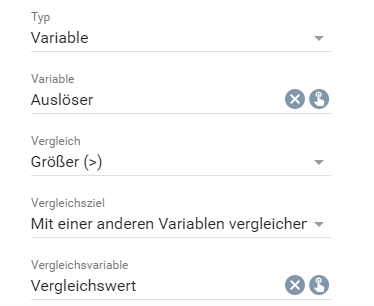
If created in the "elements" area, the property __name__ is set to a JSON-coded list when accepted, whereby each element represents an object with the following parameters:
| Parameter | Description |
| --------------------------- | ----------------------------------------------------------------------------------------------------------------------- |
| id | Condition ID |
| parentID | Parent condition ID |
| operation | Operation for linking the individual rules (0: AND, 1: OR, 2: NAND (not yet implemented), 3: NOR (not yet implemented)) |
| rules | Object that describes the rules of the condition |
#### rules
| Parameter | Description |
| ------------ | -------------------------- |
| variable | List of the variable rules |
| date | List of date rules |
| time | List of time rules |
| dayOfTheWeek | List of weekday rules |
#### Representation of a rule
| Parameter | Description |
| ------------------------------------- | ------------------------------------------------------------------------------------------------------------------------------------------------------------------------------------------------------------------------------------------------------------------------------------------------------------------------------------------------------------------------------------------------------------------------------------------------------------------------------------------------------------------------------------------------------------------------------------------------------------------------------------------------------------------------------------------------------------------------------------------------------------------------------------------------- |
| id | Unique ID of the rule within the rule list |
| comparison | Comparison operator with which the current value is compared with the comparison value (0: =, 1: ≠, 2: >, 3: ≥, 4: <, 5: ≤) |
| value | The comparison value, the type depends on the type of rule
_Variable_: If "type" = 0, this is the absolute comparison value that matches the type of the variable; if "type" = 1, this is a variable ID whose value is used for comparison
_Date_: The value is saved as an object with the fields "year", "month" and "day", analogous to the representation of [IPS_SetEventConditionDateRule](../../../functions/management-events.md)
_Time_: The value is saved as an object with the fields "hour", "minute" and "second", analogous to the representation of [IPS_SetEventConditionTimeRule](../../../functions/management-events.md)
_Weekday_: The comparison day is saved as a number (1: Monday, 2: Tuesday, 3: Wednesday, 4: Thursday, 5: Friday, 6: Saturday, 7: Sunday) |
| variableID (only with variable rules) | The ID of the variable that contains the current value |
| type (only with variable rules) | If 0 the variable is compared with an absolute value, if 1 it is compared with the value of another variable |
> **Note:** Instead of evaluating a configured condition independently, the [IPS_IsConditionPassing](../../../functions/management-events.md) function should be used. There the value of the SelectCondition can be used directly as a parameter.
> **Note:** If the saved condition contains nested conditions or "multi" is set to false and the condition contains several rules, the rule is displayed as "complex" and cannot be edited.
### Parameters
| Parameter | Description |
| ------------------ | -------------------------------------------------------------------------------------------------------------------------------------------------------------------- |
| caption (optional) | (__default:__ "") Visible caption (since IP-Symcon 7.1) |
| enabled (optional) | (__default:__ true) If true, the selection can be used, otherwise it is displayed as deactivated |
| multi (optional) | (__default:__ false) If false, an individual rule is defined by the element, if true an entire condition with any number of rules |
| name (optional) | Name of the selection/the property to be set |
| type | SelectCondition |
| value (optional) | (__default:__ no condition) The value of the selection - If there is an associated property, this parameter will be overwritten by the property in the elements area |
| visible (optional) | (__default:__ true) If true, the selection is visible, otherwise it is invisible |
| width (optional) | (__default:__ 300px, if multi = false, otherwise 100%) Fixed width of the input field in pixels or % as a string, e.g. "40%" or "250px" |
### Example
```php
{ "type": "SelectCondition", "name": "PropertyCondition", "multi": true }
```
## SelectDate
Source: https://www.symcon.de/en/service/documentation/developer-area/sdk-tools/sdk-php/configuration-forms/selectdate/
_Requires Symcon >= 5.0_
Creates an input for a date with the caption __caption__.

If created in the "elements" area, the property __name__ is set to a JSON-coded object, which contains the following parameters:
| Parameter | Description |
| --------- | ----------------- |
| day | Day of the date |
| month | Month of the date |
| year | Year of the date |
If no time was selected, all parameters are set to 0.
### Parameters
| Parameter | Description |
| ------------------ | ---------------------------------------------------------------------------------------------------------------------------------------------------------------------------------------------- |
| caption | Visible caption |
| enabled (optional) | (__default:__ true) If true, the selection can be used, otherwise it is displayed as deactivated (since IP-Symcon 5.2) |
| name (optional) | Name of the selection/the property to be set |
| type | SelectDate |
| value (optional) | (__default:__ no time selected) The value of the selection - If there is an associated property, this parameter will be overwritten by the property in the elements area (since IP-Symcon 5.2) |
| visible (optional) | (__default:__ true) If true, the selection is visible, otherwise it is invisible (since IP-Symcon 5.2) |
| width (optional) | (__default:__ 300px) Fixed width of the input field in pixels or % as a string, e.g. "40%" or "250px" (since IP-Symcon 5.3) |
### Example
```php
{ "type": "SelectDate", "name": "PropertyDate", "caption": "date" }
```
## SelectDateTime
Source: https://www.symcon.de/en/service/documentation/developer-area/sdk-tools/sdk-php/configuration-forms/selectdatetime/
_Requires Symcon >= 5.0_
Creates an input for a date and time with the caption __caption__.

If created in the "elements" area, the property __name__ is set to a JSON-coded object, which contains the following parameters:
| Parameter | Description |
| --------- | ----------------- |
| day | Day of the date |
| hour | Hours of time |
| minute | Minutes of time |
| month | Month of the date |
| second | Seconds of time |
| year | Year of the date |
If no time was selected, all parameters are set to 0.
### Parameters
| Parameter | Description |
| ------------------ | ---------------------------------------------------------------------------------------------------------------------------------------------------------------------------------------------- |
| caption | Visible caption |
| enabled (optional) | (__default:__ true) If true, the selection can be used, otherwise it is displayed as deactivated (since IP-Symcon 5.2) |
| name (optional) | Name of the selection/the property to be set |
| type | SelectDateTime |
| value (optional) | (__default:__ no time selected) The value of the selection - If there is an associated property, this parameter will be overwritten by the property in the elements area (since IP-Symcon 5.2) |
| visible (optional) | (__default:__ true) If true, the selection is visible, otherwise it is invisible (since IP-Symcon 5.2) |
| width (optional) | (__default:__ 300px) Fixed width of the input field in pixels or % as a string, e.g. "40%" or "250px" (since IP-Symcon 5.3) |
### Example
```php
{ "type": "SelectDateTime", "name": "PropertyDateTime", "caption": "Date + Time" }
```
## SelectEvent
Source: https://www.symcon.de/en/service/documentation/developer-area/sdk-tools/sdk-php/configuration-forms/selectevent/
Creates a selection dialog with the caption __caption__.
If created in the "elements" area, the property __name__ is set to the ID of the selected event when it is accepted.

### Parameter
| Parameter | Description |
| ------------------- | ----------------------------------------------------------------------------------------------------------------------------------------------------------------------------------------------------------------------------------------------------------------------------------------------------------------------------------------------------- |
| caption | Visible caption |
| download (optional) | (__default:__ "") If this parameter is not an empty string and the output of the onChange script is a [Data-URL](https://developer.mozilla.org/en-US/docs/Web/HTTP/Basics_of_HTTP/Data_URLs), the output is downloaded as a text file with the name of the download parameter. (since IP-Symcon 7.0) |
| enabled (optional) | (__default:__ true) If true, the selection can be used, otherwise it is displayed as deactivated (since IP-Symcon 5.2) |
| link (optional) | (__default:__ false) If this parameter is true, the output of the onChange script is opened as a link. If it is false, the output is displayed as a dialog in the configuration form. (since IP-Symcon 6.0) |
| name (optional) | Name of the event selection/the property to be set |
| onChange (optional) | (__default:__ "") Script which is executed when the value of the event selection is changed. If the script consists of several lines, the individual lines can also be defined as an array (arrays are supported since version 6.0). It has the same properties as onClick of the [Button](configuration-forms.md) (since IP-Symcon 5.2) |
| type | SelectEvent |
| value (optional) | (__default:__ 0) The value of the event selection - If there is an associated property, this parameter is overwritten by the property in the elements area (since IP-Symcon 5.2) |
| visible (optional) | (__default:__ true) If true, the event selection is visible, otherwise it is invisible (since IP-Symcon 5.2) |
| width (optional) | (__default:__ 300px) Fixed width of the event selection in pixels or % as a string, e.g. "40%" or "250px" (since IP-Symcon 5.3) |
### Example
```php
{ "type": "SelectEvent", "name": "PropertyEventID", "caption": "Target" }
```
## SelectFile
Source: https://www.symcon.de/en/service/documentation/developer-area/sdk-tools/sdk-php/configuration-forms/selectfile/
_Requires Symcon >= 4.2_
Creates a selection dialog with the caption __caption__.
If created in the "elements" area, the property __name__ is set to the value of the selected file when accepted. This means that the content of the selected file is saved as a Base64 encoded string.

### Parameters
| Parameter | Description |
| --------------------- | ---------------------------------------------------------------------------------------------------------------------------------------------------------------------------------------------------------------------------------------------------------------------------------------------------------------------------------------------------- |
| caption | Visible caption |
| download (optional) | (__default:__ "") If this parameter is not an empty string and the output of the onChange script is a [Data-URL](https://developer.mozilla.org/en-US/docs/Web/HTTP/Basics_of_HTTP/Data_URLs), the output is downloaded as a text file with the name of the download parameter. (since IP-Symcon 7.0) |
| enabled (optional) | (__default:__ true) If true, the file selection can be used, otherwise it is displayed as deactivated (since IP-Symcon 5.2) |
| extensions (optional) | Allowed file extensions. Separated by a comma and introduced with a period Example: .jpg,.gif,.txt |
| link (optional) | (__default:__ false) If this parameter is true, the output of the onChange script is opened as a link. If it is false, the output is displayed as a dialog in the configuration form. (since IP-Symcon 6.0) |
| name (optional) | Name of the file selection/the string property to be set |
| onChange (optional) | (__default:__ "") Script which is executed when the value of the file selection is changed. If the script consists of several lines, the individual lines can also be defined as an array (arrays are supported since version 6.0). It has the same properties as onClick of the [Button](configuration-forms.md) (since IP-Symcon 5.2) |
| type | SelectFile |
| value (optional) | (__default:__ 0) The value of the file selection - If there is an associated property, this parameter is overwritten by the property in the elements area (since IP-Symcon 5.2) |
| visible (optional) | (__default:__ true) If true, the file selection is visible, otherwise it is invisible (since IP-Symcon 5.2) |
| width (optional) | (__default__ 300px) Fixed width of the file selection in pixels or % as a string, e.g. "40%" or "250px" (since IP-Symcon 5.3) |
### Example
```php
{ "type": "SelectFile", "name": "PropertyStringFile", "caption": "Target", "extensions": ".jpg,.gif,.txt" }
```
## SelectIcon
Source: https://www.symcon.de/en/service/documentation/developer-area/sdk-tools/sdk-php/configuration-forms/selecticon/
Creates a selection dialog with the caption __caption__.
If created in the "elements" area, the property __name__ is set to the name of the selected icon when accepted.
If the value is deleted, it is set to an empty string.

### Parameters
| Parameter | Description |
| ------------------- | ------------------------------------------------------------------------------------------------------------------------------------------------------------------------------------------------------------------------------------------------------------------------------------------------------------------------------ |
| caption | Visible caption |
| download (optional) | (__default:__ "") If this parameter is not an empty string and the output of the onChange script is a [Data-URL](https://developer.mozilla.org/en-US/docs/Web/HTTP/Basics_of_HTTP/Data_URLs), the output is downloaded as a text file with the name of the download parameter. (since IP-Symcon 7.0) |
| enabled (optional) | (__default:__ true) If true, the selection can be used, otherwise it is displayed as deactivated (since IP-Symcon 5.2) |
| link (optional) | (__default:__ false) If this parameter is true, the output of the onChange script is opened as a link. If it is false, the output is displayed as a dialog in the configuration form. (since IP-Symcon 6.0) |
| name (optional) | Name of the selection/the property to be set |
| onChange (optional) | (__default:__ "") Script which is executed when the icon is changed. If the script consists of several lines, the individual lines can also be defined as an array (arrays are supported since version 6.0). It has the same properties as onClick of the [Button](configuration-forms.md). (since IP-Symcon 5.2) |
| type | SelectIcon |
| value (optional) | (__default:__ "") The value of the selection - If there is an associated property, this parameter is overwritten by the property in the elements area (since IP-Symcon 5.2) |
| visible (optional) | (__default:__ true) If true, the selection is visible, otherwise it is invisible (since IP-Symcon 5.2) |
| width (optional) | (__default:__ 300px) Fixed width of the color selection in pixels or % as a string, e.g. "40%" or "250px" (since IP-Symcon 5.3) |
### Example
```php
{ "type": "SelectIcon", "name": "IconProperty", "caption": "Icon" }
```
## SelectInstance
Source: https://www.symcon.de/en/service/documentation/developer-area/sdk-tools/sdk-php/configuration-forms/selectinstance/
Creates a selection dialog with the caption __caption__.
If created in the "elements" area, the property __name__ is set to the ID of the selected instance when accepted.

### Parameters
| Parameter | Description |
| ----------------------- | -------------------------------------------------------------------------------------------------------------------------------------------------------------------------------------------------------------------------------------------------------------------------------------------------------------------------------------------------------- |
| caption | Visible caption |
| download (optional) | (__default:__ "") If this parameter is not an empty string and the output of the onChange script is a [Data-URL](https://developer.mozilla.org/en-US/docs/Web/HTTP/Basics_of_HTTP/Data_URLs), the output is downloaded as a text file with the name of the download parameter. (since IP-Symcon 7.0) |
| enabled (optional) | (__default:__ true) If true, the instance selection can be used, otherwise it is displayed as deactivated (since IP-Symcon 5.2) |
| link (optional) | (__default:__ false) If this parameter is true, the output of the onChange script is opened as a link. If it is false, the output is displayed as a dialog in the configuration form. (since IP-Symcon 6.0) |
| name (optional) | Name of the instance selection/the property to be set |
| onChange (optional) | (__default:__ "") Script which is executed when the value of the instance selection is changed. If the script consists of several lines, the individual lines can also be defined as an array (arrays are supported since version 6.0). It has the same properties as onClick of the [Button](configuration-forms.md) (since IP-Symcon 5.2) |
| type | SelectInstance |
| validModules (optional) | (__default:__ []) The selection is restricted to instances that have one of the defined moduleIDs. If the list is empty, all instances are allowed. If the selected instance does not correspond to any of the moduleIDs, an error is displayed and changes cannot be accepted. (since IP-Symcon 5.5) |
| value (optional) | (__default:__ 1) The value of the instance selection - If there is an associated property, this parameter is overwritten by the property in the elements area (since IP-Symcon 5.2) |
| visible (optional) | (__default:__ true) If true, the instance selection is visible, otherwise it is invisible (since IP-Symcon 5.2) |
| width (optional) | (__default:__ 300px) Fixed width of the instance selection in pixels or % as a string, e.g. "40%" or "250px" (since IP-Symcon 5.3) |
### Example
```php
{ "type": "SelectInstance", "name": "PropertyInstanceID", "caption": "Target" }
```
## SelectLink
Source: https://www.symcon.de/en/service/documentation/developer-area/sdk-tools/sdk-php/configuration-forms/selectlink/
Creates a selection dialog with the caption __caption__.
If created in the "elements" area, the property __name__ is set to the ID of the selected link when accepted.

### Parameter
| Parameter | Description |
| ------------------- | ---------------------------------------------------------------------------------------------------------------------------------------------------------------------------------------------------------------------------------------------------------------------------------------------------------------------------------------------------- |
| caption | Visible caption |
| download (optional) | (__default:__ "") If this parameter is not an empty string and the output of the onChange script is a [Data-URL](https://developer.mozilla.org/en-US/docs/Web/HTTP/Basics_of_HTTP/Data_URLs), the output is downloaded as a text file with the name of the download parameter. (since IP-Symcon 7.0) |
| enabled (optional) | (__default:__ true) If true, the link selection can be used, otherwise it is displayed as deactivated (since IP-Symcon 5.2) |
| link (optional) | (__default:__ false) If this parameter is true, the output of the onChange script is opened as a link. If it is false, the output is displayed as a dialog in the configuration form. (since IP-Symcon 6.0) |
| name (optional) | Name of the selection/the property to be set |
| onChange (optional) | (__default:__ "") Script which is executed when the value of the link selection is changed. If the script consists of several lines, the individual lines can also be defined as an array (arrays are supported since version 6.0). It has the same properties as onClick of the [Button](configuration-forms.md) (since IP-Symcon 5.2) |
| type | SelectLink |
| value (optional) | (__default:__ 1) The value of the link selection - If there is an associated property, this parameter is overwritten by the property in the elements area (since IP-Symcon 5.2) |
| visible (optional) | (__default:__ true) If true, the link selection is visible, otherwise it is invisible (since IP-Symcon 5.2) |
| width (optional) | (__default:__ 300px) Fixed width of the color selection in pixels or % as a string, e.g. "40%" or "250px" (since IP-Symcon 5.3) |
### Example
```php
{ "type": "SelectLink", "name": "PropertyLinkID", "caption": "Target" }
```
## SelectLocation
Source: https://www.symcon.de/en/service/documentation/developer-area/sdk-tools/sdk-php/configuration-forms/selectlocation/
_Requires Symcon >= 5.0_
Creates an input for a position with the caption __caption__. Here, the position can be selected via map if internet access is available. Alternatively, the longitude and latitude can also be entered manually.

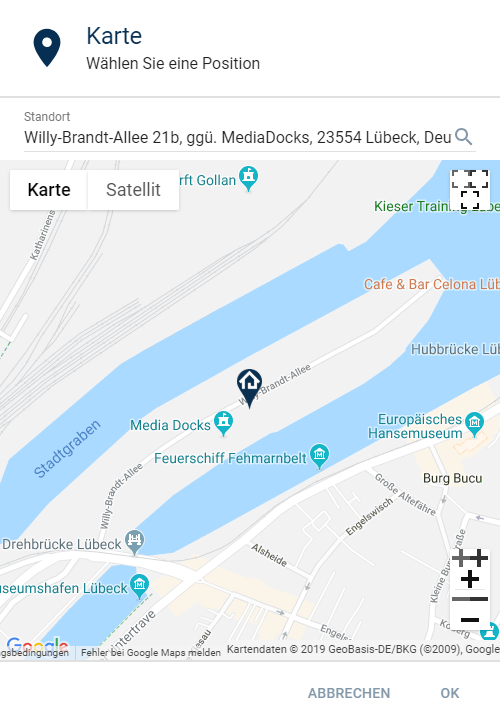
If created in the "elements" area, the property __name__ is set to a JSON-coded object, which contains the following parameters:
| Parameter | Description |
| --------- | ------------------------- |
| latitude | Latitude of the position |
| longitude | Longitude of the position |
If no position was selected, all parameters are set to 0.
### Parameters
| Parameter | Description |
| ------------------ | -------------------------------------------------------------------------------------------------------------------------------------------------------------------------------------------------- |
| caption | Visible caption |
| enabled (optional) | (__default:__ true) If true, the selection can be used, otherwise it is displayed as deactivated (since IP-Symcon 5.2) |
| name (optional) | Name of the selection/the property to be set |
| type | SelectLocation |
| value (optional) | (__default:__ no position selected) The value of the selection - If there is an associated property, this parameter will be overwritten by the property in the elements area (since IP-Symcon 5.2) |
| visible (optional) | (__default:__ true) If true, the selection is visible, otherwise it is invisible (since IP-Symcon 5.2) |
| width (optional) | (__default:__ 300px) Fixed width of the input field in pixels or % as a string, e.g. "40%" or "250px" (since IP-Symcon 5.3) |
### Example
```php
{ "type": "SelectLocation", "name": "Location", "caption": "Home" }
```
## SelectMedia
Source: https://www.symcon.de/en/service/documentation/developer-area/sdk-tools/sdk-php/configuration-forms/selectmedia/
Creates a selection dialog with the caption __caption__.
If created in the "elements" area, the property __name__ is set to the ID of the selected medium when accepted.

### Parameters
| Parameter | Description |
| ------------------- | -------------------------------------------------------------------------------------------------------------------------------------------------------------------------------------------------------------------------------------------------------------------------------------------------------------------------------------------------------- |
| caption | Visible caption |
| download (optional) | (__default:__ "") If this parameter is not an empty string and the output of the onChange script is a [Data-URL](https://developer.mozilla.org/en-US/docs/Web/HTTP/Basics_of_HTTP/Data_URLs), the output is downloaded as a text file with the name of the download parameter. (since IP-Symcon 7.0) |
| enabled (optional) | (__default:__ true) If true, the media selection can be used, otherwise it is displayed as deactivated (since IP-Symcon 5.2) |
| link (optional) | (__default:__ false) If this parameter is true, the output of the onChange script is opened as a link. If it is false, the output is displayed as a dialog in the configuration form. (since IP-Symcon 6.0) |
| name (optional) | Name of the media selection/the property to be set |
| onChange (optional) | (__default:__ "") Script which is executed when the value of the category selection is changed. If the script consists of several lines, the individual lines can also be defined as an array (arrays are supported since version 6.0). It has the same properties as onClick of the [Button](configuration-forms.md) (since IP-Symcon 5.2) |
| type | SelectMedia |
| value (optional) | (__default:__ 1) The value of the media selection - If there is an associated property, this parameter is overwritten by the property in the elements area (since IP-Symcon 5.2) |
| visible (optional) | (__default:__ true) If true, the media selection is visible, otherwise it is invisible (since IP-Symcon 5.2) |
| width (optional) | (__default:__ 300px) Fixed width of the media selection in pixels or % as a string, e.g. "40%" or "250px" (since IP-Symcon 5.3) |
### Example
```php
{ "type": "SelectMedia", "name": "PropertyMediaID", "caption": "Target" }
```
## SelectModule
Source: https://www.symcon.de/en/service/documentation/developer-area/sdk-tools/sdk-php/configuration-forms/selectmodule/
_Requires Symcon >= 5.5_
Creates a selection dialog with the caption __caption__.
If created in the "elements" area, the property __name__ is set to the ID of the selected instance when accepted.

### Parameters
| Parameter | Description |
| ------------------- | ---------------------------------------------------------------------------------------------------------------------------------------------------------------------------------------------------------------------------------------------------------------------------------------------------------------------------------- |
| caption | Visible caption |
| download (optional) | (__default:__ "") If this parameter is not an empty string and the output of the onChange script is a [Data-URL](https://developer.mozilla.org/en-US/docs/Web/HTTP/Basics_of_HTTP/Data_URLs), the output is downloaded as a text file with the name of the download parameter. (since IP-Symcon 7.0) |
| enabled (optional) | (__default:__ true) If true, the module selection can be used, otherwise it is displayed as deactivated |
| link (optional) | (__default:__ false) If this parameter is true, the output of the onChange script is opened as a link. If it is false, the output is displayed as a dialog in the configuration form. (since IP-Symcon 6.0) |
| moduleID | The ID of the module whose instances are to be offered for selection |
| name (optional) | Name of the module slection/the property to be set |
| onChange (optional) | (__default:__ "") Script which is executed when the value of the category selection is changed. If the script consists of several lines, the individual lines can also be defined as an array (arrays are supported since version 6.0). It has the same properties as onClick of the [Button](configuration-forms.md) |
| type | SelectModule |
| value (optional) | (__default:__ 1) The value of the module selection - If there is an associated property, this parameter is overwritten by the property in the elements area |
| visible (optional) | (__default:__ true) If true, the module selection is visible, otherwise it is invisible |
| width (optional) | (__default:__ 300px) Fixed width of the module selection in pixels or % as a string, e.g. "40%" or "250px" |
### Example
```php
{ "type": "SelectModule", "name": "PropertyModuleInstanceID", "caption": "VoIP Module" , "moduleID": "{A4224A63-49EA-445F-8422-22EF99D8F624}"}
```
## SelectObject
Source: https://www.symcon.de/en/service/documentation/developer-area/sdk-tools/sdk-php/configuration-forms/selectobject/
Creates a selection dialog with the caption __caption__.
If created in the "elements" area, the property __name__ is set to the ID of the selected object when accepted.

### Parameter
| Parameter | Description |
| ------------------- | ------------------------------------------------------------------------------------------------------------------------------------------------------------------------------------------------------------------------------------------------------------------------------------------------------------------------------------------------------ |
| caption | Visible caption |
| download (optional) | (__default:__ "") If this parameter is not an empty string and the output of the onChange script is a [Data-URL](https://developer.mozilla.org/en-US/docs/Web/HTTP/Basics_of_HTTP/Data_URLs), the output is downloaded as a text file with the name of the download parameter. (since IP-Symcon 7.0) |
| enabled (optional) | (__default:__ true) If true, the object selection can be used, otherwise it is displayed as deactivated (since IP-Symcon 5.2) |
| link (optional) | (__default:__ false) If this parameter is true, the output of the onChange script is opened as a link. If it is false, the output is displayed as a dialog in the configuration form. (since IP-Symcon 6.0) |
| name (optional) | Name of the selection/the property to be set |
| onChange (optional) | (__default:__ "") Script which is executed when the value of the object selection is changed. If the script consists of several lines, the individual lines can also be defined as an array (arrays are supported since version 6.0). It has the same properties as onClick of the [Button](configuration-forms.md) (since IP-Symcon 5.2) |
| type | SelectObject |
| value (optional) | (__default:__ 1) The value of the object selection - If there is an associated property, this parameter is overwritten by the property in the elements area (since IP-Symcon 5.2) |
| visible (optional) | (__default:__ true) If true, the object selection is visible, otherwise it is invisible (since IP-Symcon 5.2) |
| width (optional) | (__default:__ 300px) Fixed width of object selection in pixels or % as a string, e.g. "40%" or "250px" (since IP-Symcon 5.3) |
### Example
```php
{ "type": "SelectObject", "name": "ObjectID", "caption": "Target" }
```
## SelectProfile
Source: https://www.symcon.de/en/service/documentation/developer-area/sdk-tools/sdk-php/configuration-forms/selectprofile/
_Requires Symcon >= 5.5_
Creates a selection dialog with the caption __caption__.
If created in the "elements" area, the property __name__ is set to the name of the selected profile when accepted.

### Parameters
| Parameter | Description |
| ---------------------- | --------------------------------------------------------------------------------------------------------------------------------------------------------------------------------------------------------------------------------------------------------------------------------------------------------------------------------- |
| caption | Visible caption |
| download (optional) | (__default:__ "") If this parameter is not an empty string and the output of the onChange script is a [Data-URL](https://developer.mozilla.org/en-US/docs/Web/HTTP/Basics_of_HTTP/Data_URLs), the output is downloaded as a text file with the name of the download parameter. (since IP-Symcon 7.0) |
| enabled (optional) | (__default:__ true) If true, the profile selection can be used, otherwise it is displayed as deactivated |
| link (optional) | (__default:__ false) If this parameter is true, the output of the onChange script is opened as a link. If it is false, the output is displayed as a dialog in the configuration form. (since IP-Symcon 6.0) |
| name (optional) | Name of the selection/the property to be set |
| onChange (optional) | (__default:__ "") Script which is executed when the value of the profile selection is changed. If the script consists of several lines, the individual lines can also be defined as an array (arrays are supported since version 6.0). It has the same properties as onClick of the [Button](configuration-forms.md) |
| profileType (optional) | (__default:__ -1) The type of profile which can be selected (-1: All, 0: Boolean, 1: Integer, 2: Float, 3: String) |
| type | SelectProfile |
| value (optional) | (__default:__ "") The value of the profile selection - If there is an associated property, this parameter is overwritten by the property in the elements area |
| visible (optional) | (__default:__ true) If true, the profile selection is visible, otherwise it is invisible |
| width (optional) | (__default:__ 300px) Fixed width of the profile selection in pixels or % as a string, e.g. "40%" or "250px" |
### Example
```php
{ "type": "SelectProfile", "name": "PropertyProfileName", "caption": "Profil - Integer" , "profileType": 1}
```
## SelectScript
Source: https://www.symcon.de/en/service/documentation/developer-area/sdk-tools/sdk-php/configuration-forms/selectscript/
Creates a selection dialog with the caption __caption__.
If created in the "elements" area, the property __name__ is set to the ID of the selected script when accepted.

### Parameter
| Parameter | Description |
| ------------------- | ------------------------------------------------------------------------------------------------------------------------------------------------------------------------------------------------------------------------------------------------------------------------------------------------------------------------------------------------------ |
| caption | Visible caption |
| download (optional) | (__default:__ "") If this parameter is not an empty string and the output of the onChange script is a [Data-URL](https://developer.mozilla.org/en-US/docs/Web/HTTP/Basics_of_HTTP/Data_URLs), the output is downloaded as a text file with the name of the download parameter. (since IP-Symcon 7.0) |
| enabled (optional) | (__default:__ true) If true, the script selection can be used, otherwise it is displayed as deactivated (since IP-Symcon 5.2) |
| link (optional) | (__default:__ false) If this parameter is true, the output of the onChange script is opened as a link. If it is false, the output is displayed as a dialog in the configuration form. (since IP-Symcon 6.0) |
| name (optional) | Name of the script selection/the property to be set |
| onChange (optional) | (__default:__ "") Script which is executed when the value of the script selection is changed. If the script consists of several lines, the individual lines can also be defined as an array (arrays are supported since version 6.0). It has the same properties as onClick of the [Button](configuration-forms.md) (since IP-Symcon 5.2) |
| type | SelectScript |
| value (optional) | (__default:__ 1) The value of the script selection - If there is an associated property, this parameter is overwritten by the property in the elements area (since IP-Symcon 5.2) |
| visible (optional) | (__default:__ true) If true, the script selection is visible, otherwise it is invisible (since IP-Symcon 5.2) |
| width (optional) | (__default:__ 300px) Fixed width of the script selection in pixels or % as a string, e.g. "40%" or "250px" (since IP-Symcon 5.3) |
### Example
```php
{ "type": "SelectScript", "name": "RXObjectID", "caption": "Target" }
```
## SelectTime
Source: https://www.symcon.de/en/service/documentation/developer-area/sdk-tools/sdk-php/configuration-forms/selecttime/
_Requires Symcon >= 5.0_
Creates an input for a time with the caption __caption__.

If created in the "elements" area, the property __name__ is set to a JSON-coded object, which contains the following parameters:
| Parameter | Description |
| --------- | --------------- |
| hour | Hours of time |
| minute | Minutes of time |
| second | Seconds of time |
If no time was selected, all parameters are set to 0.
### Parameters
| Parameter | Description |
| ------------------ | ---------------------------------------------------------------------------------------------------------------------------------------------------------------------------------------------- |
| caption | Visible caption |
| enabled (optional) | (__default:__ true) If true, the selection can be used, otherwise it is displayed as deactivated (since IP-Symcon 5.2) |
| name (optional) | Name of the selection/the property to be set |
| type | SelectTime |
| value (optional) | (__default:__ no time selected) The value of the selection - If there is an associated property, this parameter will be overwritten by the property in the elements area (since IP-Symcon 5.2) |
| visible (optional) | (__default:__ true) If true, the selection is visible, otherwise it is invisible (since IP-Symcon 5.2) |
| width (optional) | (__default:__ 300px) Fixed width of the input field in pixels or % as a string, e.g. "40%" or "250px" (since IP-Symcon 5.3) |
### Example
```php
{ "type": "SelectTime", "name": "PropertyTime", "caption": "Time" }
```
## SelectValue
Source: https://www.symcon.de/en/service/documentation/developer-area/sdk-tools/sdk-php/configuration-forms/selectvalue/
_Requires Symcon >= 6.3_
Creates a selection dialog that displays a suitable form field based on the type and profile of the selected __variableID__.
If created in the "elements" area, the property __name__ is set to the currently selected value when it is accepted.
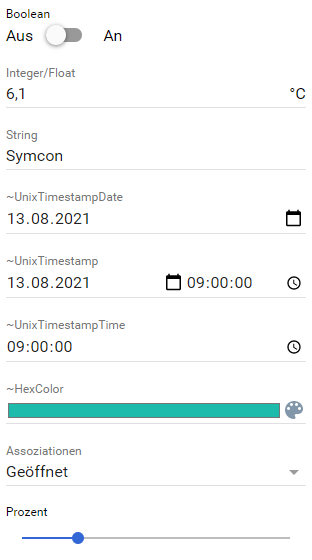
### Parameters
| Parameter | Description |
| ------------------- | --------------------------------------------------------------------------------------------------------------------------------------------------------------------------------------- |
| caption | Visible caption |
| enabled (optional) | (__default:__ true) If true, the value selection can be used, otherwise it is displayed as deactivated (since IP-Symcon 5.2) |
| name (optional) | Name of the value selection/the property to be set |
| onChange (optional) | (__default:__ "") Script which is executed when the value of the valve selection is changed. It has the same properties as onClick of the [Button](configuration-forms.md) |
| type | SelectValue |
| value (optional) | (__default:__ null) The JSON encoded value of the choice. If there is an associated property, this parameter is overwritten by the property in the elements area |
| visible (optional) | (__default:__ true) If true, the value selection is visible, otherwise it is invisible |
| variableID | (__default:__ 1) The variable that is used to select the element |
| width (optional) | (__default:__ 300px) Fixed width of the color selection in pixels or % as a string, e.g. "40%" or "250px" |
> **Note:** The value __value__ is saved as a JSON encoded string.
### Example
```php
{
"type": "SelectValue",
"name": "Value",
"caption": "Value",
"variableID": 12345
}
```
## SelectVariable
Source: https://www.symcon.de/en/service/documentation/developer-area/sdk-tools/sdk-php/configuration-forms/selectvariable/
Creates a selection dialog with the caption __caption__.
If created in the "elements" area, the property __name__ is set to the ID of the selected variable when accepted.

### Parameters
| Parameter | Description |
| ----------------------------- | ------------------------------------------------------------------------------------------------------------------------------------------------------------------------------------------------------------------------------------------------------------------------------------------------------------------------- |
| caption | Visible caption |
| download (optional) | (__default:__ "") If this parameter is not an empty string and the output of the onChange script is a [Data-URL](https://developer.mozilla.org/en-US/docs/Web/HTTP/Basics_of_HTTP/Data_URLs), the output is downloaded as a text file with the name of the download parameter. (since IP-Symcon 7.0) |
| enabled (optional) | (__default:__ true) If true, the variable selection can be used, otherwise it is displayed as deactivated (since IP-Symcon 5.2) |
| link (optional) | (__default:__ false) If this parameter is true, the output of the onChange script is opened as a link. If it is false, the output is displayed as a dialog in the configuration form. (since IP-Symcon 6.0) |
| name (optional) | Name of the variable selection/the property to be set |
| onChange (optional) | (__default:__ "") Script which is executed when the value of the variable selection is changed. It has the same properties as onClick of the [Button](configuration-forms.md) (since IP-Symcon 5.2) |
| requiredAction (optional) | (__default:__ 0) Indicates whether the variable must have an action (since IP-Symcon 6.0)
0: It doesn't matter whether the variable has an action or not
1: The variable must have an action
2: The variable must not have any action |
| requiredLogging (optional) | (__default:__ 0) The way in which the variable may be logged (since IP-Symcon 6.0)
0: It doesn't matter whether the variable is logged or not
1: The variable must be logged
2: The variable must not be logged
3: The variable must be logged as standard
4: The variable must be logged as a counter
|
| type | SelectVariable |
| validVariableTypes (optional) | (__default:__ []) The types of variables that can be selected. With an empty array, all variable types are permitted (0: Boolean, 1: Integer, 2: Float, 3: String) (since IP-Symcon 6.0) |
| value (optional) | (__default:__ 1) The value of the variable selection - If there is an associated property, this parameter is overwritten by the property in the elements area (since IP-Symcon 5.2) |
| visible (optional) | (__default:__ true) If true, the variable selection is visible, otherwise it is invisible (since IP-Symcon 5.2) |
| width (optional) | (__default:__ 300px) Fixed width of the variable selection in pixels or % as a string, e.g. "40%" or "250px" (since IP-Symcon 5.3) |
> **Note:** If the variable does not correspond to the requirements defined by the parameters validVariableTypes, requiredAction or requiredLogging, an error is displayed and changes cannot be accepted
### Example
```php
// Any variable can be selected
{
"type": "SelectVariable",
"name": "PropertyVariableID",
"caption": "Target"
}
// The selected variable must be an integer or float,
// and be logged and have an action
{
"type": "SelectVariable",
"name": "PropertyVariableID",
"caption": "Target",
"validVariableTypes": [1, 2],
"requiredAction": 1,
"requiredLogging": 1
}
```
## Status message
Source: https://www.symcon.de/en/service/documentation/developer-area/sdk-tools/sdk-php/configuration-forms/statusmessage/
Creates a status message.
> **Warning:** Status messages can only be used in the "status" area. No other form field types can be used in the "status" area.
### Parameters
| Parameter | Description |
| --------- | ------------------------- |
| caption | Visible caption |
| code | Status code (see table) |
| icon | Symbol which is displayed |
### Overview of the status codes
| code | Description |
| ----- | ------------------------ |
| 101 | Instance is creating |
| 102 | Instance is active |
| 103 | Instance is deleting |
| 104 | Instance is inactive |
| 105 | Instance was not created |
| >=200 | Instance is faulty |
> **Note:** Codes >= 200 must be defined by oneself.
### Overview of the possible icons
active

error

inactive

### Example
```php
// Active icon
{ "code": 102, "icon": "active", "caption": "Logged in!" }
// Error icon
{ "code": 200, "icon": "error", "caption": "Error!" }
// Inactive icon
{ "code": 104, "icon": "inactive", "caption": "Logged out!" }
```
## TestCenter
Source: https://www.symcon.de/en/service/documentation/developer-area/sdk-tools/sdk-php/configuration-forms/testcenter/
_Requires Symcon >= 5.0_
Generates a Test Center in which all switchable status variables of the instance can be switched. The operating elements are based on the type and profile of the variables and are based on the switching elements of the WebFront.
> **Warning:** This item is not supported by the Legacy Console. If a module with this element is opened in the legacy console, the TestCenter is not displayed.
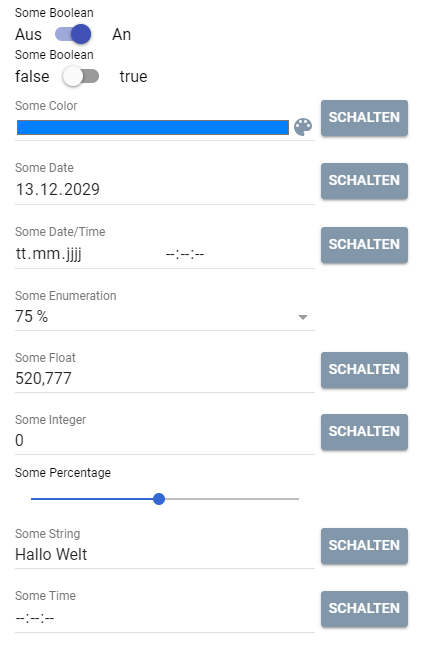
### Parameter
| Parameter | Description |
| ------------------ | ------------------------------------------------------------------------------------------------------------------------ |
| caption (optional) | (__default:__ "") Visible caption (since IP-Symcon 7.2) |
| enabled (optional) | (__default:__ true) If true, the Test Center can be used, otherwise it is displayed as deactivated (since IP-Symcon 5.2) |
| name (optional) | Name of the Test Center |
| type | TestCenter |
| visible (optional) | (__default:__ true) If true, the Test Center is visible, otherwise it is invisible (since IP-Symcon 5.2) |
### Example
```php
{
"type": "TestCenter"
}
```
## Tree
Source: https://www.symcon.de/en/service/documentation/developer-area/sdk-tools/sdk-php/configuration-forms/tree/
_Requires Symcon >= 5.0_
Creates a tree with the caption __caption__.
The displayed columns are defined in __columns__.
Initial entries in the tree can be specified via __values__.
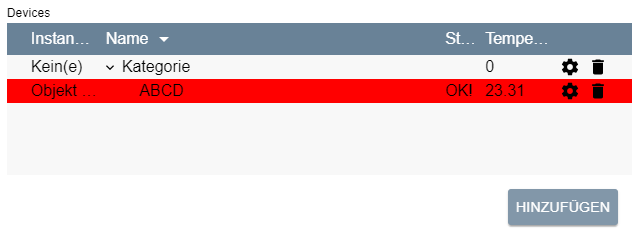
> **Warning:** This item is not supported by the Legacy Console. If a module with this element is opened in the legacy console, an error message appears.
### General Parameters
| Parameter | Description |
| ------------------------------------------------------- | ------------------------------------------------------------------------------------------------------------------------------------------------------------------------------------------------------------------------------------------------------------------------------------------------------------------------------------------------------------------------------------------------------------------------------------------------------------------------------------------------------------------------------------------------------------------------------------------------------------------------------------------------------------------------------ |
| add (optional) | (__default:__ false) If true, an "Add" button is displayed below the table, which adds a new element to the tree under the selected node |
| caption (optional) | Visible caption of the tree |
| columns | Columns of the tree |
| delete (optional) | (__default:__ false) If true, a button is displayed behind each entry of the tree, which deletes the corresponding element |
| download (optional) | (__default:__ "") If this parameter is not an empty string and the output of the onAdd, onDelete, onEdit or onExpand script is a [Data-URL](https://developer.mozilla.org/en-US/docs/Web/HTTP/Basics_of_HTTP/Data_URLs), the output is downloaded as a text file with the name of the download parameter. (since Symcon 7.0) |
| form (optional) | (__default:__ based on the "edit" parameters of column) An individual form for editing or adding rows. The definition of the form is done analogously to the definition of the form for [Actions](../sdk-php.md) either static or via PHP code. The usage of the form is done analogously to the same parameter of the [List](configuration-forms.md) (since Symcon 7.0) |
| link (optional) | (__default:__ false) If this parameter is true, the output of the onAdd, onDelete, onEdit and onExpand script is opened as a link. If it is false, the output is displayed as a dialog in the configuration form. (since Symcon 6.0) |
| multiAdd (optional) | (__default:__ false, if onAdd is set, otherwise true) If this parameter is true, form is not set and the tree has only a single editable column of the type [SelectObject](configuration-forms.md), [SelectCategory](configuration-forms.md), [SelectInstance](configuration-forms.md), [SelectVariable](configuration-forms.md), [SelectScript](configuration-forms.md), [SelectMedia](configuration-forms.md) or [SelectLink](configuration-forms.md), multiple objects can be added at once. When adding multiple objects, onAdd is still executed only once. (since Symcon 9.1) |
| name (optional) | Name of the tree |
| onAdd (optional) | (__default:__ "") Script which is executed after adding an entry to the tree. If the script consists of several lines, the individual lines can also be defined as an array (arrays are supported from version 6.0). In this version, the tree does not offer the currently selected entry as the variable value but the added entry, see [Use of the tree content in on-actions](configuration-forms.md). Otherwise it has the same properties as onClick of the [Button](configuration-forms.md) (since Symcon 5.3) |
| onDelete (optional) | (__default:__ "") Script which is executed after deleting an entry of the tree. If the script consists of several lines, the individual lines can also be defined as an array (arrays are supported from version 6.0). In this version, the tree does not offer the currently selected entry as the variable value but the deleted entry, see [Use of the tree content in on-actions](configuration-forms.md). Otherwise it has the same properties as onClick of the [Button](configuration-forms.md) (since Symcon 5.3) |
| onEdit (optional) | (__default:__ "") Script which is executed after editing an entry of the tree. If the script consists of several lines, the individual lines can also be defined as an array (arrays are supported from version 6.0). In this version, the tree does not offer the currently selected entry as the variable value, but the edited entry, see [Use of the tree content in on-actions](configuration-forms.md). Otherwise it has the same properties as onClick of the [Button](configuration-forms.md) (since Symcon 5.3) |
| onExpand (optional) | (__default:__ "") Script which is executed after expanding an entry of the tree. If the script consists of several lines, the individual lines can also be defined as an array. In this version, the tree does not offer the currently selected entry as the variable value, but the expanded entry, see [Use of the tree content in on-actions](configuration-forms.md). Otherwise it has the same properties as onClick of the [Button](configuration-forms.md) (since Symcon 6.4) |
| rowCount (optional) | (__default:__ 0) visible number of lines; If there are more lines in the tree, a scroll bar is displayed - if the value is 0, the tree fills the remaining space available in the instance editor. Only one configuration item can get all of the remaining space. |
| sort (optional) | Sorting of the tree. If this is not set, the tree is sorted according to the identifiers of the nodes |
| type | Tree |
| values (optional) | Initial entries in the tree |
| visible (optional) | (__default:__ true) If true, the tree is visible, otherwise it is invisible (from Symcon 5.2) |
| enabled (optional) | (__default:__ true) If true, the tree can be used, otherwise it is displayed as deactivated (from Symcon 6.0) |
| changeOrder (optional) | (__default:__ false) If true, the order of the entries can be changed using drag & drop. The sorting of the list according to columns, however, is not possible in that case. (since Symcon 6.0) |
| loadValuesFromConfiguration (optional) | (__default:__ true) This parameter specifies whether to populate the tree with the property's values, see [Saving and loading trees](configuration-forms.md). If the value is set to true, it is necessary to fill the tree in the interest of the user for a successful review in the Module Store, see [Review guidelines](../sdk-php.md) Point 13 (since Symcon 6.0) |
### Parameters for Columns
| Parameter | Description |
| --------------------------------------------------- | ----------------------------------------------------------------------------------------------------------------------------------------------------------------------------------------------------------------------------------------------------------------------------------------------------------------------------- |
| add (optional) | Initial value in this column for a newly added entry, necessary if __add__ is set to true on the tree. Alternatively, an object can be provided which generates the value automatically, see Parameters for add (since Symcon 9.1) |
| caption | Visible caption of a column |
| confirm (optional) | (__default:__ "") Query text before an onClick action is performed. The action is only carried out if the query is confirmed with "Yes". If no query text is defined, the action is carried out directly (since Symcon 5.2) |
| download (optional) | (__default:__ "") If this parameter is not an empty string and the output of the onClick script of this column is a [Data-URL](https://developer.mozilla.org/en-US/docs/Web/HTTP/Basics_of_HTTP/Data_URLs), the output is downloaded as a text file with the name of the download parameter. (since Symcon 7.1) |
| edit (optional) | Description of an editable element |
| label | Visible caption of a column _(deprecated)_ |
| link (optional) | (__default:__ false) If this parameter is true, the output of the onClick script of this column is opened as a link. If it is false, the output is displayed as a dialog in the configuration form. (since Symcon 7.1) |
| name | Unique name of a column to refer to; the name must not be "id", "parent", "expanded", "rowColor", "editable" or "deletable", since these values are used for other functions, see [parameters for values](configuration-forms.md) |
| onClick (optional) | (__default:__ "") Script which is executed when a field in this column is clicked. It has the same properties as onClick of the [Button](configuration-forms.md). The script is only executed if this field is not empty, i.e. 0, false or "" (since Symcon 5.2) |
| quickFilter (optional) | (__default:__ false) If true, the text of this column is considered during the search via quick filter. Should the value be false for all columns, the quick filter is hidden. (since Symcon 7.2) |
| save (optional) | (__default:__ true, if the element is editable or __add__ is an object for automatic generation, otherwise false) If true, the values of this column should be saved as module properties, see [Saving and loading trees](configuration-forms.md) |
| visible (optional) | (__default:__ true) If false, the column is not displayed |
| width | Width of the column in pixels, as a CSS string (e.g. “100px”); exactly one column must have the value “auto”, which means that the width of that column uses the rest of the available space. In addition, the expansion symbols of the tree are displayed in this column. |
### Parameters for edit
| Parameter | Description |
| ------------------ | ----------------------------------------------------------------------------------------------------------------------------------------------------------------------------------------------------------------------------------------------------------------------------------------------------------------------------------------------------------------------------------------------------------------------------------------------------------------------------------------------------------------------------------------------------------------------------------------------------------------------------------------------------------------------------------------------------------------------------------------------------------------------------------------------------------------------------------------------------------------------------------------------------------------------------------------------------------------------------------------------------------------------------------- |
| type | Type of representation, according to the possible entries:
[CheckBox](configuration-forms.md), [IntervalBox](configuration-forms.md), [NumberSpinner](configuration-forms.md), [PasswordTextBox](configuration-forms.md), [Select](configuration-forms.md), [SelectCategory](configuration-forms.md), [SelectColor](configuration-forms.md), [SelectEvent](configuration-forms.md), [SelectFile](configuration-forms.md), [SelectInstance](configuration-forms.md), [SelectLink](configuration-forms.md), [SelectMedia](configuration-forms.md), [SelectObject](configuration-forms.md), [SelectScript](configuration-forms.md), [SelectVariable](configuration-forms.md), [ValidationTextBox](configuration-forms.md), [List](configuration-forms.md), [Tree](configuration-forms.md) |
| Further parameters | The other parameters depend on the type selected; the parameters "name" and "caption" of the type are ignored |
> **Note:** If the "type" List or Tree is used, the value of this column is not JSON-coded again. It is only necessary to parse the value of the parent tree once. Each sub-list or subtree is then directly available as an object. Similarly, the values in "values" do not have to be coded twice.
> **Note:** The "add" parameter of the column is translated according to the localization, provided the "type" of "edit" is ValidationTextBox or PasswordTextBox or "edit" is not set at all
### Parameters for add
Instead of a fixed value, the parameter __add__ of a column can also be an object which describes the strategy by which the value of a newly added entry is generated automatically (since Symcon 9.1). The value is generated when the entry is added and is treated like a regular value afterwards. The generated value is unique within the column: If a random value matches the value of an existing entry, a new value is generated. Generated values are not translated.
| Parameter | Description |
| ----------------- | --------------------------------------------------------------------------------------------------------------------------------------------------------------------------------------------------------------------------------------------------------------------------------------------------------------------------------------------------------------------------------------------------------------------------------------------------------------------------------------------- |
| strategy | Strategy of the generation:
"increment": The highest numeric value of this column across all entries of the tree is increased by __step__. Non-numeric values are ignored. If there is no numeric value yet, __step__ is used
"random-string": A random string of the characters a-z, A-Z and 0-9 with the length __length__
"random-integer": A random integer between __min__ and __max__
"guid": A random GUID (UUID version 4), e.g. "{3F2504E0-4F89-4D3A-9A0C-0305E82C3301}" |
| step (optional) | (__default:__ 1) Step by which the highest value is increased, only for the strategy "increment"; must be a number other than 0 |
| length (optional) | (__default:__ 32) Number of characters of the generated string, only for the strategy "random-string" |
| min (optional) | (__default:__ 0) Lower bound (inclusive) of the random integer, only for the strategy "random-integer"; must be less than __max__ |
| max (optional) | (__default:__ 2147483647) Upper bound (inclusive) of the random integer, only for the strategy "random-integer"; must be greater than __min__ |
> **Note:** To keep generated values, columns with such an add value are saved by default, i.e. the parameter "save" is true by default for these columns. If a loaded entry is missing the value of such a column, e.g. because the column was added later, the value is generated by the same strategy when loading. The default value that on-actions receive when no entry is selected is generated by the strategy as well. If no unique value can be generated because all possible values are already in use, e.g. with "random-integer" and a small range between min and max, adding the entry fails with an error message.
```php
// Columns with automatically generated values
{
"caption": "ID",
"name": "ID",
"width": "50px",
"add": { "strategy": "increment", "step": 10 }
}, {
"caption": "Token",
"name": "Token",
"width": "auto",
"add": { "strategy": "random-string", "length": 16 },
"edit": { "type": "ValidationTextBox" }
}, {
"caption": "Random number",
"name": "Number",
"width": "100px",
"add": { "strategy": "random-integer", "min": 1, "max": 100 },
"edit": { "type": "NumberSpinner" }
}, {
"caption": "GUID",
"name": "GUID",
"width": "300px",
"add": { "strategy": "guid" }
}
```
### Parameters for sort
| Parameter | Description |
| --------- | ----------------------------------------------------------------------------------------------------- |
| column | Name of the column according to which the tree is sorted |
| direction | The direction of the sort; "ascending" for an ascending order and "descending" for a descending order |
### Parameters for values
| Parameter | Description |
| ----------------------------- | --------------------------------------------------------------------------------------------------------------------------------------------------------------------------------------------------------------------------------------------------------------------------------------------- |
| deletable (optional) | (__default:__ true) If false, the line cannot be deleted (since Symcon 5.4) |
| editable (optional) | (__default:__ true) If false, the line cannot be edited, even if the tree itself has editable columns (since Symcon 5.4) |
| expanded (optional) | (__default:__ false) If this value is true, the entry is expanded directly when the configuration form is loaded |
| id | An identifier with which the entry in the tree view can be addressed as a parent node, id must be greater than 0 |
| parent (optional) | (__default:__ 0) The id of a value can be set in this field, which becomes the parent node of this value in the tree display. For this, the parent value must come before of the child in the array. If "parent" is 0, the element is inserted at the top level. |
| rowColor (optional) | (__default:__ transparent) Background color of the line as hex code (e.g. red: "#ff0000"), empty string for transparency |
| icons (optional) | (__default:__ {}) Icons can be defined in the same way as for [List](configuration-forms.md). (since Symcon 9.0) |
| Further parameters (optional) | (__default:__ "") For each initial entry in the tree, the values for all columns are defined here. For this purpose, a parameter with the name of the column is entered for each column. The assignment of the parameter corresponds to the value of this column for the corresponding entry. |
### Saving and loading trees
The saving and loading of trees is done almost analogously to [Lists](configuration-forms.md).
The values for __id__ and __parent__ are also saved in the property.
When loading, it should be noted that when using values, the identifier of the node must always be specified so that these can be assigned to the appropriate node from the property.
### Use of the tree content in on-actions
The use of the values of the tress in scripts is analogous to [Lists](configuration-forms.md). In addition, each entry contains the value "expanded", which defines whether the entry is expanded (true) or collapsed (false).
### Example
```php
{
"type": "Tree",
"name": "Devices",
"caption": "Devices",
"rowCount": 5,
"add": true,
"delete": true,
"sort": {
"column": "Name",
"direction": "ascending"
},
"columns": [{
"caption": "InstanceID",
"name": "InstanceID",
"width": "75px",
"add": 0,
"edit": {
"type": "SelectInstance"
}
}, {
"caption": "Name",
"name": "Name",
"width": "auto",
"add": ""
}, {
"caption": "State",
"name": "State",
"width": "40px",
"add": "New!"
}, {
"caption": "Temperature",
"name": "Temperature",
"width": "75px",
"add": 20.0,
"edit": {
"type": "NumberSpinner",
"digits": 2
}
}],
"values": [{
"id": 1,
"InstanceID": 0,
"Name": "Category",
"State": "",
"Temperature": 0
},{
"id": 2,
"parent": 1,
"InstanceID": 12435,
"Name": "ABCD",
"State": "OK!",
"Temperature": 23.31,
"rowColor": "#ff0000"
}]
}
```
## ValidationTextBox
Source: https://www.symcon.de/en/service/documentation/developer-area/sdk-tools/sdk-php/configuration-forms/validationtextbox/
Creates an input field for text with the heading __caption__.
If created in the “elements” area, the ValidationTextBox sets a property to the entered string when accepted.
The parameter __"name"__ defines which property is set.

### Parameters
| Parameter | Description |
| -------------------- | ----------------------------------------------------------------------------------------------------------------------------------------------------------------------------------------------------------------------------------------------------------------------------------------------- |
| caption | Visible caption of the input field |
| enabled (optional) | (__default:__ true) If true, the input field can be used, otherwise it is displayed as deactivated (since IP-Symcon 5.2) |
| multiline (optional) | (__default:__ false) If true, the input field is expanded to several lines if necessary. This can happen through deliberately set line breaks, e.g. by pressing Enter, as well as in the event of an overflow. If false, the input field always remains in one line (since IP-Symcon 5.4) |
| name (optional) | Name of the input field/the property to be set |
| onChange (optional) | (__default:__ "") Script which is executed when the ValidationTextBox value is changed. If the script consists of several lines, the individual lines can also be defined as an array. It has the same properties as onClick of the [Button](configuration-forms.md). (since IP-Symcon 8.1) |
| type | ValidationTextBox |
| validate (optional) | (__default:__ "") If the value does not meet the regular expression specified here, an error is displayed and changes cannot be adopted (since IP-Symcon 5.3) |
| value (optional) | (__default:__ "") The value of the input field - If there is an associated property, this parameter is overwritten by the property in the elements area (since IP-Symcon 5.2) |
| visible (optional) | (__default:__ true) If true, the input field is visible, otherwise it is invisible (since IP-Symcon 5.2) |
| width (optional) | (__default:__ 300px) Fixed width of the input field in pixels or % as a string, e.g. "40%" or "250px" (since IP-Symcon 5.3) |
### Example
```php
{ "type": "ValidationTextBox", "name": "IPAddress", "caption": "Host" }
```