# Event Control
> Symcon documentation · English · generated on 2026-09-26
> Index: https://www.symcon.de/en/llms.txt
Source: https://www.symcon.de/en/service/documentation/module-reference/core-instances/event-control/
This module allows the user to react to certain events in IP-Symcon and to start a script. It is created automatically and is available to the user at any time. It can be found in the object tree at the following location:
Core Instances -> Events
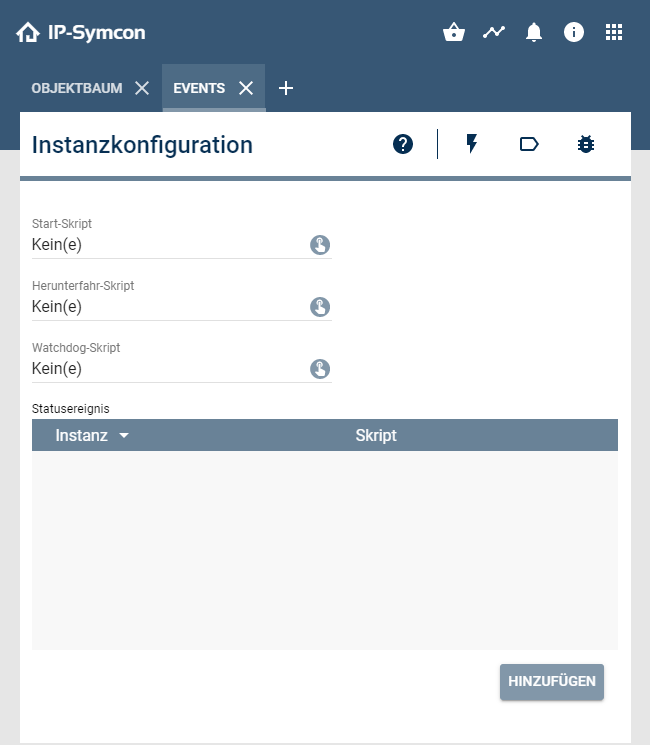
The following events are available:
| Event | Description |
| ---------------------------------------------- | ---------------------------------------------------------------------------------------------------------------------------------------------------------------------------------------------------------------------------------------------------------------------------------------------------------- |
| At startup
(start-script) | After IP-Symcon has started, this event is called. At this point in time, all interfaces should already be available and all devices should be able to be switched. The following [system variables](../concepts/automations.md) are available within the start-script. |
| When shutting down
(shutdown-script) | This event is called just before IP-Symcon shuts down. At this point, all devices should still be switchable. The following [system variables](../concepts/automations.md) are available within the shutdown script. |
| Profile border crossing
(watchdog-script) | This event is called as soon as a variable (integer/float only) comes outside the limit range of the associated variable profile. A variable must have a profile to be monitored. The following [system variables](../concepts/automations.md) are available within the watchdog script. |
| On status update
(status event) | When the status of an instance updates, a specified script can act on that update. The following [system variables](../concepts/automations.md) are available within the status event script. |
> **Note:** This module should not be deleted.
> If it is deleted, it will be recreated on the next start.