Documentation
Grid Configuration
Require: Symcon >= 7.0
Grid configurations are used to display the visualization uniformly on different devices. The configurations store position and size of the tiles as well as their configuration. In the settings the tile resolution and the default sizes per grid configuration can be changed.
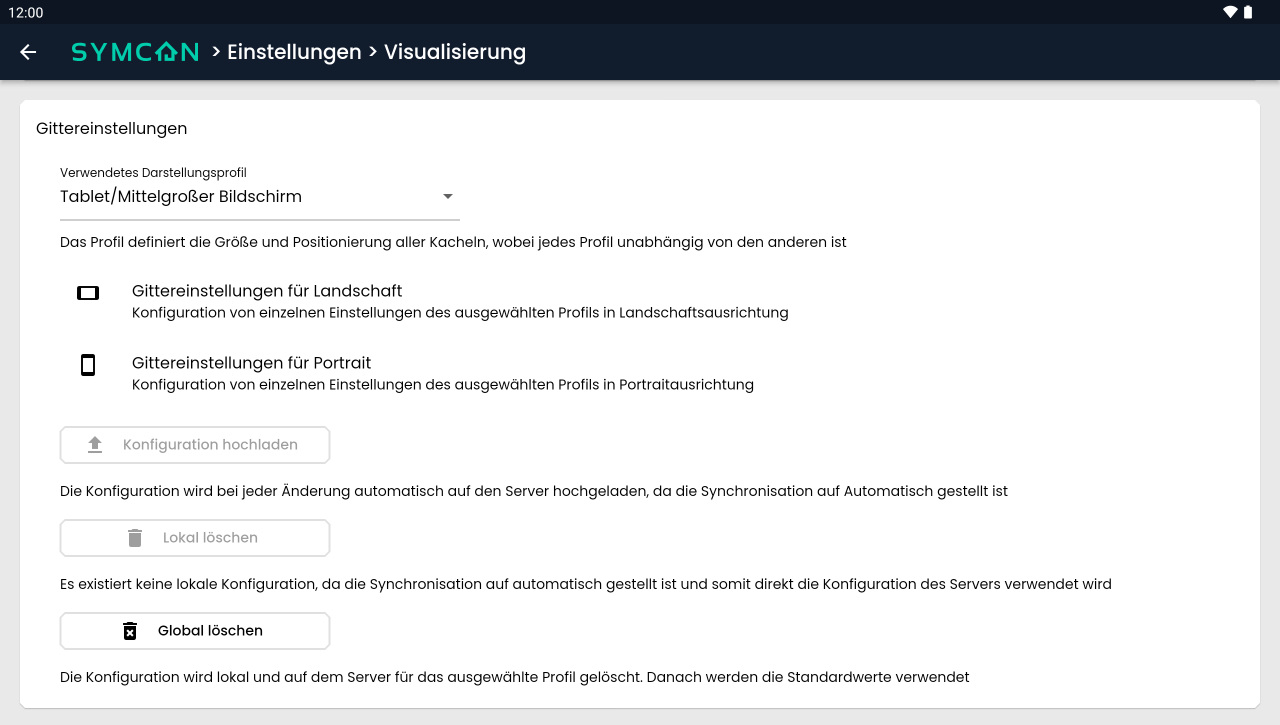
There are three grid configurations, each with default sizes optimized for one type of device: Computer, Tablet and Mobile. The appropriate grid configuration is selected based on the operating system and screen size. If necessary, the grid configuration can be selected manually.
Orientation
All grid configurations store the settings in combination with the orientation. Thus, configurations for portrait and landscape orientation can be made for each grid configuration. In the app, the appropriate grid configuration for the current orientation is selected. In the browser, only the Landscape orientation is available.
Grid Settings
The default settings for the currently selected grid configuration can be adjusted in the grid settings. In the app, both the Portrait and Landscape settings are available; in the browser, only the Landscape orientation is available.
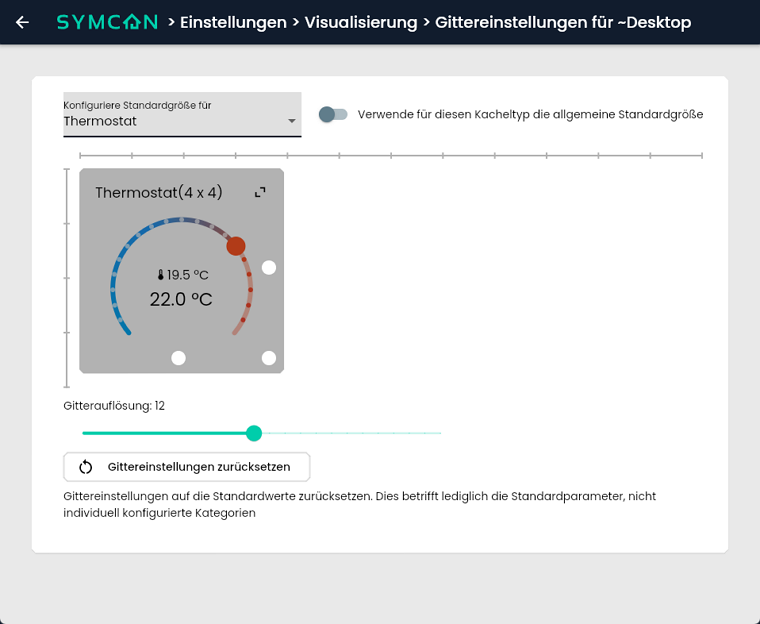
In the dropdown at the top, you can select what the standard size should be configured for. All Object Presentations and "All Tiles" are available. When selecting "All tiles", the size of the displayed tile can be adjusted in the same way as Edit layout, the general default size for all presentations can be configured. If an object presentation is selected, an individual default size can be configured for this. The "Use the default size for this tile type" switch deactivates the individual default size and therefore uses the general default size for this object display.
This results in the following size for each tile in the visualization:
- If this has been set via Edit layout an individual size has been defined for the tile, this will be used
- If "Use the default size for this tile type" is deactivated, the individual default size is used for this object display
- If "Use the default size for this tile type" is activated, the general standard size configured via "All Tiles" is used for this object display.
The "Grid Resolution" slider can be used to define the resolution of the grid on which the tiles are placed. A higher resolution therefore enables a more detailed adjustment of width and height.
Clicking the "Reset Grid Settings" button resets the default sizes and grid resolution to the default values for the current grid configuration and orientation.
Synchronization
The configuration can be synchronized on all devices via the Symcon server. This way, each end device loads the same grid configuration. The synchronization can also be switched to manual. The customized grid configuration is then synchronized via a button in the settings. If no changes are to be made to the end device, a read-only mode can also be activated. The settings for the different synchronization modes can be found in the Instance configuration.
Buttons for synchronization
| Button | Description |
|---|---|
| Upload configuration | Uploads the local configuration to the server |
| Delete locally | Deletes the local configuration |
| Delete Globally | Deletes the local configuration and the server configuration |