Documentation
Matter
Require: Symcon >= 8.2

The Matter integration is still under development and will be released with version 8.2. Matter is currently not supported on Windows.
Integration into Symcon
A Matter configurator is required to integrate Matter devices into Symcon. This can be added to the object tree via "+"->"Instance" using the quick filter "Matter Configurator".
Setup
There are 2 ways to connect Matter devices to Symcon.
1. the Symcon Visualization App
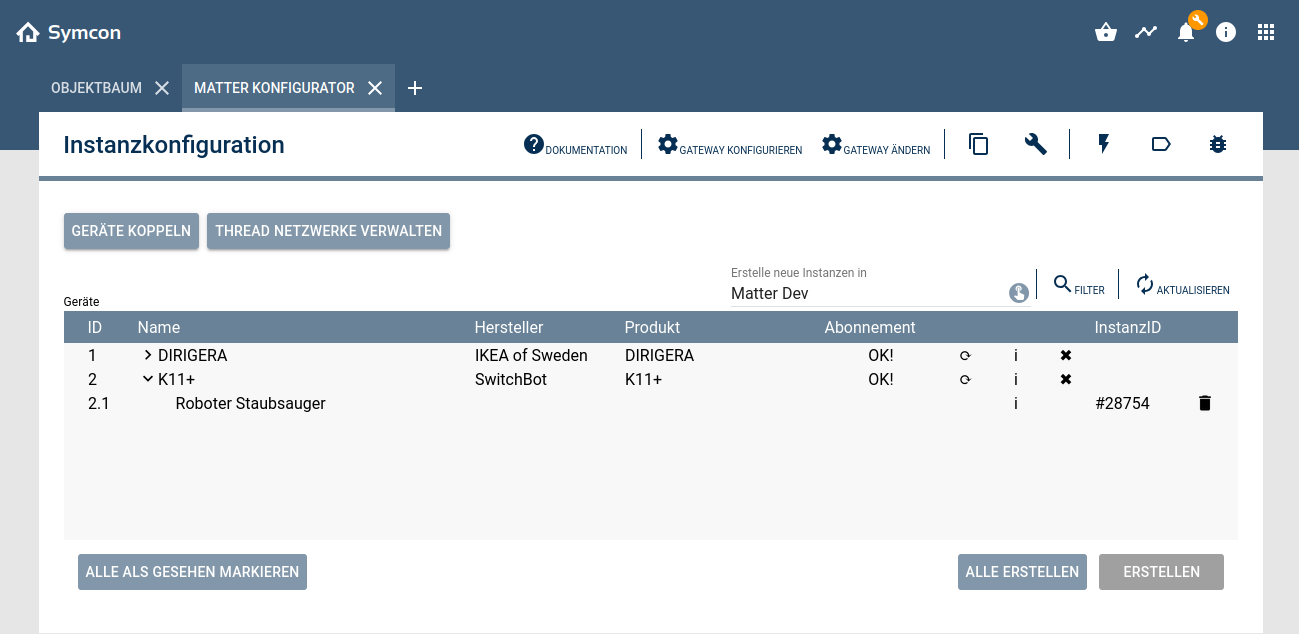
If the device is brand new or has been reset to factory settings, it can be added to the server via the Symcon app.
To do this, the Matter configurator must be opened and the "Pair via app" option selected via the "Pair device" button. The app can then be opened. Once the app is connected to the server, the setup page can be opened in the settings via the Matter menu item. The plus in the bottom right-hand corner can be used to start the pairing process for the respective operating system. After the QR code has been scanned or the pairing code has been entered manually, the device is released for the Symcon server. When the configurator signals that the device has been successfully connected, the available instances can be created.
2. sharing with another controller
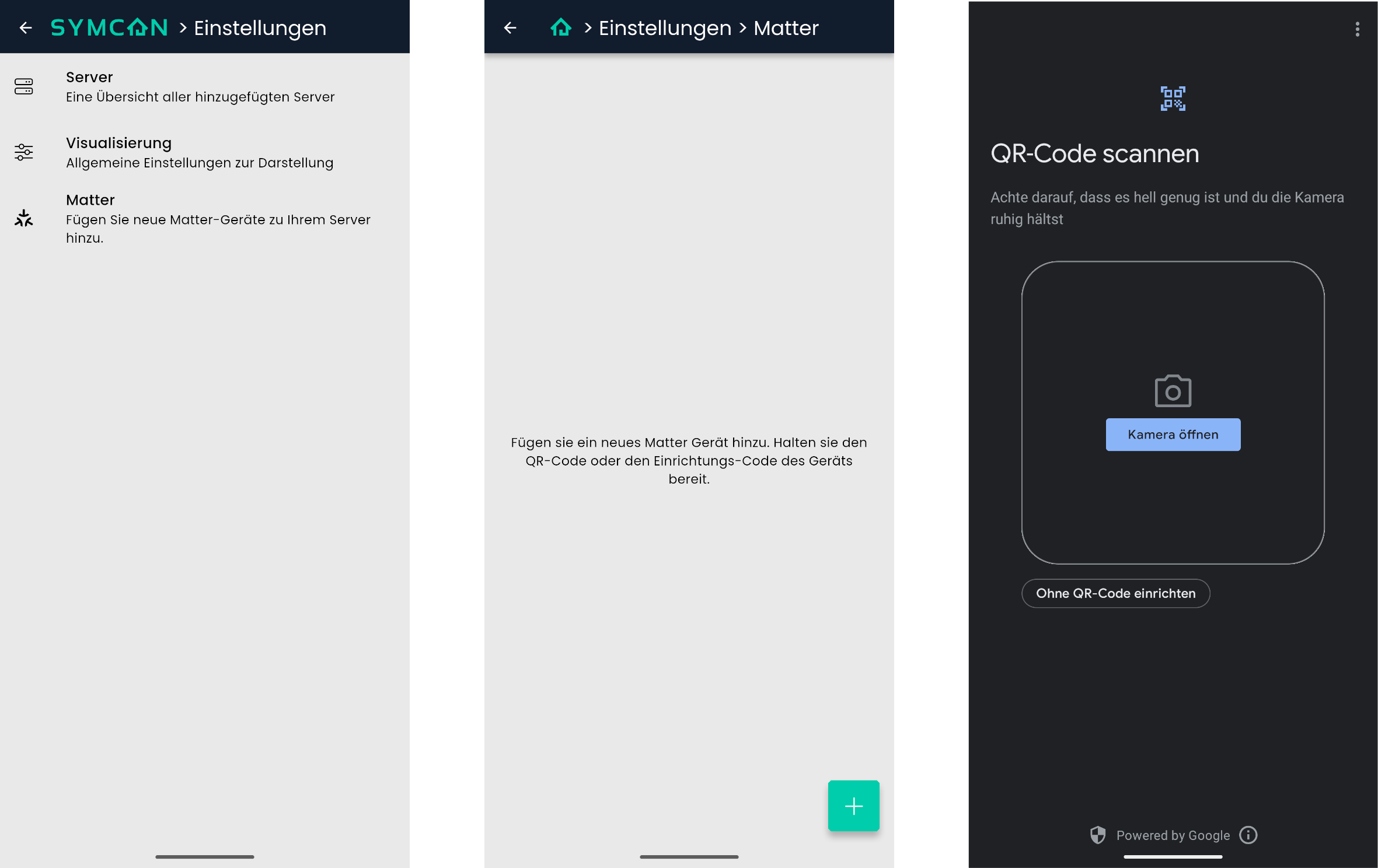
If the device is already connected to another controller (IKEA DIRIGERA Hub, Aqara Hub M3, Google Nest Hub or Apple Home Pod), a pairing code can be generated via the respective apps to release the device for other systems. In the configurator, the "Add device" option can be selected via the "Pair device" button. The pairing code can be entered in this dialog. The device is then set up and the available instances can be created.
Some devices (such as Shelly) that are in the same network as the Symcon server without being set up by a controller can be set up as described in option 2. The pairing code corresponds to that printed directly on the device under the Matter QR.
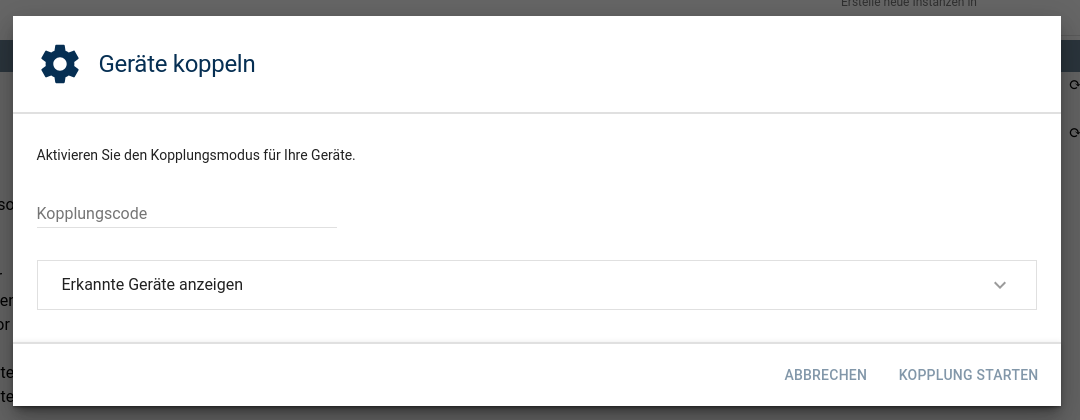
Configurator
The configurator can be used to manage devices that have already been added.
Subscriptions
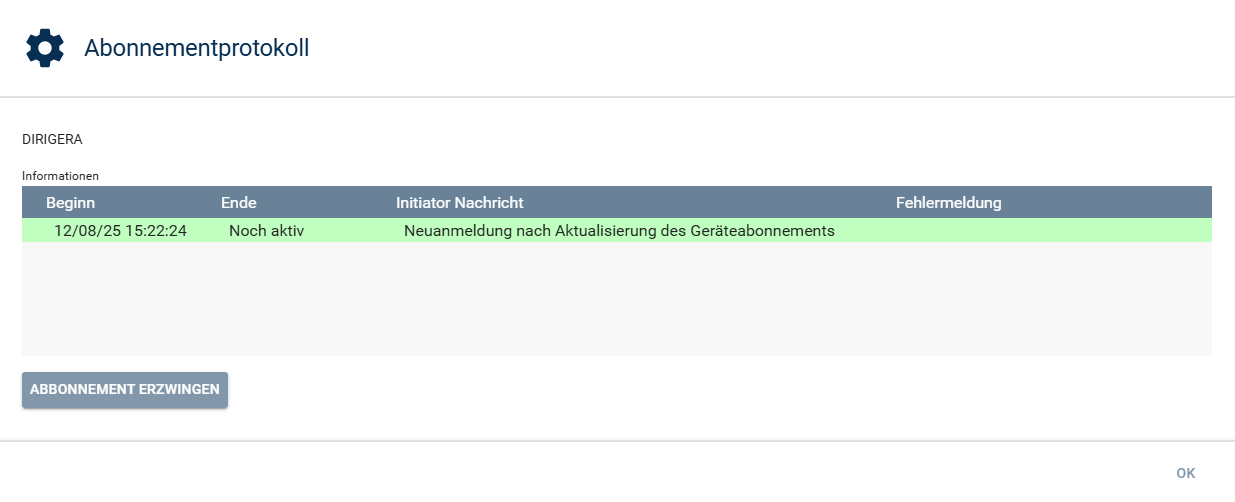
The subscription column displays the connection status of the individual nodes. Clicking on the text opens a dialog box that lists past and current connections and their status. In addition, a new connection can be established manually using the “Force subscription” button. This is only necessary in exceptional cases, as interrupted connections are resumed automatically.
Update device
All information about a device can be retrieved again by clicking on the round arrow icon. This is necessary if new devices have been added to an integrated bridge (Hue Bridge, IKEA DIRIGERA) that are not yet listed in the configurator.
Display advanced information
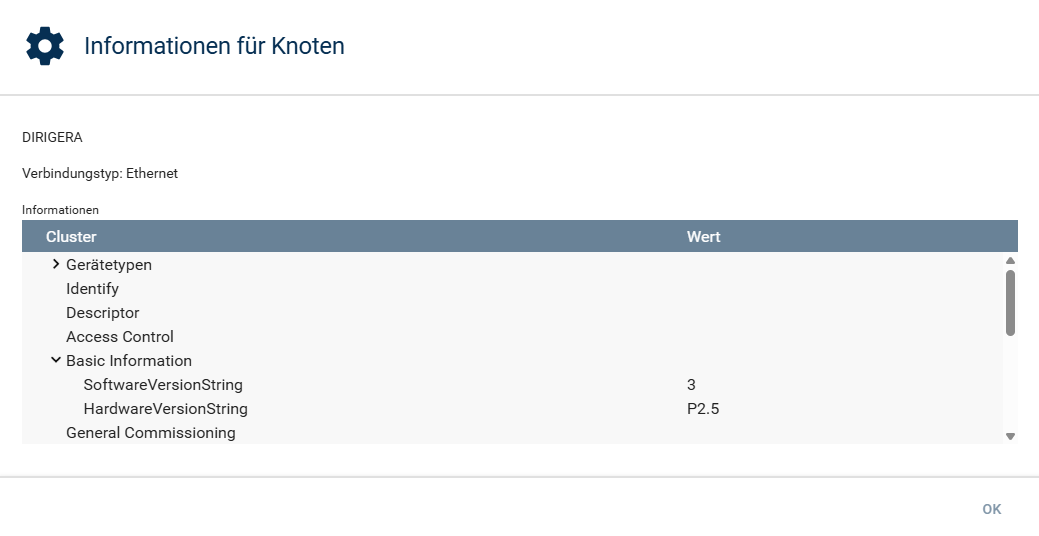
Clicking on the "i" in the configurator opens a dialog box that displays various information about the main node and the individual endpoints. This includes the type of connection (Ethernet, Wi-Fi, Thread), the software and hardware version, and all controllers to which the device is connected. All clusters of the selected device are also displayed.
Remove devices
The connection to the device can be disconnected by clicking on the "x" in the configurator.
Matter Device Instance
A Matter device consists of one or more endpoints. An instance of the type "Matter Device" is created for each endpoint. An endpoint consists of several clusters, which represent the different functions of a device.
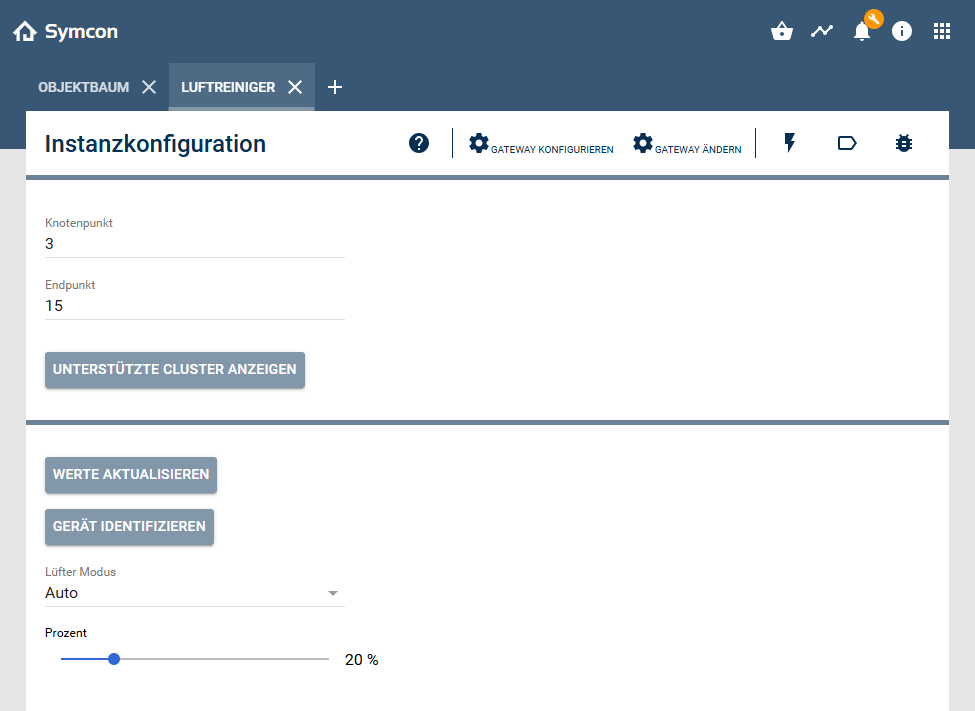
The "Show supported clusters" button opens a dialog box that displays the clusters available to the endpoint and whether they are supported by Symcon. The "Feature Map" is also displayed, which provides information about the range of functions of the individual clusters.
The "Update values" button reads the individual values of the device and writes them to the variables.
If a device supports the function, a time can be set using the "Identify Device" button. Upon confirmation, the physical device will respond for the specified duration, for example by flashing or buzzing.
All switchable variables are displayed in the lower area of the instance configuration and can be changed.
Battery-powered devices
Some battery-powered devices are considered intermittently connected devices (ICDs). These devices may be unavailable for extended periods of time. Therefore, Symcon cannot reliably subscribe to them. The values of the ICDs can still be updated manually as long as Symcon can reach the device. Even if the device is paired with Symcon, it may not be displayed in the configurator temporarily.
Supported clusters
A Matter device consists of one or more clusters.
Not all functions offered by the individual clusters are yet supported.
- OnOff
- LevelControl
- ColorControl
- OccupancySensing
- TemperatureMeasurement
- RelativeHumidityMeasurement
- IlluminanceMeasurement
- Switch
- BooleanState
- Pm25ConcentrationMeasurement
- FanControl
- RvcCleanMode
- RvcOperationalState
- RvcRunMode
- ServiceArea
- AirQuality
- PowerSource
- DoorLock
- Thermostat
- HepaFilterMonitoring
- ElectricalEnergyMeasurement
- ElectricalPowerMeasurement
- WindowCovering
- Descriptor
- Identify