Documentation
Mennekes
Require: Symcon >= 7.0
Mennekes offers various wallboxes/charging stations. These can be read out via ModBus TCP. A connection with Symcon is possible via a LAN-IP gateway or W-LAN, depending on the version.

The following devices are supported by Symcon:
installation
In order to use Mennekes wallboxes/charging columns in Symcon, a connection via Ethernet or W-LAN to the wallbox must be available. Within the wallbox/charging station, a USB->LAN converter is required for a wired solution, which is supplied with the wallbox/charging station.
integration Symcon
First a "ModBus Device" instance must be added within the object tree of Symcon. In the following dialog the IP address of the wallbox has to be entered. The port is 502 by default. Both information can be viewed on the web interface of the wallbox/charging station.
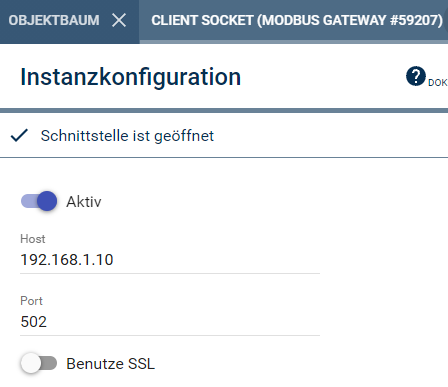
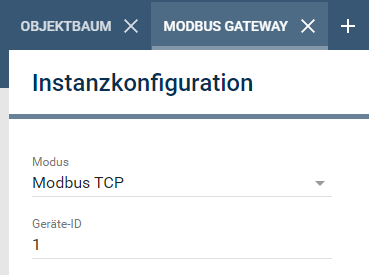
Afterwards the ModBus template for Mennekes wallboxes/charging stations can be downloaded. This contains the whole configuration of the ModBus device. After downloading, the "MennekesModBusx_vx.json" can be loaded via "Import". Afterwards all ModBus addresses of the common Mennekes wallboxes/charging stations are configured.
Templates in the device overview
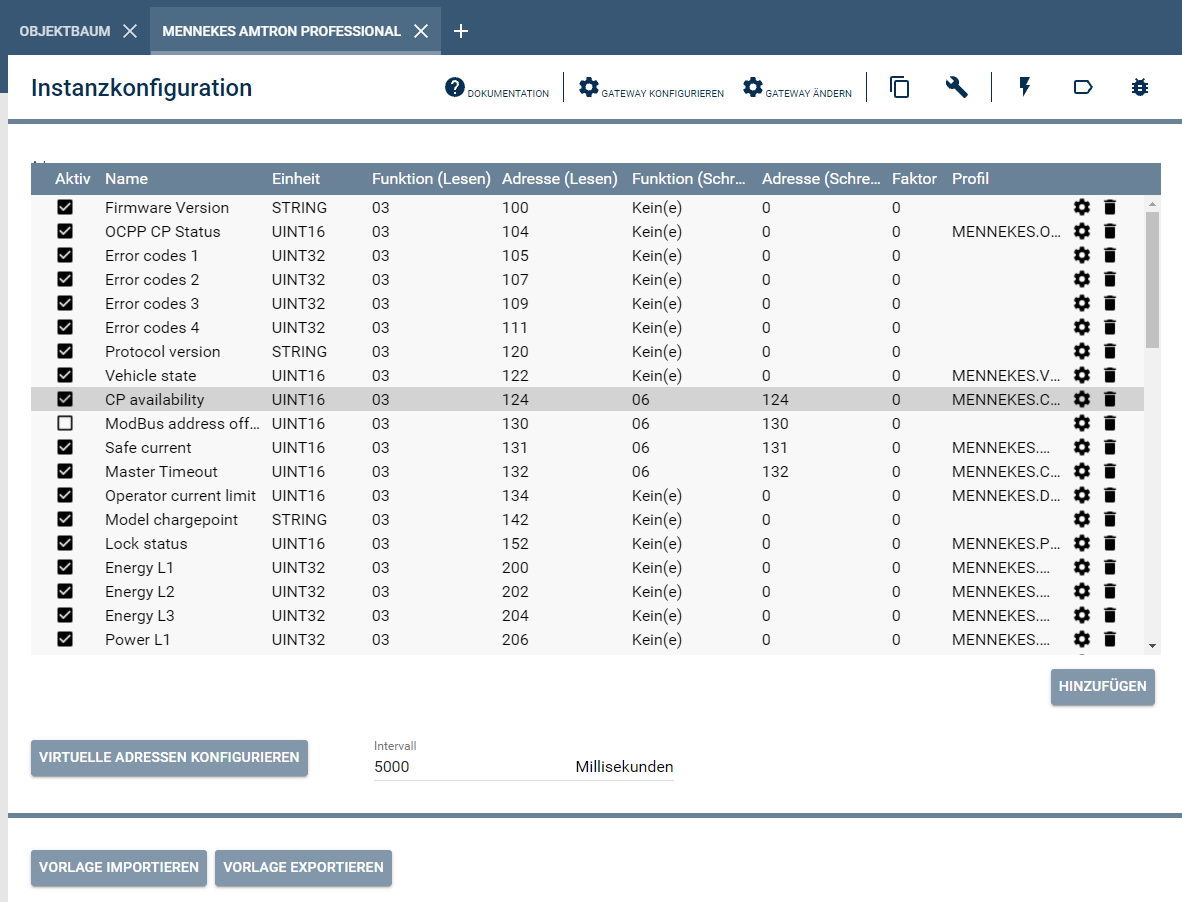
add addresses
If more addresses are to be added, this can be done via "Add".
Depending on the design of the wallbox, it may be that individual addresses must be de-/activated. This can be controlled via the Active column.
protocol description
Protocol description in thedevice overview